
Boris Cherny
Creator and Head of Claude Code
Anthropic's agentic coding tool — Claude in your terminal, IDE, desktop app and browser, reading and editing your codebase, running commands, opening pull requests and working on tasks in the cloud.
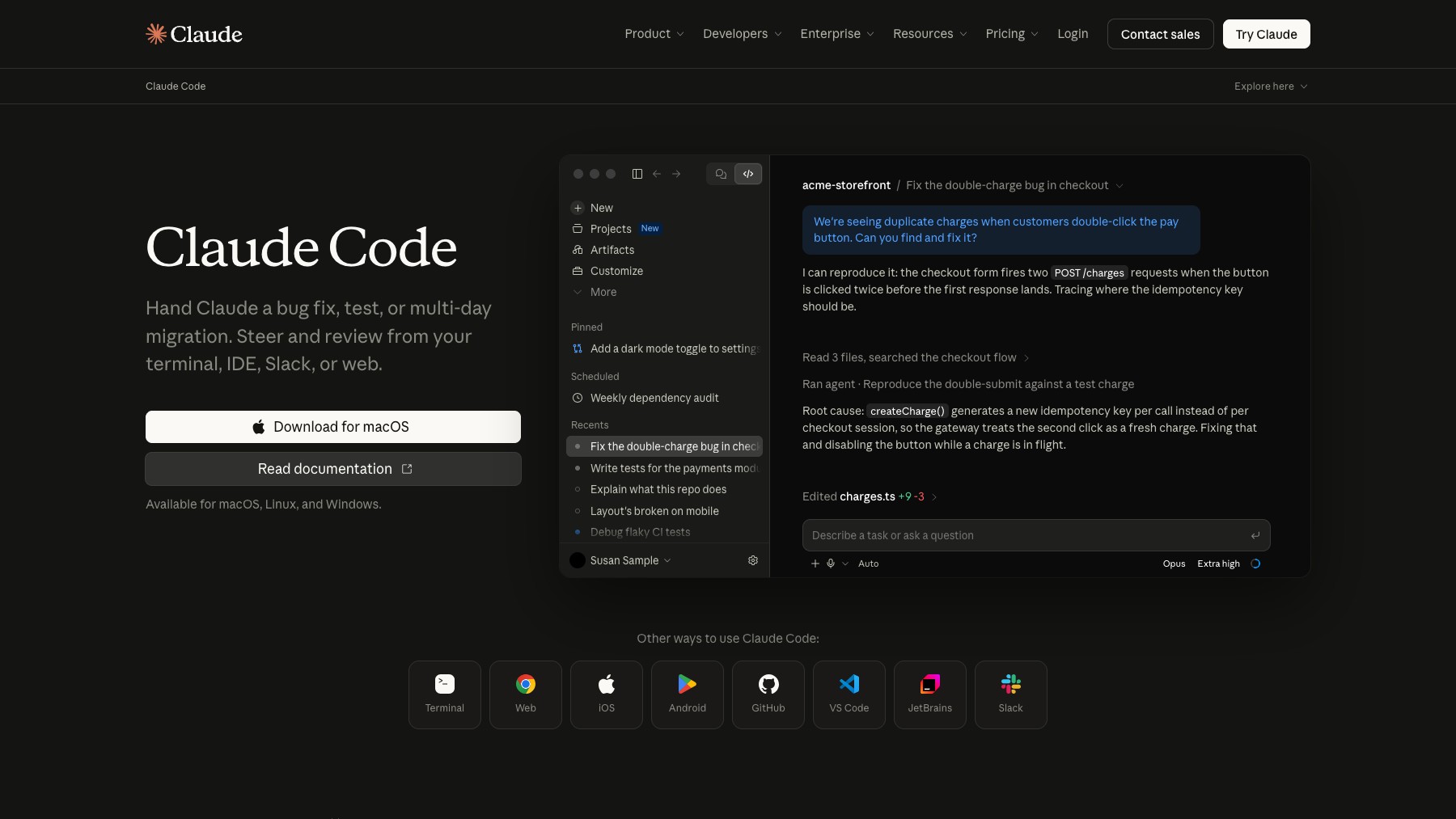
Claude Code is Anthropic's agentic coding tool. It runs in your terminal, in VS Code and JetBrains, inside the Claude desktop app and in the browser, and it works the way a colleague with repository access would: reading and editing files across the codebase, running commands and tests, and opening pull requests. Sessions can move to the cloud and keep running with your laptop closed.
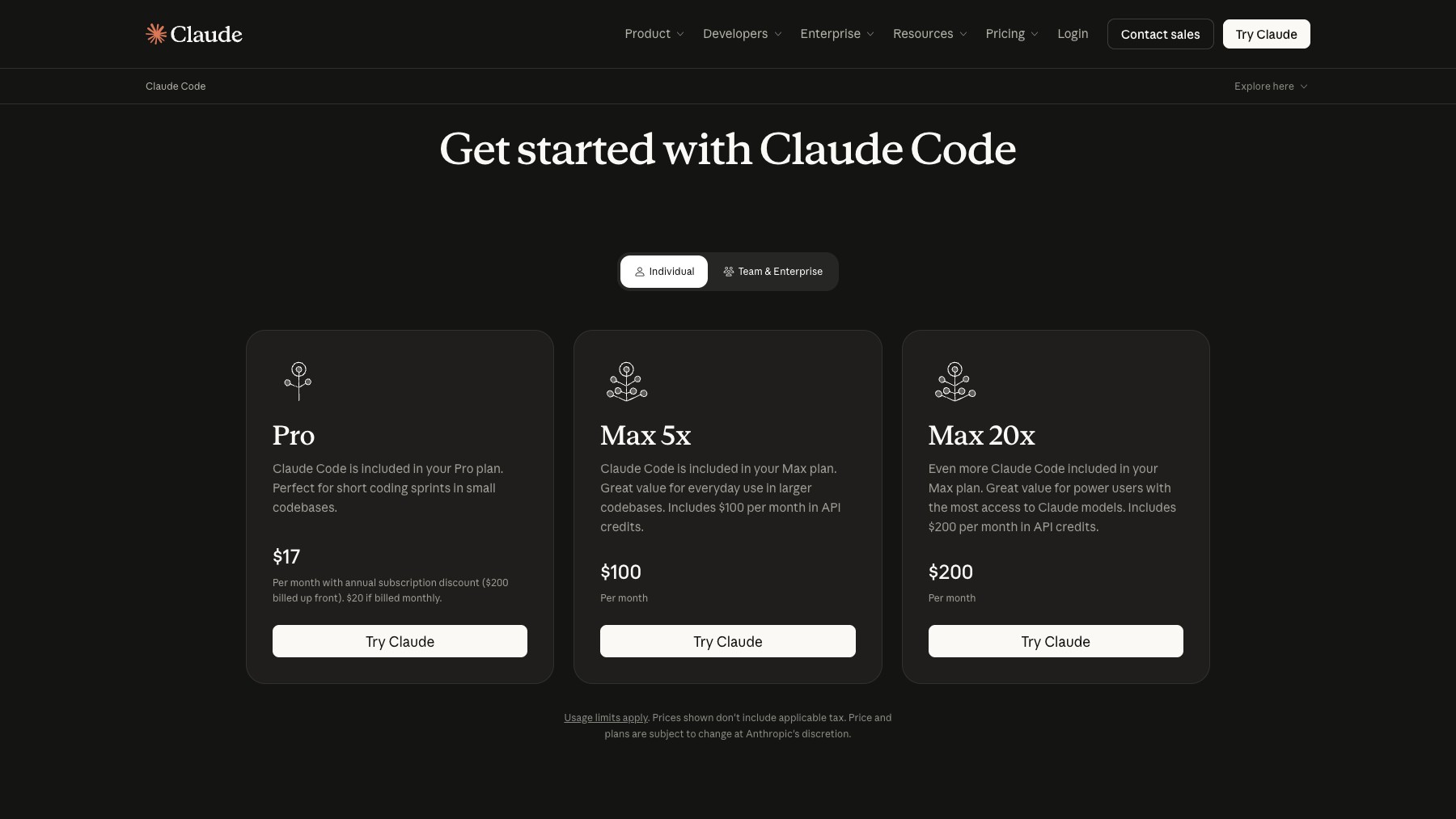
It is extended through skills, hooks, MCP servers and plugins, and it ships a public CHANGELOG with several releases a week. Access comes with Claude Pro, Max, Team and Enterprise plans, or through API usage.
Common questions about Claude Code
Traffic and momentum for Claude Code
6 similar tools

Xirp
Spotify's vendor-neutral agentic development environment — run and manage agent sessions across Claude Code, Gemini CLI, and Codex from one place.

Codex
Cloud-based AI coding agent by OpenAI — assign tasks and Codex writes, tests, and ships code in a sandboxed environment.
Ora
Scan any site or MCP server and get a 0–100 agent-readiness score — can agents find you, access you, use you, and pay you.
Namespace
Cloud dev platform from Namespace Labs — Devboxes give AI coding agents a real Mac or Linux computer, and its GitHub Actions runners cut CI times on hardware it built itself.

Cursor for iOS
Cursor's iOS app — kick off and manage AI coding agents from your phone, talk to Cursor by voice, annotate images for feedback, and review work on the go.
Browser Use
Open-source browser automation platform for AI agents — let LLMs drive a real browser to research, fill forms, scrape, and complete multi-step tasks.
The people behind Claude Code
Creator and Head of Claude Code
Head of Product, Claude Code
Claude Code team; Member of Technical Staff
Anthropic co-founder and CEO
Anthropic co-founder and President
Anthropic co-founder and Chief Compute Officer
Anthropic co-founder and Head of Public Benefit
Anthropic co-founder and Chief Science Officer
Anthropic co-founder and Chief Architect
Anthropic co-founder and Interpretability Research Lead
Anthropic Chief Product Officer
Similar Launches
Xirp
Spotify's vendor-neutral agentic development environment — run and manage agent sessions across Claude Code, Gemini CLI, and Codex from one place.
Codex
Cloud-based AI coding agent by OpenAI — assign tasks and Codex writes, tests, and ships code in a sandboxed environment.
Ora
Scan any site or MCP server and get a 0–100 agent-readiness score — can agents find you, access you, use you, and pay you.
Namespace
Cloud dev platform from Namespace Labs — Devboxes give AI coding agents a real Mac or Linux computer, and its GitHub Actions runners cut CI times on hardware it built itself.
Cursor for iOS
Cursor's iOS app — kick off and manage AI coding agents from your phone, talk to Cursor by voice, annotate images for feedback, and review work on the go.
Browser Use
Open-source browser automation platform for AI agents — let LLMs drive a real browser to research, fill forms, scrape, and complete multi-step tasks.
Comments