Michael Truell
Cursor publisher: Co-founder of Cursor
Cursor's iOS app — kick off and manage AI coding agents from your phone, talk to Cursor by voice, annotate images for feedback, and review work on the go.
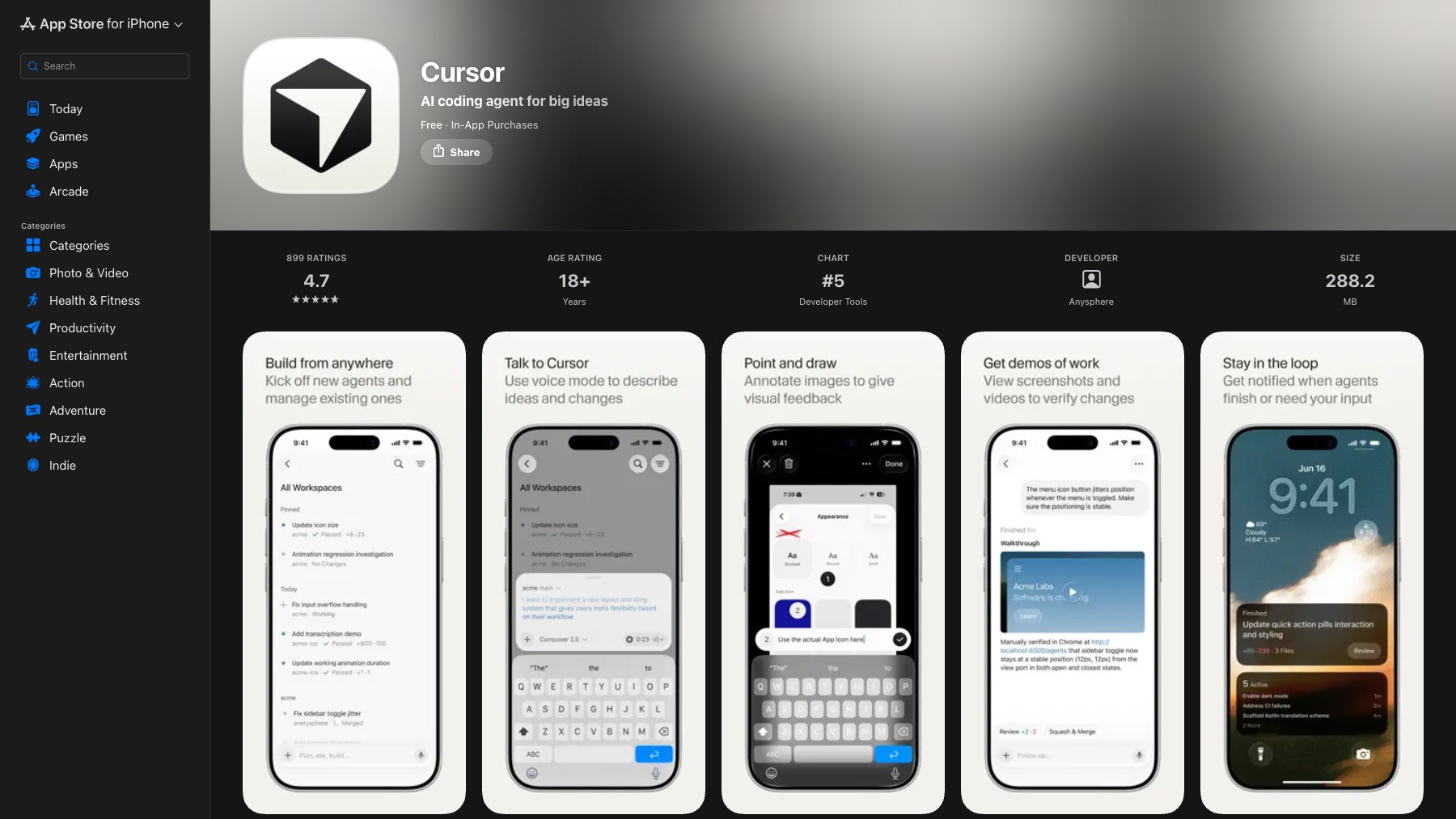
The Cursor iOS app brings Anysphere's AI coding agent to your phone. Kick off new agents and manage existing ones from anywhere, describe ideas and changes by voice, annotate images to give visual feedback, and review screenshots and videos to verify what the agent built. It's a companion to the Cursor editor for steering work while you're away from your desk.
Free with in-app purchases.
Common questions about Cursor for iOS
Traffic and momentum for Cursor for iOS
6 similar tools

Claude
AI assistant by Anthropic — write, analyze, code, and create with one of the most capable large language models available.

Cursor
AI code editor built on VS Code — agents that edit across your codebase, run in the cloud, review pull requests, and now host your repos.
ChatGPT
AI assistant by OpenAI — chat, write, code, analyse data, generate images, and browse the web, powered by the GPT-5.6 family.
ChatGPT Work
Create and edit polished docs, spreadsheets, and slides with ChatGPT — a work mode built for producing real documents, not just chat.

ChatGPT App
Download ChatGPT as a native app — macOS, Windows, iOS, and Android. Voice mode, screenshot context, system shortcuts, and a dedicated window outside your browser.
Claude Cowork
Delegate tasks to Claude — it runs them on your computer and ships finished results. Schedule recurring jobs, automate file wrangling, generate reports from raw inputs.
Similar Launches

Xirp
Spotify's vendor-neutral agentic development environment — run and manage agent sessions across Claude Code, Gemini CLI, and Codex from one place.

Codex
Cloud-based AI coding agent by OpenAI — assign tasks and Codex writes, tests, and ships code in a sandboxed environment.
Claude Code
Anthropic's agentic coding tool — Claude in your terminal, IDE, desktop app and browser, reading and editing your codebase, running commands, opening pull requests and working on tasks in the cloud.

Muse for iOS & Android
Chat with Meta’s personal AI agent on your phone, delegate tasks, and review requests for approval.

10x
AI-powered iOS app builder for macOS — describe the app you want and get SwiftUI code, an Xcode project, and simulator preview.

Replit Desktop
The full Replit experience as a native desktop app for Windows and Mac — a focused, multitasking home for the editor, Agent, and your running apps.
Comments