10 Social Media Planning Apps That Fit Real Workflows
It's Sunday night. You've got eleven post ideas in a notes app, a client carousel sitting in someone's inbox waiting for a yes, and a launch that needs a blog piece, two emails, and a week of social landing on the same timeline. You don't need another calendar. You need a calendar that matches how the work arrives.
That's the split most roundups miss. Solo daily queuing, visual feed planning, client approval, and campaign scheduling are four different jobs, and an app built for one is usually clumsy at the others. The scale explains why: DataReportal's Digital 2025 state of social report found the typical internet user actively used an average of 6.83 social platforms monthly, so almost nobody is planning for a single channel anymore.
I've grouped these ten social media planning apps by the job they do well, not by feature count. Every entry names the specific plan limit or workflow gap that makes it the wrong pick for someone else, because that's the detail that costs you a month of subscription and a rebuild. If your work is mostly Instagram-first, it's worth pairing this with a closer comparison of Instagram scheduling tools before you commit.
One rule for the whole list: the app that automates the most isn't automatically the safest. The one that survives a bad week is.
1. Buffer
Buffer is the cleanest answer to the solo queue job. You connect a channel, set posting slots, and drop content into the queue instead of assigning individual timestamps. For one person publishing daily across a handful of accounts, that's the whole workflow, and it takes an afternoon to learn.
The free tier is usable, not a demo. Buffer's free plan covers up to three channels, with a hard cap of 10 scheduled posts per channel at a time. That's roughly a week of daily posting plus spares, and it refills as posts publish.
Where it stops fitting
- Queue depth: Ten queued posts per channel means you can't batch a full month ahead on free. You'll be topping up weekly, which defeats the point of batching.
- Channel math: Pricing is per channel, so a creator running Instagram, TikTok, LinkedIn, YouTube, and Pinterest pays five times over. Cheap at three accounts, less cheap at ten.
- Collaboration: Team features sit on paid plans. If a second person needs to review before publishing, budget for it.
Post ideas and the AI assistant live in the same workspace as the queue, which is useful when you're drafting and scheduling in one sitting. Analytics get deeper on paid tiers, and the community inbox plus first-comment scheduling only appear on eligible plans. If you're testing the free route across several tools first, start with our rundown of free social media scheduling tools and pick one, not four.
2. Later
Later earns its place when the feed itself is the deliverable. Here's the visual calendar view that makes it worth paying for:
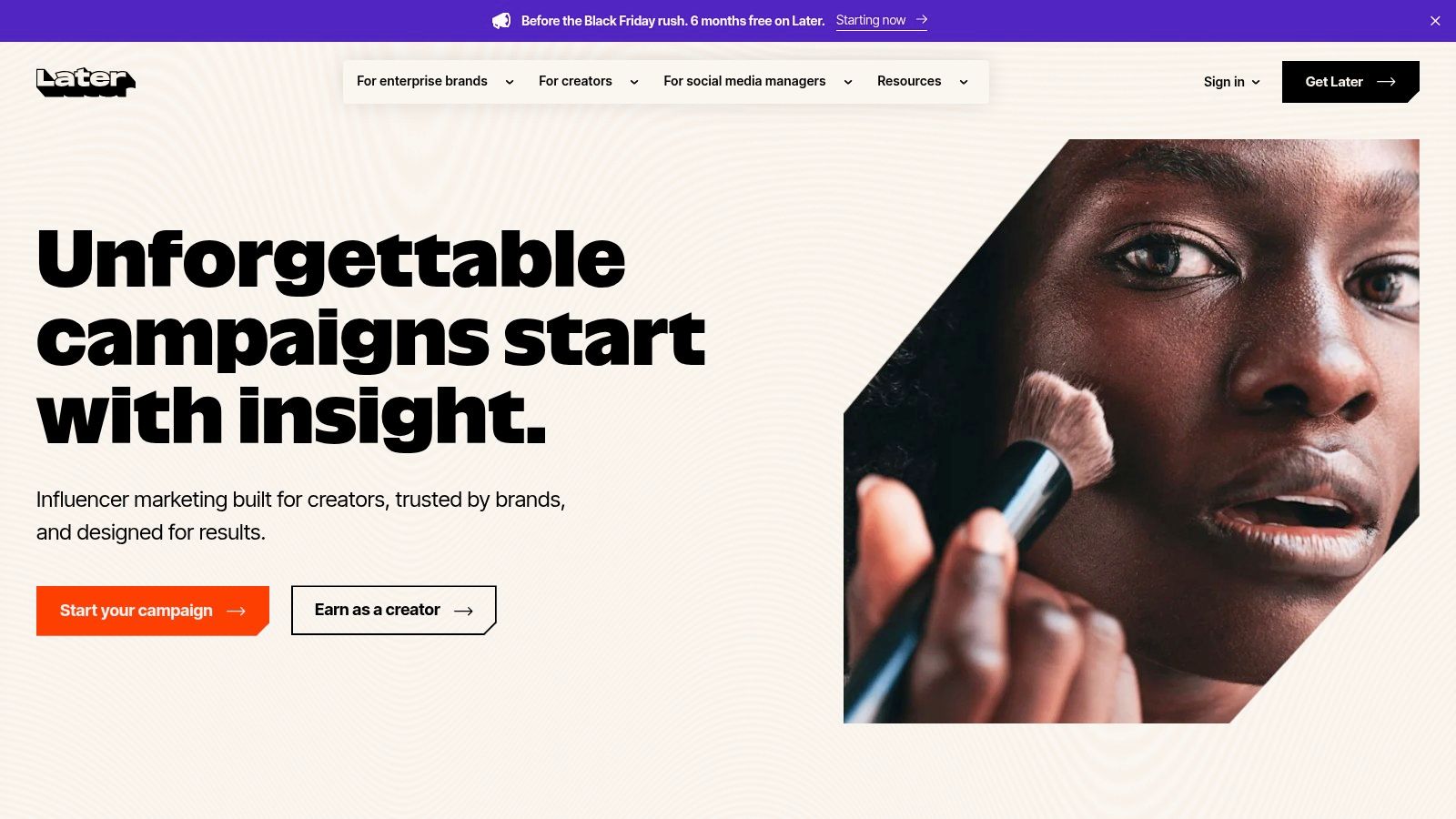
Drag-and-drop planning, saved captions, drafts, and a mobile app mean you can arrange a week of image-led content by look rather than by timestamp. Later supports Instagram, TikTok, Facebook, Pinterest, LinkedIn, YouTube, Threads, and Snapchat, and the link-in-bio tooling ties the feed to actual traffic.
The constraint is allowances. Plans cap both social profiles and posts, and user counts vary by tier, so a growing brand hits a ceiling before it hits a feature gap. If all you want is a queue, you're paying for preview tooling you'll never open.
Plan for breakage, not just for publishing
Visual planners depend on platform access, and access changes. Instagram deprecated its Basic Display API in December 2024, and TikTok restricts posts from unaudited applications to private visibility, both documented in Alium's research on social media management complaints.
Practical rule: Before you pay for any visual planner, disconnect one account on purpose and see what happens. If your drafts, media, and captions vanish with the connection, that tool isn't a planner. It's a single point of failure.
Keep an exportable archive of captions and finished media outside the app. It costs you ten minutes a month and saves a rebuild.
3. Sprout Social
Sprout Social is built for teams where several people touch the same accounts and someone senior wants a report on Friday. Publishing calendar, drafts, unified inbox, monitoring, and reporting sit in one place, and the mobile apps let an account manager respond without opening five native apps.
That consolidation is the product. You're not buying better scheduling, you're buying fewer handoffs between the person who writes, the person who replies, and the person who proves it worked.
The seat math is the disqualifier
Pricing is per seat, and it climbs fast when you add reviewers, a community manager, and an analyst. Approval workflows and competitive reporting sit on higher tiers, so the features that justify the price for a team are often not in the entry plan.
The buying pattern behind this is clear: large enterprises held approximately 72.15% of the social media management software market in 2025, according to Research and Markets' market share analysis. Tools in this class are priced for organizations with governance requirements, not for a creator with three accounts.
My recommendation is blunt. If scheduling is your main requirement, Sprout Social is more platform than you need, and the money is better spent on production. If you're managing multi-brand calendars with approval chains and localized publishing, the cost per seat is usually cheaper than the coordination it replaces.
4. Hootsuite
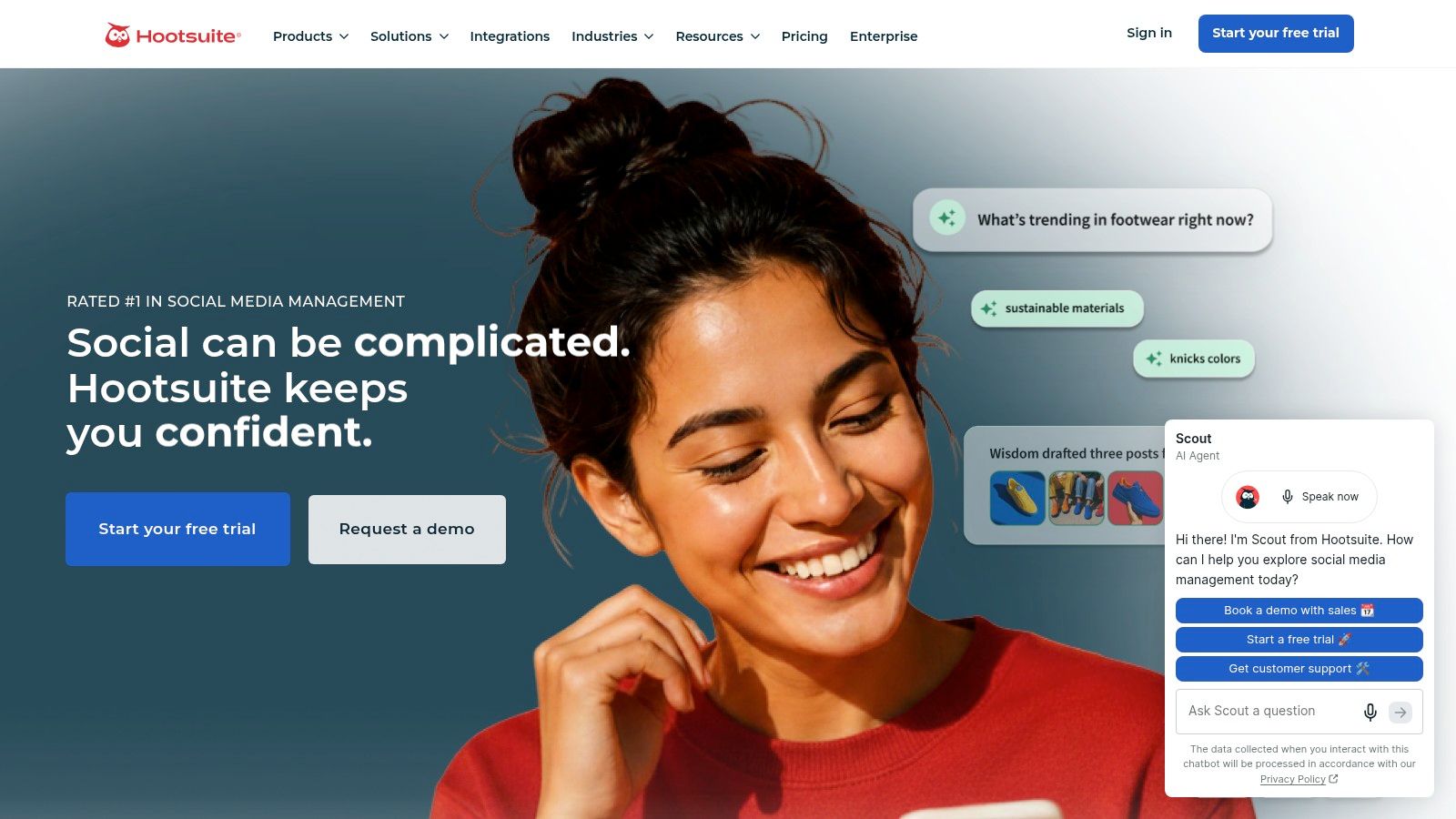
Hootsuite is the dashboard pick for organizations overseeing a substantial presence across networks. Scheduling, a unified inbox, monitoring, and analytics live in one workspace, and the plan structure scales with team size.
The inbox is the reason teams stay. HubSpot's State of Social Media report found 86% of surveyed social media marketers considered building an active online community critical to a successful social media strategy in 2024, and community work happens in replies, not in the composer.
The interface takes longer to learn than a simple scheduler, which is a real cost:
Check the plan boundaries before you commit
- Cost per person: Paid access is expensive for individuals and very small businesses. A solo creator rarely uses enough of the suite to justify it.
- Account limits: Profile counts and feature access differ by tier. Map your actual account list against the plan, not against the marketing page.
- Network coverage: Support varies by platform and format. If Pinterest is a core channel for you, weigh Pinterest scheduling tools beyond Hootsuite before assuming it's covered well.
Hootsuite fits when social is a team function with a budget line. If you're still deciding whether you need a scheduler or a full management layer, our guide to choosing a social media management website walks through that distinction.
5. Metricool
Metricool is the pick when you need to defend your calendar with numbers. The planner sits next to performance analytics and competitor tracking, so you can check what a format did last month before you schedule six more of it.
The dashboard is dense by design:
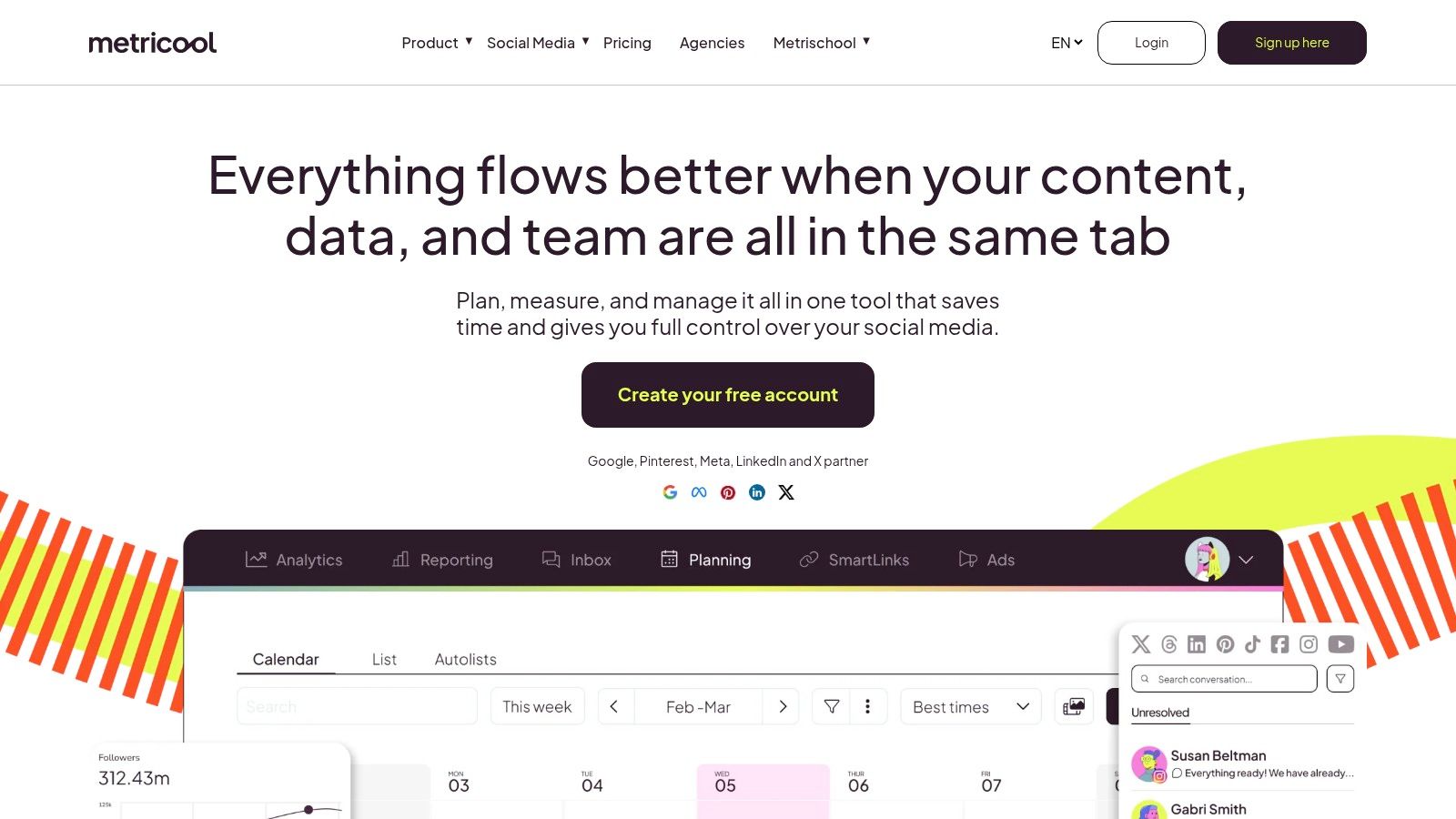
Metricool offers a free plan for one brand, which is enough to test the reporting workflow properly rather than guess at it. Canva and Google Drive integrations arrive on paid plans, and that matters more than it sounds: pulling finished assets straight from Drive removes the download-and-reupload loop that eats a batch session.
The limits are specific. The free plan carries a monthly post cap and doesn't include every network, so a multi-brand agency will outgrow it in week one. X/Twitter access is an add-on on the listed plans, which catches out anyone whose reporting still centers on that platform. Advanced approvals and deeper analytics require paid tiers or add-ons.
If your client asks "why this post, at this time," Metricool answers with data. If your client asks "who approved this," it's the wrong tool.
Pure scheduling takes a back seat here. Teams that only need reliable publishing will find the interface busier than the job requires.
6. Planable
Planable is the approval pick, and it's the one I'd hand an agency that lives on client sign-off. Shared workspaces keep each brand separate, drafts get previewed as they'll appear, and reviewers comment in context instead of in an email thread with screenshots attached.
The calendar and feed views make review concrete for clients who can't read a spreadsheet:
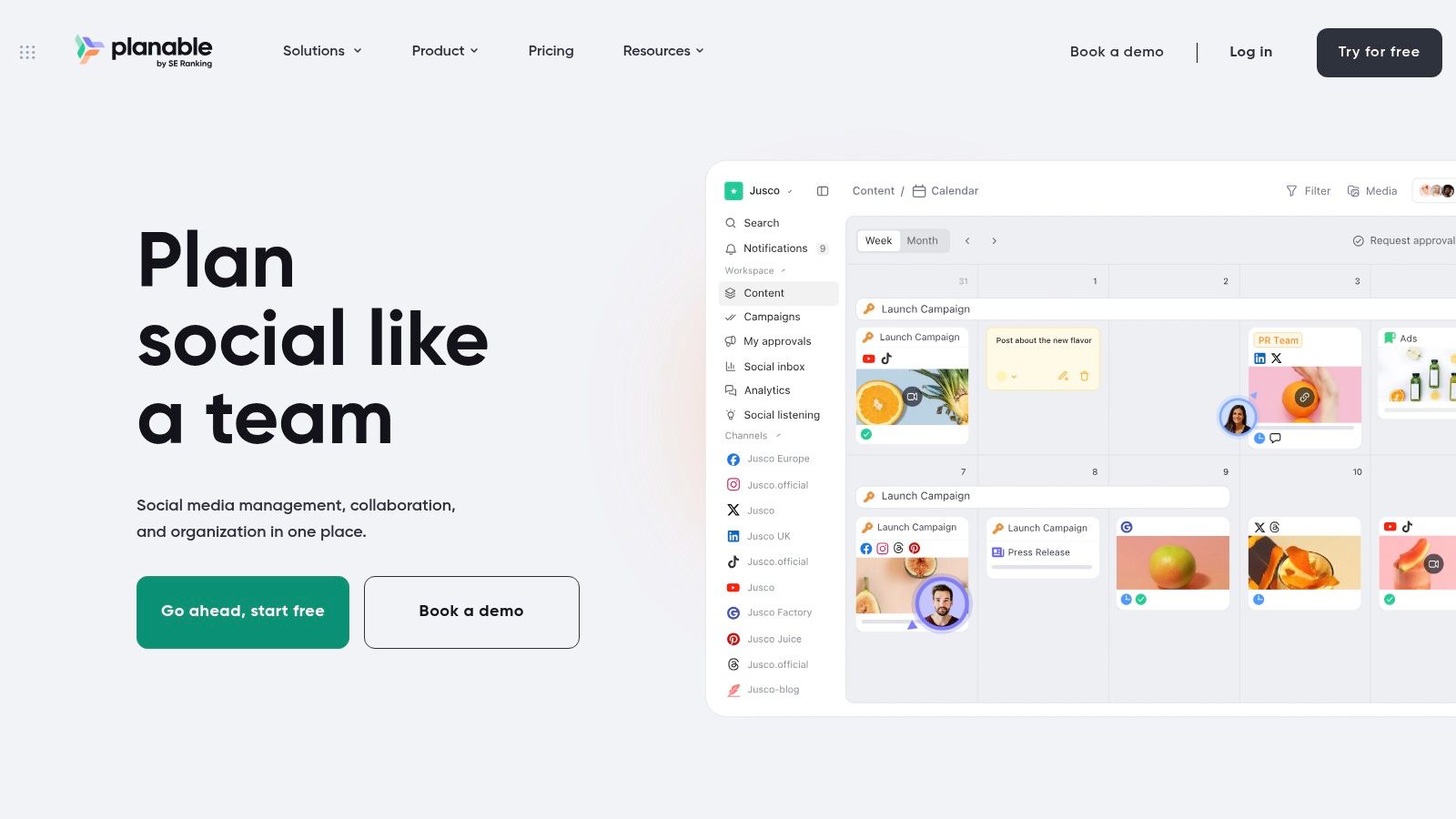
The pricing model is the differentiator. Planable lists unlimited users on its Basic and Pro plans, so adding a client's marketing lead, their legal reviewer, and your account manager doesn't multiply your bill. The first 50 posts are free with no time limit and no card required, which is enough to run one real client cycle end to end.
What you'll pay extra for
- Volume caps: Basic and Pro carry monthly post and page limits. Unlimited reviewers doesn't mean unlimited publishing.
- Add-ons: Analytics and inbox cost extra on those plans, and social listening is a comparatively costly add-on.
- Grid view: The Instagram grid preview sits on Pro, so feed-level planning nudges you up a tier.
Required approvals on Pro are the feature that stops accidental publishing. If your risk is a post going live before sign-off, that's worth more than any AI caption tool.
7. SocialPilot
SocialPilot suits the middle ground: professionals and small agencies handling enough accounts that per-channel pricing hurts, but not enough to justify an enterprise suite. Bulk scheduling and a content library are the workhorses. You load a CSV of posts, map them to accounts, and fix exceptions rather than composing one at a time.
The homepage makes the agency orientation obvious:
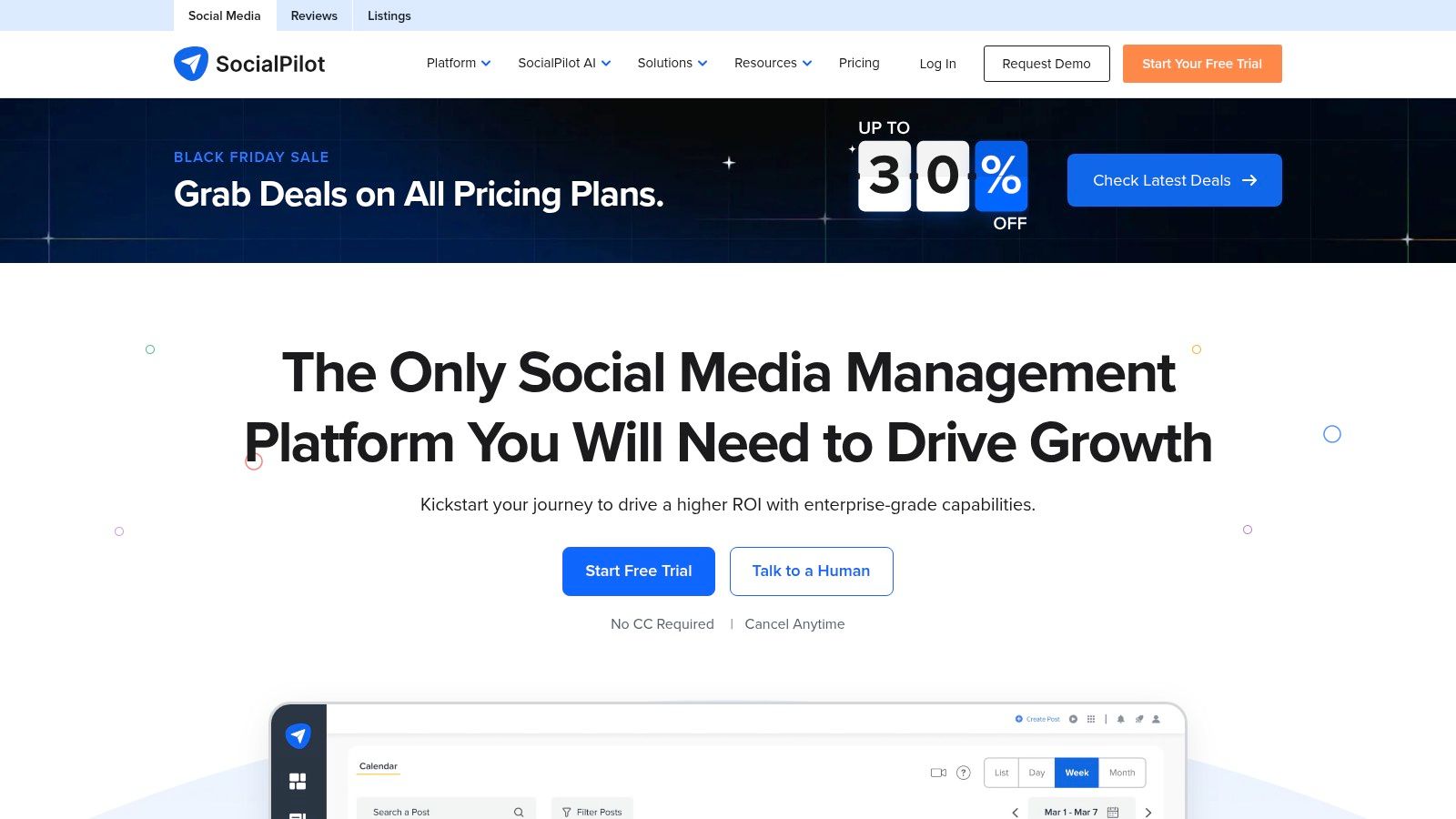
SocialPilot states account and user allowances per tier, and the 14-day trial without a credit card lets you test bulk import against your real content before anything renews.
The gap to watch is tier distance. Account and user allowances differ substantially between plans, and the features agencies sell, such as client approvals and white-label reports, sit on Premium. Buying the entry plan and hoping to run client review through it doesn't work.
This is the direction the whole category is moving. Solutions rather than professional services accounted for 70.89% of 2025 market revenue, per Mordor Intelligence's social media management software market report, meaning buyers are purchasing workflow suites, not scheduling alone. Check the supported network list against your actual account mix before you commit, especially for newer platforms and video formats.
8. Loomly
Loomly is for teams that want a structured shared calendar without adopting a full enterprise suite. Unlimited calendars on listed paid plans, approval workflows with roles, post previews, and conversation management cover the coordination layer cleanly.
The appeal is the middle path. You get real governance (who drafts, who approves, who publishes) without paying for listening dashboards nobody opens.
Here's the interface teams see when they log in:
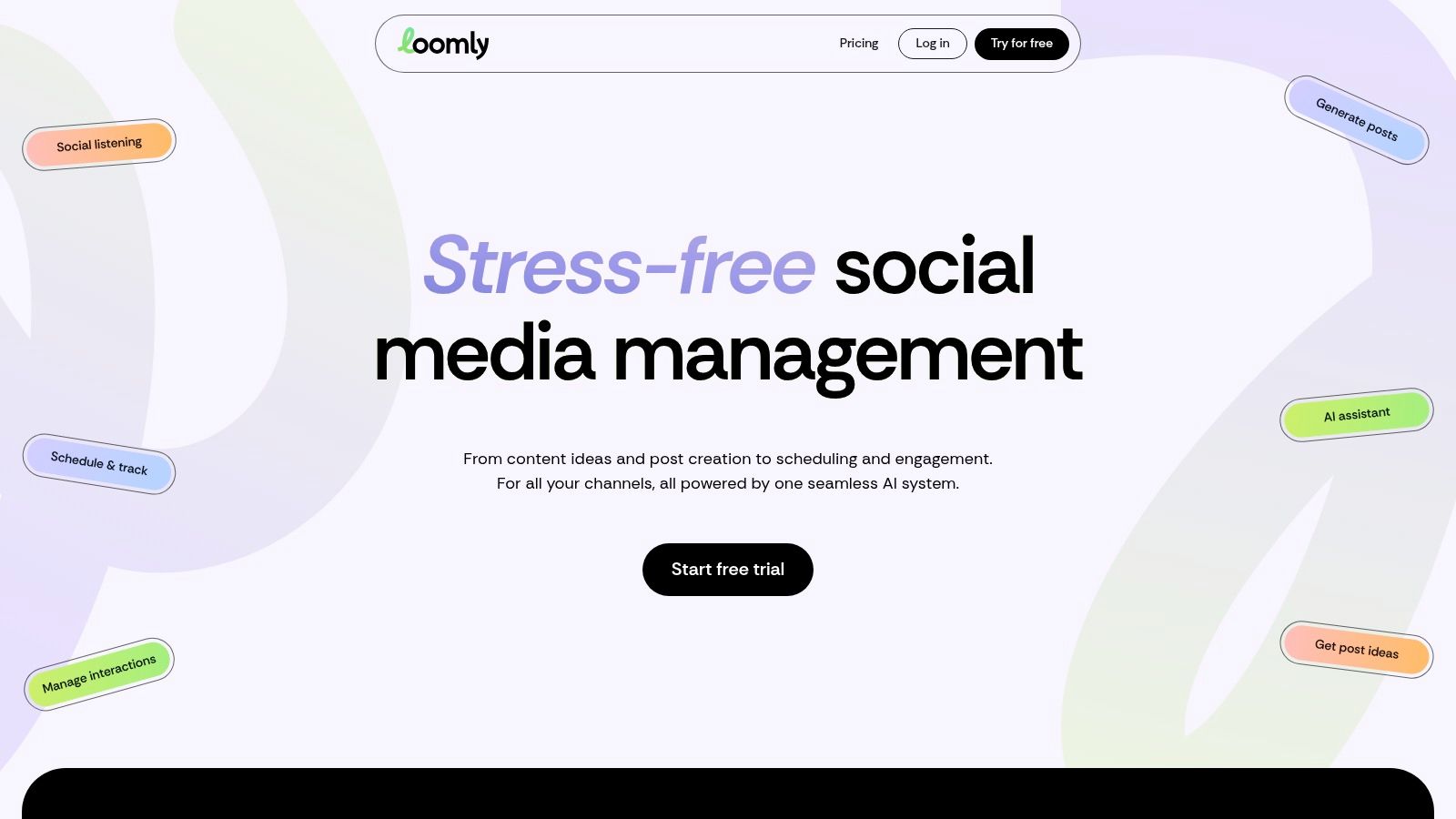
The account ceiling arrives early
Loomly includes three users and 12 social accounts on Starter, with a 14-day free trial. For a two-person team running four brands across three networks, that's comfortable. For an agency with eight clients, it isn't, and the next meaningful capacity jump costs considerably more.
The entry paid plan also costs more than basic creator schedulers, so a solo user is paying for collaboration they don't use. Some AI and social-listening usage is metered by tier.
My judgement: Loomly is the right pick when your bottleneck is internal review, not client review. Roles and approval states solve the "who said this was final" problem better than a comment thread does. If your reviewers are external and numerous, unlimited-seat pricing elsewhere will serve you better.
9. Planoly
Planoly is the feed-preview specialist. If your Instagram grid needs to read as a coherent set (alternating formats, consistent color, no three product shots in a row), planning by preview beats planning by list.
The visual planner is the whole reason to open it:
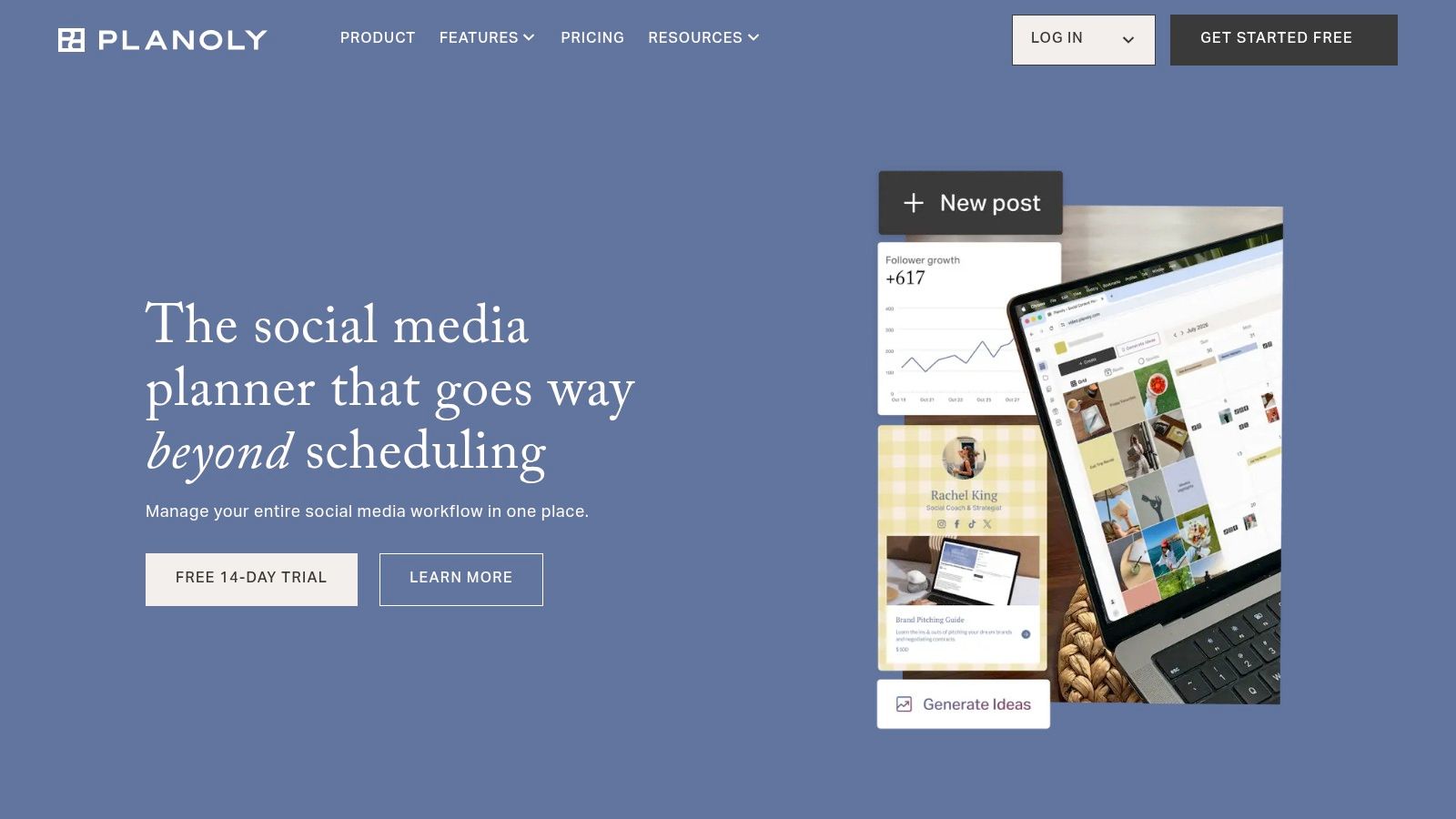
Planoly offers a free mobile plan with 10 uploads per month, plus a media library, AI content ideas, a link-in-bio page, and digital-product selling. That combination fits a creator who monetizes directly rather than one reporting to a marketing director.
The disqualifiers are structural:
- Single workspace: Starter is limited to one workspace and one user. Anyone managing a second brand or adding an assistant needs a higher plan.
- Upload ceiling: Ten uploads a month on free is a testing allowance, not a publishing schedule.
- Format coverage: Native publishing availability varies by platform and format, so confirm your specific post types (Reels, carousels, Stories) publish automatically rather than by reminder.
That last point matters more than the feature list. A planner that sends your phone a notification at 7pm isn't scheduling, it's reminding, and you'll still be the one tapping publish.
10. CoSchedule
CoSchedule is the campaign calendar pick. When a launch needs a blog post, an email sequence, a landing page, and two weeks of social all visible on one timeline, a social-only planner can't show you the dependencies.
The drag-and-drop marketing calendar is the product:
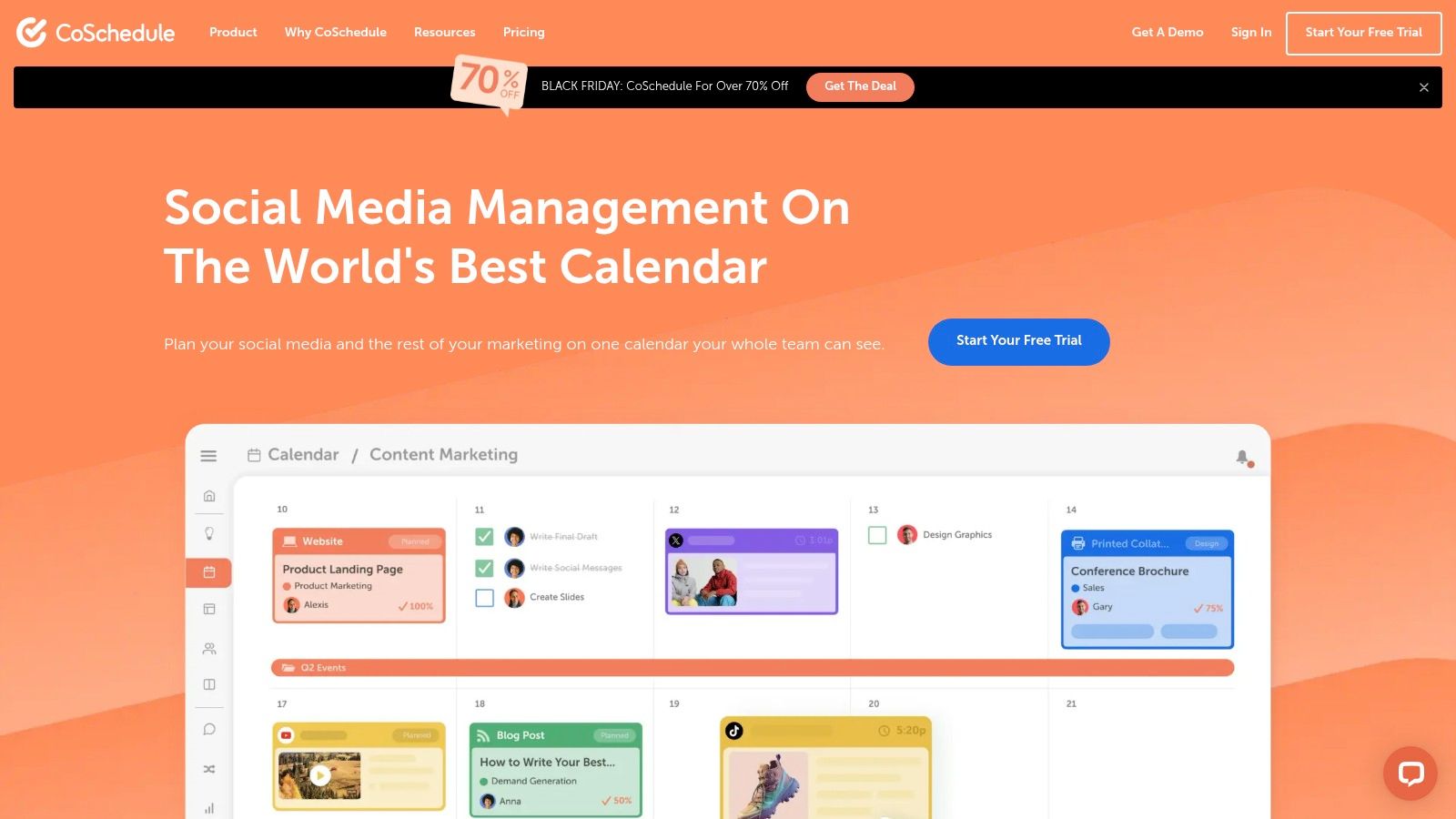
CoSchedule includes ReQueue for evergreen recycling, analytics and reports, and AI campaign tools. The free plan allows up to 15 scheduled messages at a time on one profile, and paid plans include unlimited social publishing.
Where the pricing gets fiddly
Starter is limited to one user, additional profiles cost extra, and X/Twitter profiles are separately charged. Team approval and agency features sit on Professional. So the cheap-looking entry point is a solo, single-profile setup, and a small team with five networks lands somewhere quite different.
If social is your only channel, this is more calendar than you need. If you're coordinating launches, it's the one tool here that shows the whole picture. Build the campaign skeleton first, then fill social around it. Our social media scheduling template gives you the slot structure to drop into whichever calendar you choose.
How the ten planning apps compare on entry access, workflow fit, and limits
| App | Free Plan | Best For | Team Features | Main Limitation |
|---|---|---|---|---|
| Buffer | Permanent free plan for up to three channels | Solo daily queue scheduling | Collaboration requires a paid plan | Free plan allows up to 10 scheduled posts per channel |
| Later | Free access is limited, so visual planning starts with tight profile and post room | Image-led feed planning | Multi-profile scheduling; profile and post room depends on plan | Plans limit social profiles and posts |
| Sprout Social | No free plan, entry starts on paid publishing plans | Established teams needing publishing, engagement, and reporting | Team workflows and approvals on higher plans | Per-seat pricing can be expensive |
| Hootsuite | No free plan, entry starts on paid multi-account plans | Organizations managing and monitoring multiple social accounts | Team use expands with higher plans | Paid access may be costly for small businesses |
| Metricool | Free plan for one brand | Users combining social planning with analytics | Team approvals require paid plans or add-ons | Free plan has a monthly post limit and excludes some networks |
| Planable | First 50 posts free, with no time limit or credit card | Client approval with many reviewers | Shared workspaces and approval options; unlimited users on Basic and Pro | Post and page limits apply; some features cost extra |
| SocialPilot | 14-day trial, with no permanent free plan | Professionals, small teams, and agencies managing multiple accounts | Collaboration and client approvals on higher plans | Agency features require a higher-priced plan |
| Loomly | 14-day free trial | Teams wanting a structured shared content calendar | Approvals and roles; Starter includes three users | Higher account capacity requires a more costly plan |
| Planoly | Free mobile plan with 10 uploads per month | Creators previewing visual content, especially Instagram feeds | Starter is limited to one user; more require a higher plan | Native publishing varies by platform and format |
| CoSchedule | Free plan for up to 15 scheduled messages on one profile | Teams organizing social posts with broader marketing campaigns | Approval and agency features on Professional | Starter is limited to one user; extra profiles cost more |
The useful comparison is not which app has the longest feature list. It is where the first constraint hits. A solo creator batching a short queue can live with tight post caps. An agency moving work through reviewers hits user, page, or approval limits much sooner. A team coordinating campaigns across channels hits profile and calendar structure first.
Buffer is the simple daily queue option, but the free cap of 10 scheduled posts per channel makes it a short-cycle tool. Later and Planoly suit visual feed planning, yet profile, workspace, upload, and user limits make a second brand or second reviewer a paid decision. Planable handles approval volume best, with unlimited users on Basic and Pro, but the first 50 posts free sets a hard ceiling before the workflow really scales.
Metricool works for one brand that wants planning beside analytics, but the free monthly post limit and missing networks matter if the calendar spans several channels. Sprout Social and Hootsuite fit established teams with monitoring, reporting, and multiple accounts in view, yet paid entry and per-seat or plan costs make them poor first tools for small operators. SocialPilot and Loomly give trials rather than a lasting free tier, so they reward teams that know the workflow before committing.
The practical filter is straightforward. Choose the app whose limit you can tolerate for the next month, not the one whose feature list looks complete. If you need daily solo queueing, watch post caps. If you need visual review, watch profiles and uploads. If you need client sign-off, watch post and page ceilings. If you need a full campaign calendar, watch user and profile costs.
Choose by Workflow, Not by Feature Count
Feature counts are easy to compare and easy to regret. Pick one app per job, then let its lowest plan limit tell you when to move.
- Solo daily queue: Buffer, and watch the ten-post-per-channel cap. The moment you want to batch a month ahead, that cap is your signal to move to a paid tier.
- Image-led feed planning: Later or Planoly, and watch profile and workspace counts. A second brand or a second user is the trigger to switch plans, not a reason to share logins.
- Client approval with many reviewers: Planable, and watch the monthly post and page limits. Unlimited users is the win; volume is the ceiling.
- Campaign calendar spanning more than social: CoSchedule, and watch the single-user Starter limit. Add a second person and you're re-pricing the whole setup.
Then plan for volatility rather than for volume. Sotrender's analysis of social media algorithm changes describes discovery systems weighting originality, watch time, user satisfaction, and meaningful interaction over simple reaction totals, alongside reduced posting behavior and more AI-driven recommendation. Practically, that means your planner should record format, audience hypothesis, completion rate, saves and shares, and the actual comments people leave, not just likes. A lower posting frequency with stronger, platform-native work often beats identical cross-posting at volume.
Reliability belongs in the decision too. Cloud tools are the default delivery model now, so browser access and shared drafts are table stakes. Check the less visible parts: how exports work, how a failed post is surfaced, and whether drafts survive a disconnected account. If accounts, approvals and analytics already sit in different places, this guide to fixing a fractured stack is a practical next pass.
Trial your top two contenders with one real week of content, including one approval cycle and one deliberately failed post, before you pay. Check each tool publisher's own website for current pricing, availability, and requirements, because tier structures change faster than reviews do.
Creators Toolbox publishes side-by-side comparison pages covering features, pricing, and which tool suits a given workflow, plus free productivity tools and resources for designers and creators. Its Top Productivity Apps page covers desktop and mobile apps for creators, so you can shortlist a planner alongside the rest of your production stack instead of testing in isolation. Visit Creators Toolbox to compare your two finalists before your next batch session.