No Code AI & Automation: How Workflows Run Without Code
You're looking at the same inbox you cleared yesterday. A small studio, a freelance practice, or a one-person newsletter, and every enquiry still needs a tag, a reply, and a row in a sheet. You don't want to hire a developer. You also don't want a draft leaving the building with the wrong price, the wrong promise, or a private detail you never meant to share.
That's the practical shape of no code AI & automation. The visual canvas removes the coding step. It doesn't remove judgement. An AI step can read a message, pick a label, or draft a paragraph. It can also invent a detail, misread a budget, or publish something you can't take back. The workflow around it is what makes the speed usable: a trigger, a fixed rule, a log, and a person who can stop the run.
Treat the AI step like a junior assistant who writes fast and sometimes guesses. You wouldn't hand that person the company card on day one. You'd give them a style guide, a short list of allowed answers, and an editor's desk. The same pattern works on a visual builder, whether you connect forms in Zapier, scenarios in Make, or records in Airtable.
Five Building Blocks Behind No Code AI Workflows
Say a three-person studio wants every inbound project enquiry tagged, answered, and logged without hiring a developer. The timing fits the tools now on the desk. By early 2024, 65% of respondents in McKinsey's survey reported regular generative-AI use, nearly double the share recorded ten months earlier. Visual builders, templates, and natural-language steps are how nontechnical staff put that capability into a repeatable path instead of a one-off chat.
A workflow runs in the order the work happens. You don't start by picking a model. You start with the event that should wake the system up.
Trigger. Something outside the canvas starts the run. A new form submission, a new row, or a labeled email is enough. If you can't name that event in one sentence, the workflow isn't ready.
AI step. This block reads language. It classifies, summarizes, or drafts. It doesn't decide whether the result is allowed to leave the team. Give it a short list of labels and one example of each, or it will invent a fourth category you never defined.
Logic rule. Fixed conditions choose the path. Budget above a set amount, a missing field, or the word "invoice" in the subject. The model never gets a vote on these branches. A rule either matches or it doesn't.
Action. Something gets written: a task, a sheet row, a draft sitting in a folder. Hands on the keyboard, not a decision. If the action can't be undone, it shouldn't sit right after the AI step.
Approval gate. A named person pauses the run before a risky step. Client email, a public post, a price, a change to a customer record. The gate is the difference between a draft and a commitment.
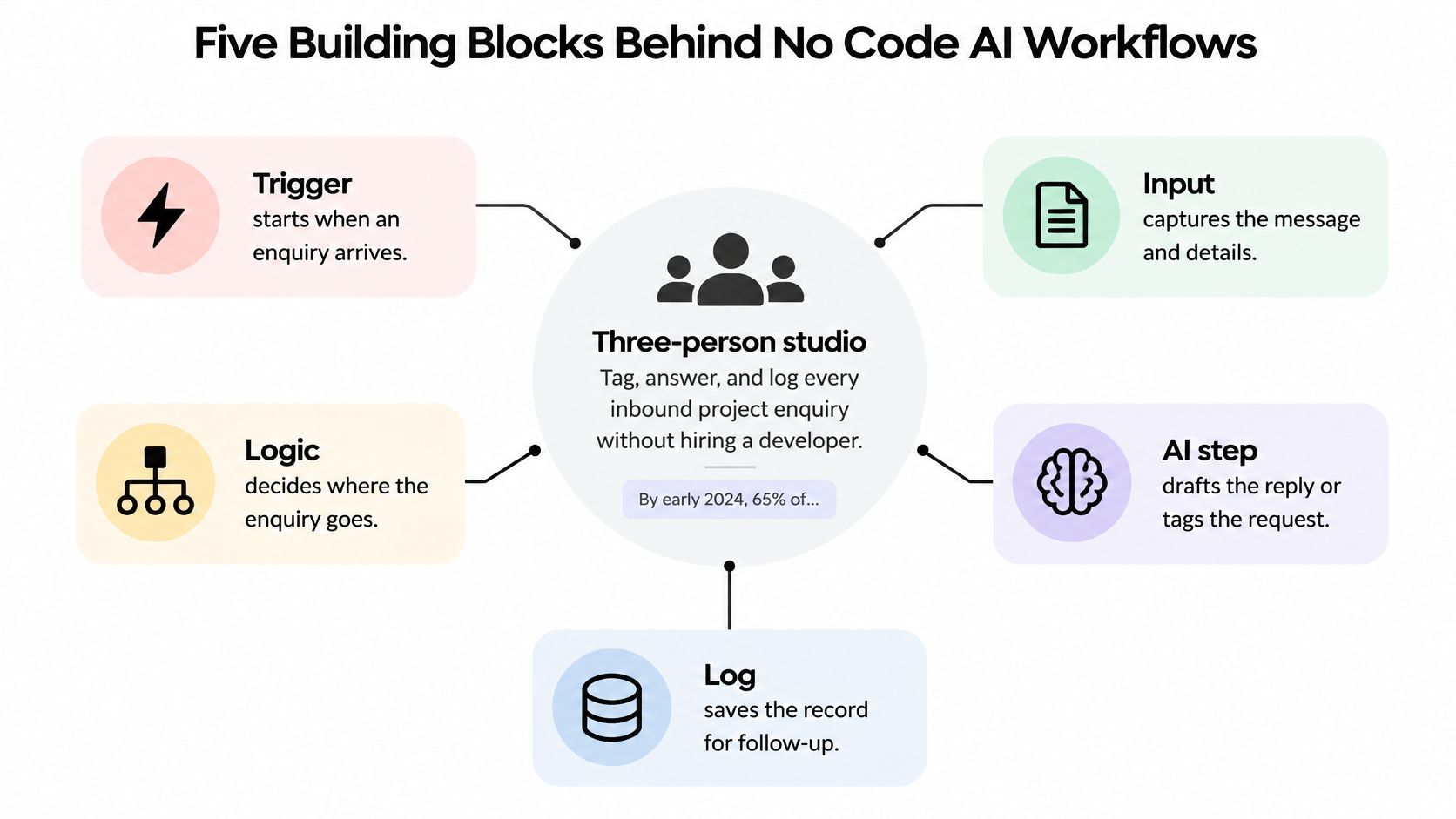
Walk one enquiry through those blocks. A new form submission is the doorbell. The AI step tags it quote, support, or spam. A logic rule sends any budget above the studio's set amount to a call instead of a written quote. An action creates the task and updates the client sheet. An editor signs off before any client email leaves.
| Building block | What it does | Example | Plain analogy |
|---|---|---|---|
| Trigger | Starts the workflow when an event happens | New form submission or new spreadsheet row | A doorbell |
| AI step | Reads, classifies, summarizes or drafts language | Tags an enquiry as quote, support or spam | A junior assistant with a style guide |
| Logic rule | Chooses the path using fixed conditions | If budget is above a set amount, route to a call | A traffic light |
| Action | Writes to an app, creates a task or publishes | Creates a task and updates the client sheet | Hands on the keyboard |
| Approval gate | Pauses for a person before a risky step | Editor signs off before any client email is sent | An editor's red pen |
A workflow consists of these blocks linked in sequence. The visual canvas is the place where you connect them. If a block's job is unclear, the chain will be unclear as well, regardless of how polished the interface appears.
Where AI Leads, Where Rules Lead and How Much Review Each Step Needs
No-code doesn't erase the skill problem. It moves it. In an OECD survey of SMEs across four G7 countries, 50% said employees lacked the skills to use generative AI. 19.7% said it increased their need for highly skilled workers, against 9.4% who said it reduced that need. The skills that matter now are testing outputs, handling exceptions, documenting why a path exists, and spotting when the model is unreliable.
What the model is good at
Language-heavy work is where the speed shows up. In a controlled McKinsey study of 40 product managers across the United States, Canada, Europe, and Latin America, generative-AI tools produced an estimated 5% reduction in end-to-end product time to market and a 40% improvement in productivity. The gain wasn't even. AI produced almost twice as much benefit on content-heavy work, such as information synthesis, drafting, editing, and brainstorming, as on content-light work such as data gathering and visualization.
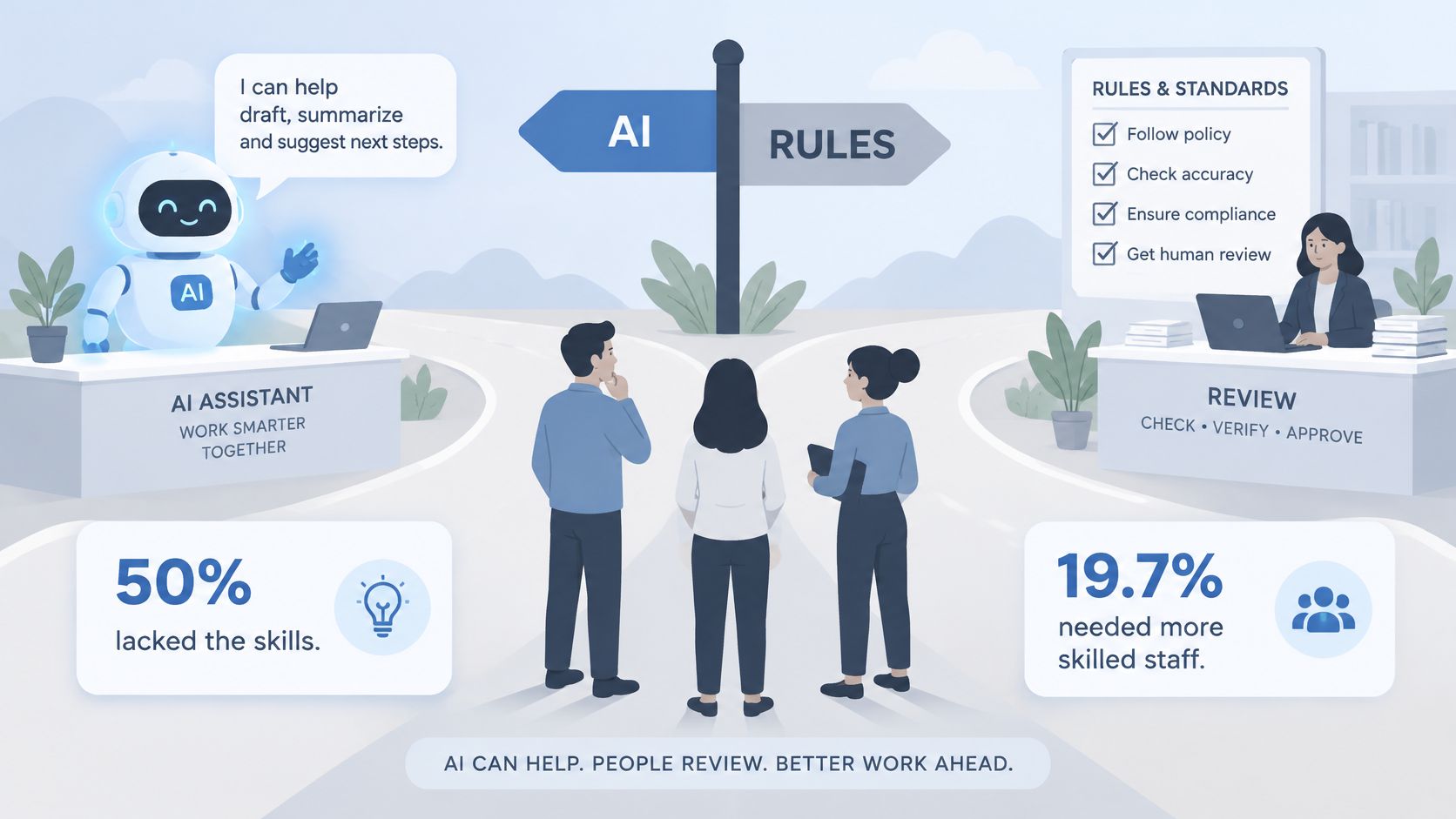
So let AI lead on summarizing a client brief, generating three title variants, or classifying message intent. Keep authentication, database writes, permissions, and publishing inside explicit rules. A rule doesn't "usually" deny access. It denies it every time the condition matches. The same split helps support teams choosing among customer service chatbots: the model can draft, and a rule decides who is allowed to send.
Practical rule: If a wrong answer would change money, access, or a public record, the step is a rule or a person, not a model.
Speed has a hidden cost. The hours you save on drafting move into catching mistakes. A fast wrong label still creates a wrong task, a wrong owner, and a client who thinks you ignored them. That's why four measures stay separate: cycle time, revision count, failure rate, and review effort. Folding them into one "productivity" score hides the cleanup.
How much review each step needs
Match the gate to the damage, not to how confident the draft sounds.
| Risk level | Example tasks | Skills needed | Review rule |
|---|---|---|---|
| Low | Tagging internal notes, summarizing your own research | Basic instruction writing and spot checks | Check a sample of outputs each week |
| Medium | Drafting client replies, categorizing inbound leads | Edge-case testing and reading run logs | A person reviews every draft during the first month |
| High | Publishing, pricing, changing customer records, legal or medical wording | Process design, data judgement and escalation | A person approves every action; no full automation |
A weekly error review keeps the split honest.
- Pull the failed runs and the ones a person edited.
- Sort them by cause: bad instruction, missing data, wrong rule, or model error.
- Fix the largest cause first.
- Log the change so the next reviewer knows why the workflow works this way.
A sample check is enough for internal tags. It is not enough for a price, a publish, or a customer record.
If most edits are wording, tighten the instruction. If most edits are the wrong path, add a rule. Don't keep asking the model to "be more careful." Care isn't a setting it can hold.
Safety Checks to Run Before Switching a Workflow On
Tool shopping is the easy part. Governance is what usually stalls a launch. A global 2025 Cloudera survey of nearly 1,500 IT leaders across 14 countries found data privacy was the leading barrier to AI-agent adoption at 53%, ahead of legacy-system integration at 40% and implementation cost at 39%. Separate research in that same release put data privacy and security as the top AI-related concerns, cited by 68% and 60% of respondents, with AI governance and oversight the leading expected agent-related security concern at 58%.
Those numbers match the questions a small team asks. Can this automation see a client's email? Who can open the generated draft? What happens when the step invents a discount?
Run six controls before the switch flips.
- Data minimization: Send only the fields the AI step needs. A name and a project type, not the whole CRM export.
- Permission boundaries: Give every connection a least-access account. It can create drafts. It can't delete clients or change billing.
- Approval checkpoints: A named person signs off before any risky action. "Someone on the team" is not a name.
- Audit logs: Record the input, the output, and who approved it. If you can't replay a bad run, you can't fix the cause.
- Vendor terms: Check whether inputs train models and where data is stored. Read that page before you paste a client brief.
- Fallback procedure: When the AI step fails, queue the item, use a default route, or hand it to a person. Silence is not a fallback.
Three cases stay manual. If the output can't be recalled once sent, if it includes sensitive personal data, or if it sets a price or a legal position, don't automate it fully. A slower reviewed path often costs less than a fast one that creates rework, a public mistake, or a privacy incident. The hour you "saved" comes back as an apology email and a weekend of cleanup.
How to Build a Workflow Without Writing Code
Start from one repetitive task, not from a catalog of apps. A short list of top no code automation tools helps once you know the job. It doesn't choose the job for you.
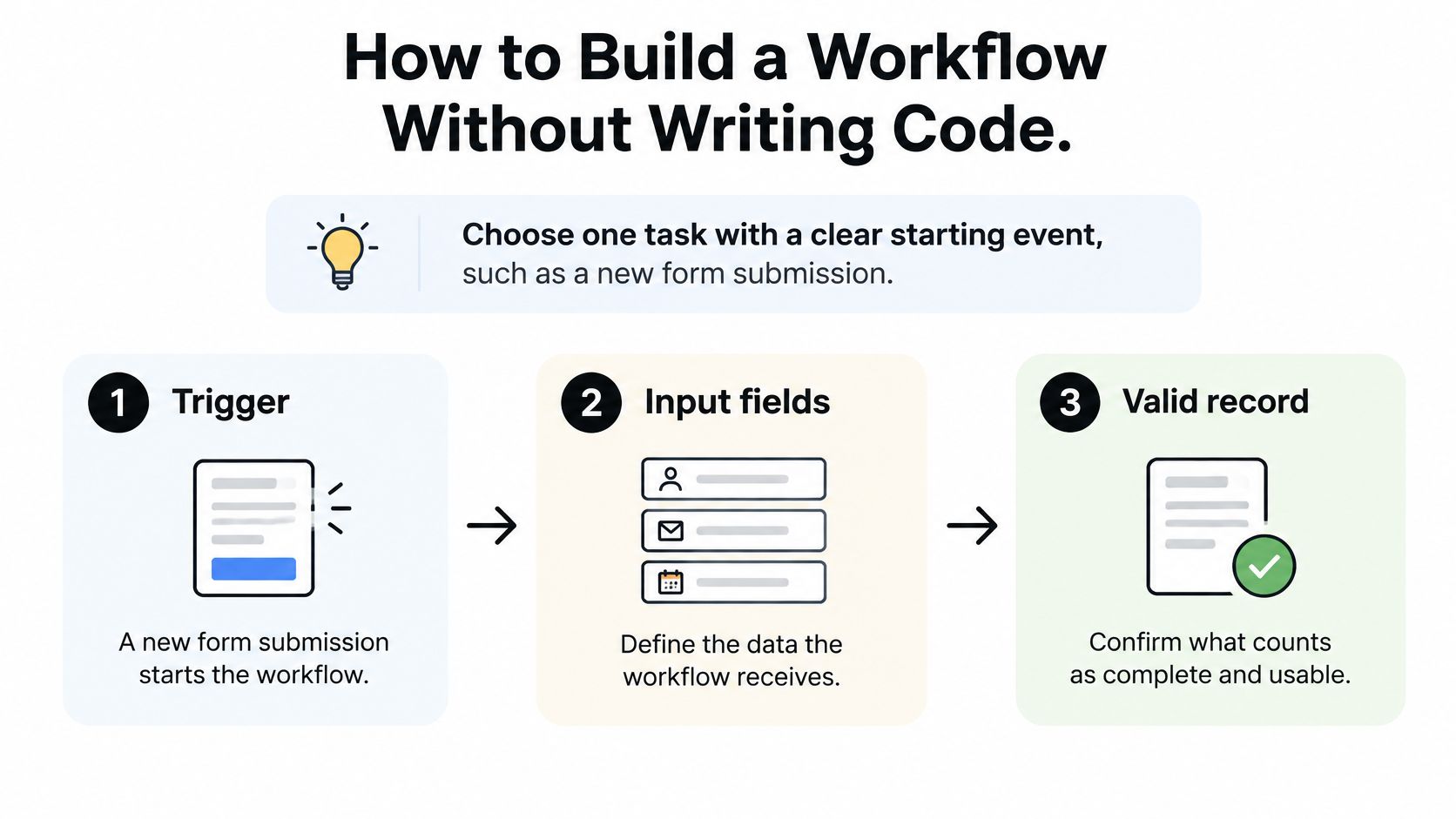
- Pick one starting event. A new form submission is a clean doorbell. One event means you can tell whether the workflow fired. Two events in one build means you won't know which one failed.
- Define the fields and a valid record. Name, email, budget, and a short brief might be required. A blank budget isn't "unknown." It's incomplete, and incomplete records should stop or route to a person instead of reaching the model.
- Add the AI step with a fixed output. Write the instruction with one example input and a closed format, such as one label from quote, support, or spam. Vague instructions are the usual slip here. "Understand the enquiry and respond helpfully" produces a new label every week. A short list does not.
- Add a logic rule for each label. Known cases never depend on the model. Spam goes to a folder. Support opens a task. A budget above your set amount books a call. The rule is the traffic light. The model only supplied the color.
- Connect the actions. Create the task, update the sheet, or leave a draft in a shared folder. Each action should be reversible or easy to find. If you can't point to the record five minutes later, the action is too loose.
- Insert an approval gate before anything leaves the team. The usual slip is a workflow that sends before anyone has read the draft. Put the gate on the send, not on the draft. Drafting can run overnight. Sending waits for a person.
- Replay past records. Run ten to twenty old enquiries and compare each output with your own judgement. Where you disagree, tighten the instruction or add a rule. Don't "retrain" by rewriting the whole prompt in one pass. Change one cause at a time so you can see what fixed it.
- Switch on a limited share. Confirm the six safety controls are already in place, then match the switch to the risk tier of each step. Low-risk tags can run with a weekly sample. Medium-risk drafts stay in review. High-risk actions stay gated. Check the failure rate every week.
How you know it's ready
The same input gives the same label on repeat runs, and the reviewer rarely edits the output. If either of those fails, you're still designing the workflow. Turning up the volume won't finish the design. It will only multiply the edits.
Three Workflows Creators Build This Way
Three creators, three narrow jobs. Each workflow below is a typical build, and each one shows the same lesson: when the AI step goes wrong, the fix is a narrower instruction or an extra rule, not a "smarter" model. Practical write-ups of content creator automation land on the same pattern: narrow the job, then put a person on the public step.
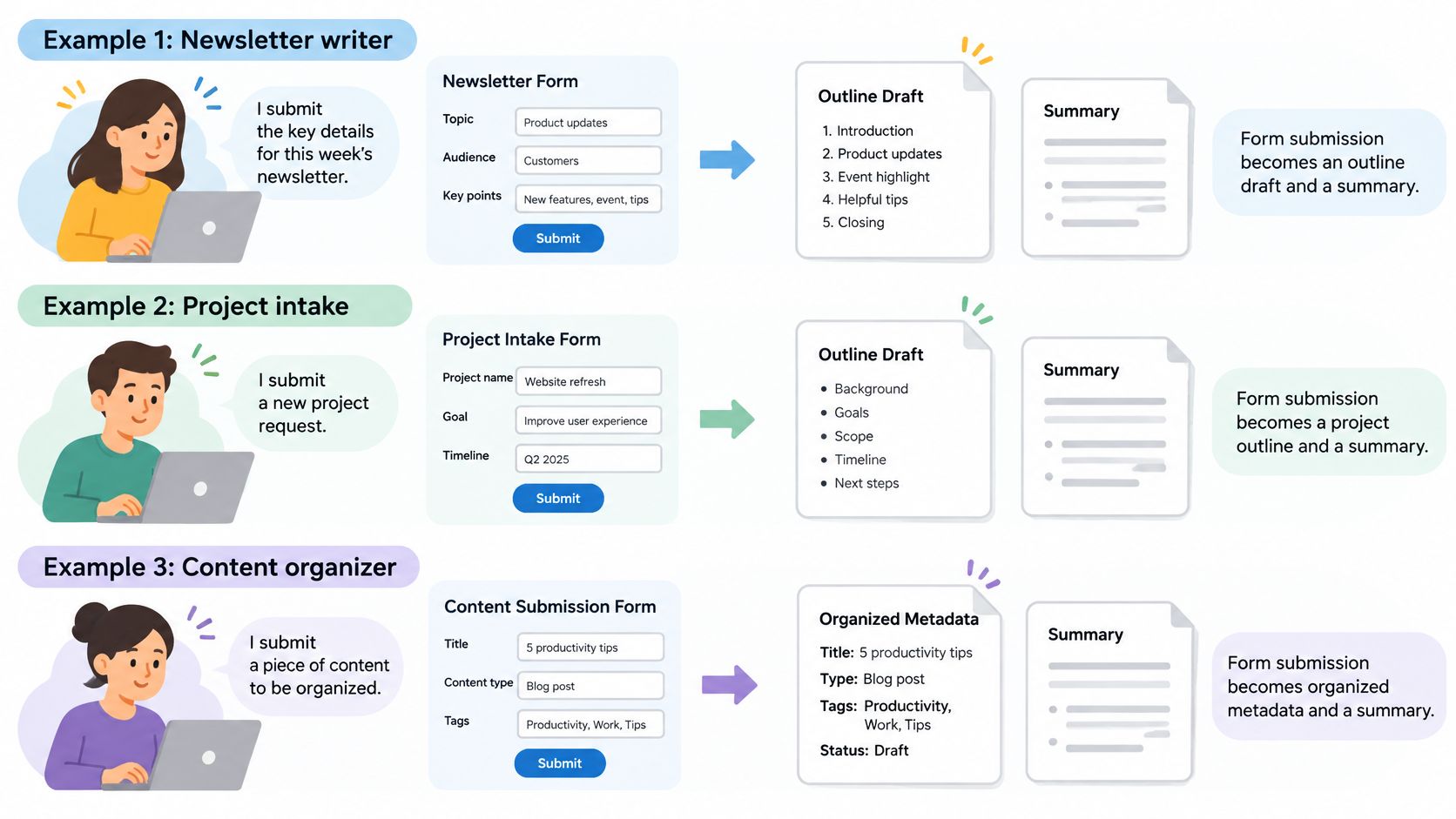
A newsletter writer and the factual claim
Maya runs a weekly newsletter. A form submission is the trigger. The AI step turns the notes into an outline, a short summary, and metadata. A rule scans the draft for a factual claim, a number, a named study, a date, and sends that draft to an editor.
The weak spot here is opinion. A model that sees "I think this launched in March" can treat it as a citable fact and bury it in the summary, where it looks settled rather than guessed. The fix is one line in the instruction: opinions stay in a separate field and never enter the summary. The model doesn't get better. The job gets smaller.
A freelance designer and the pricing question
Jonah classifies inbound enquiries as quote, support, or spam. The rule routes any budget above his set amount to a call, and everything else becomes a task plus a sheet row. A shared inbox works the way teams use an email studio for Gmail, with drafts waiting rather than sending themselves.
Pricing questions expose the gap in this setup. "What do you charge for a logo refresh?" arrives with no number in it, so a classifier reading for budget figures can file it as support. The fix is a rule that sits above the model: if the message asks about price, fee, or rate, it is a quote, whatever the model said. The classifier still reads tone. It no longer owns the money path.
A small studio and the scheduled post
A three-person studio drafts social posts from blog text an editor has already approved. The AI step writes two variants, an approval gate holds them, and a schedule publishes only after a person picks one.
The risk is invention. A variant can add a client name that was never in the source post, and it will read smoothly enough to slip past a tired reviewer. Two changes contain it: an instruction that allows only phrases present in the approved text, and a rule that blocks any proper noun the source doesn't contain. The gate stays even when a week of drafts looks clean. A quiet week is evidence that the checks work, not that they can come off.
The three builds share a narrow input, a single AI job per step, and a human checkpoint before anything public. None of them asked one step to read, decide, price, and publish. That's the judgement no-code adds once the coding step is gone.
Pick One Low-Risk Workflow to Automate First
Don't open with client email, pricing, or a public post. Pick one workflow that happens often, is easy to check, and does little damage if it's wrong. Tagging internal notes, or sorting inbound enquiries into groups a person still reviews, is the right first job.
Score each candidate on two questions. How often does the task happen each week? What does a wrong output cost once it reaches someone outside the team? The best first workflow is high frequency with a low cost of error. A daily tag that only you see beats a monthly client proposal, even if the proposal feels more impressive to automate.
Run a two-week test. Build it with the eight steps, replay ten to twenty past records, then run it on live records with approval still on. Before you start, write two expansion criteria. The failure rate stays under a threshold you choose in advance, for example no more than one wrong label in twenty. Review time per item falls across the test period. Only when both hold do you remove the approval gate, and only for this low-risk step. Every other step keeps its review rule.
Creators Toolbox communities cover graphic design, video, development, and AI, and bring related products and conversations into one place. A weekly pass through social media management and marketing notes is a sensible place to watch how other creators gate the public step before you copy the pattern.
One workflow, fully checked, beats five half-built ones that send before anyone has read them.
Creators Toolbox is where designers, developers, and creators keep up with tools, product updates, and practical guides for creative work, including automation and AI. If you're wiring your first no-code workflow, the weekly roundups and free utilities are a useful place to compare what other creators are shipping. Visit Creators Toolbox and pick one low-risk workflow to build this week.