
Open-source avatar builder that assembles SVG characters from templates and palettes, animates them, and exports as SVG, PNG or GIF.
What is OneWorks Avatar?
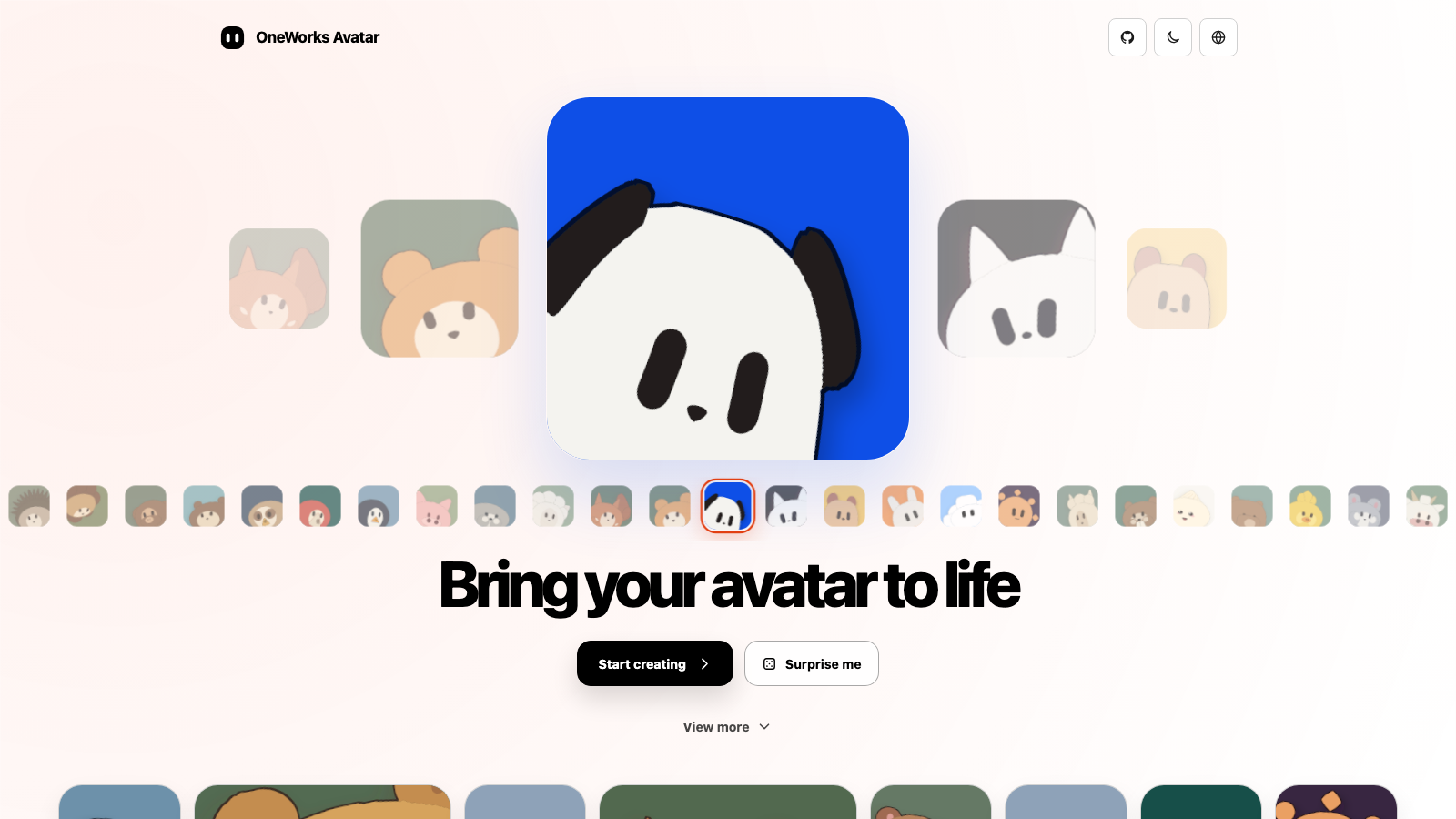
OneWorks Avatar is a free, open-source avatar builder that runs entirely in the browser. Start from a template and adjust the character part by part: palettes applied per part or across the whole figure, surface decals, coat patterns like tabby and British Shorthair, eye highlight size and position, corner roundness, and generative options including pattern algorithms, pixel dithering and colour-count limits. A random seed button produces instant variations, and presets you save build up a history of looks to return to.
An animation editor adds motion, with animation groups for coordinating parts, so avatars can be exported as animated GIFs rather than stills. Exports cover SVG (download or copy to clipboard), PNG and GIF. There is no account, no paywall and no upload step: everything happens client-side, and the source is on GitHub, so the avatars you make are yours to use.
The interface ships in English and Simplified Chinese with light and dark themes.
Features
- Avatar templates, presets and a saved look history
- Per-part palettes, decals and coat patterns
- Animation editor for animated avatars
- Export SVG, PNG or GIF, or copy the SVG
- Random seed for instant variations
- Runs entirely in the browser, no account
FAQs
Common questions about OneWorks Avatar
Is OneWorks Avatar free?
What formats can I export?
Can I make animated avatars?
Insights
Traffic and momentum for OneWorks Avatar
What are alternatives to OneWorks Avatar?
1 similar tools
Bloub
Animated SVG avatar generator — a blob with 14 expressive states you can restyle, play, and export as SVG or PNG.
Comments