
Larry Page
Google co-founder
Google's AI research tool (formerly NotebookLM) — upload sources and get summaries, Q&A, study guides, and AI-generated audio overviews.
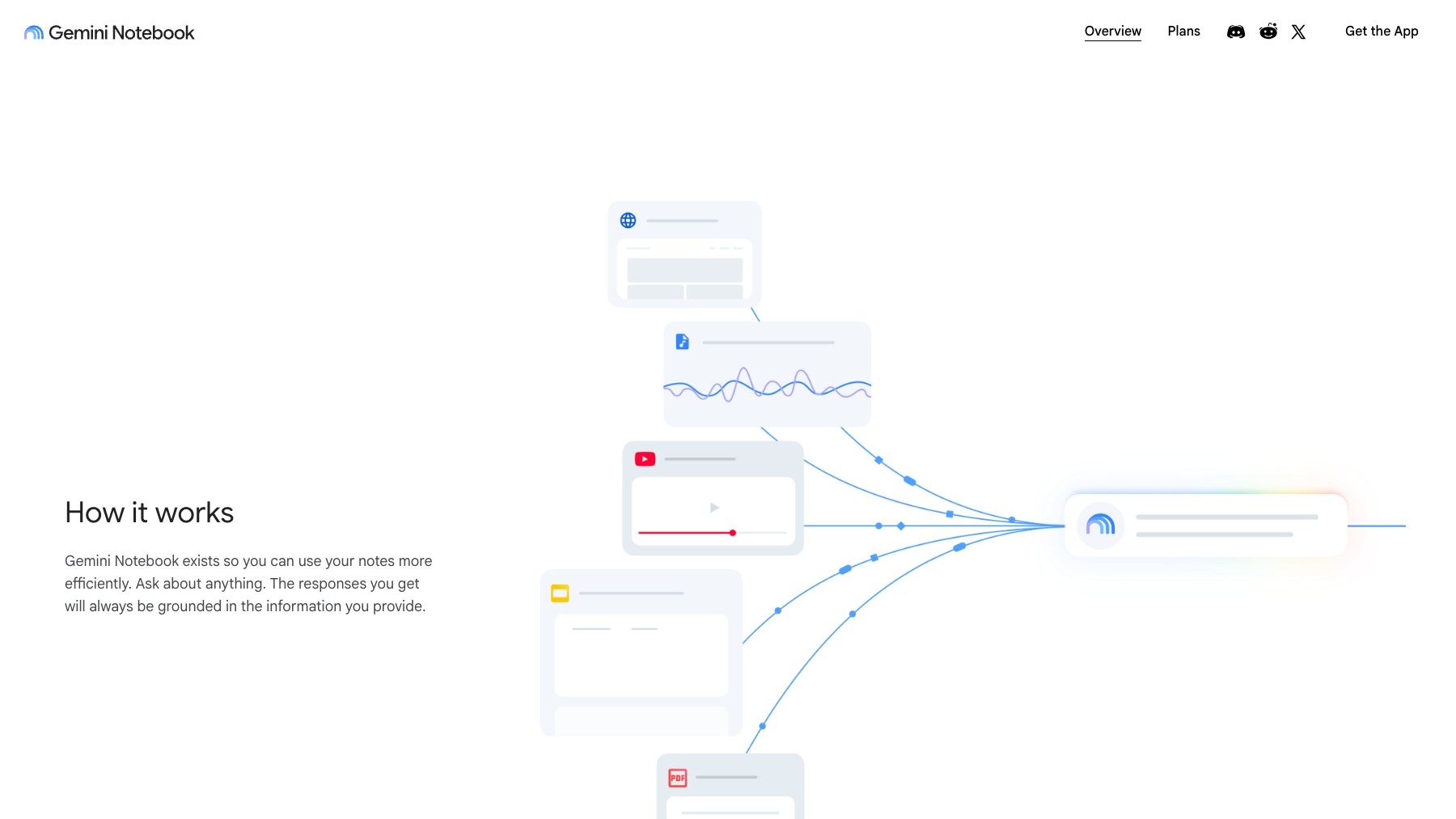
Gemini Notebook (formerly NotebookLM) is Google's AI-powered research and thinking tool. Upload documents, PDFs, websites, YouTube videos, and audio files as sources, then ask questions, get summaries, create study guides, and generate briefing documents — all grounded in your uploaded content. The standout feature is Audio Overview, which transforms your sources into a natural-sounding podcast-style conversation between two AI hosts.
Gemini Notebook is designed for researchers, students, writers, and professionals who need to quickly understand and synthesize large amounts of information. Because responses are grounded in your sources, it minimizes AI hallucinations. Free to use with a Google account.
Common questions about Gemini Notebook
Traffic and momentum for Gemini Notebook
6 similar tools

Claude
AI assistant by Anthropic — write, analyze, code, and create with one of the most capable large language models available.
ChatGPT
AI assistant by OpenAI — chat, write, code, analyse data, generate images, and browse the web, powered by the GPT-5.6 family.
Google Gemini
Google's AI assistant — write, plan, brainstorm, generate images, and analyze files with one of the most powerful multimodal models.
Grok
AI assistant by xAI — chat, reason, generate images, and analyze data with real-time information access.
Claude App
Download the Claude AI assistant as a native app — available on macOS, Windows, iOS, and Android for fast access to chat, code generation, and file analysis.

Codex
Cloud-based AI coding agent by OpenAI — assign tasks and Codex writes, tests, and ships code in a sandboxed environment.
The people behind Gemini Notebook
Google co-founder
Google co-founder
CEO of Google and Alphabet
Similar Launches

Harvey
AI built for legal work — agents, document analysis, and legal research trusted by 75+ AmLaw 100 firms and in-house teams in 70+ countries.

Google Flow Music
AI music creation tool by Google — create, remix, and share studio-quality songs from simple prompts.

Stitch
AI-powered UI design tool by Google — generate mobile and web app interfaces from text prompts.
Google AI Studio
Build, test, and deploy AI apps with Gemini — Google's free web-based IDE for generative AI prototyping.

Google Pics
AI image creation and precision editing inside Google Workspace — generate from a prompt or a photo, edit individual objects, refine or translate text, and work on images with your team in Docs, Slides and Drive.
Google Gemini
Google's AI assistant — write, plan, brainstorm, generate images, and analyze files with one of the most powerful multimodal models.
Comments