
Larry Page
Google co-founder
AI image creation and precision editing inside Google Workspace — generate from a prompt or a photo, edit individual objects, refine or translate text, and work on images with your team in Docs, Slides and Drive.
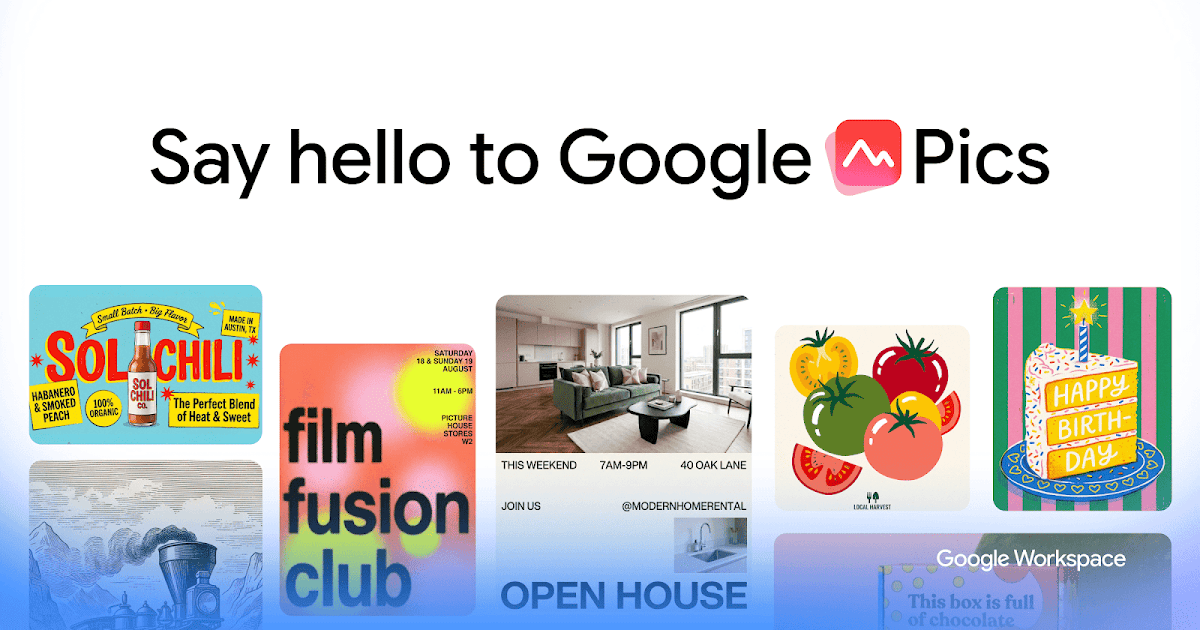
Google Pics is Google's AI image creation and editing tool for Workspace. You can generate an image from a prompt or upload one, then edit specific objects, refine or translate the text in it, and share or co-edit with teammates. It is built into Slides, Docs and Drive, so images sync across the apps and sit in Drive like any other file.
It is generally available for Workspace customers on Business Standard and higher, and for Google AI Pro and Ultra subscribers, and it opens at pics.new.
Common questions about Google Pics
Traffic and momentum for Google Pics
6 similar tools

OpenArt
AI art platform — generate images from text, train custom models, edit with inpainting, and create consistent characters.
Figma Weave
Node-based AI workflow platform by Figma — connect 12+ AI models with professional editing tools and share as simple apps.
Leonardo.Ai
AI image and video generation platform — create production-quality visuals with fine-tuned models and a generous free tier.
ChatGPT Images
Generate and edit images with ChatGPT — create illustrations, logos, mockups, and photorealistic visuals from text prompts.
Google Playground
Describe a game in chat, test it in the browser, and change the rules, physics, or characters by asking. Experimental, for U.S. users 18+.
Moda
AI design tool that creates fully-editable, on-brand slides, social posts, PDFs, and diagrams on a real canvas you control.
The people behind Google Pics
Google co-founder
Google co-founder
CEO of Google and Alphabet
Similar Launches
OpenArt
AI art platform — generate images from text, train custom models, edit with inpainting, and create consistent characters.
Figma Weave
Node-based AI workflow platform by Figma — connect 12+ AI models with professional editing tools and share as simple apps.
Leonardo.Ai
AI image and video generation platform — create production-quality visuals with fine-tuned models and a generous free tier.
ChatGPT Images
Generate and edit images with ChatGPT — create illustrations, logos, mockups, and photorealistic visuals from text prompts.
Google Playground
Describe a game in chat, test it in the browser, and change the rules, physics, or characters by asking. Experimental, for U.S. users 18+.
Moda
AI design tool that creates fully-editable, on-brand slides, social posts, PDFs, and diagrams on a real canvas you control.
Comments