Figma plugin for creating pixel-art style icons — generate retro, pixelated icons directly in your design files.
What is Lil Pixel Icon?
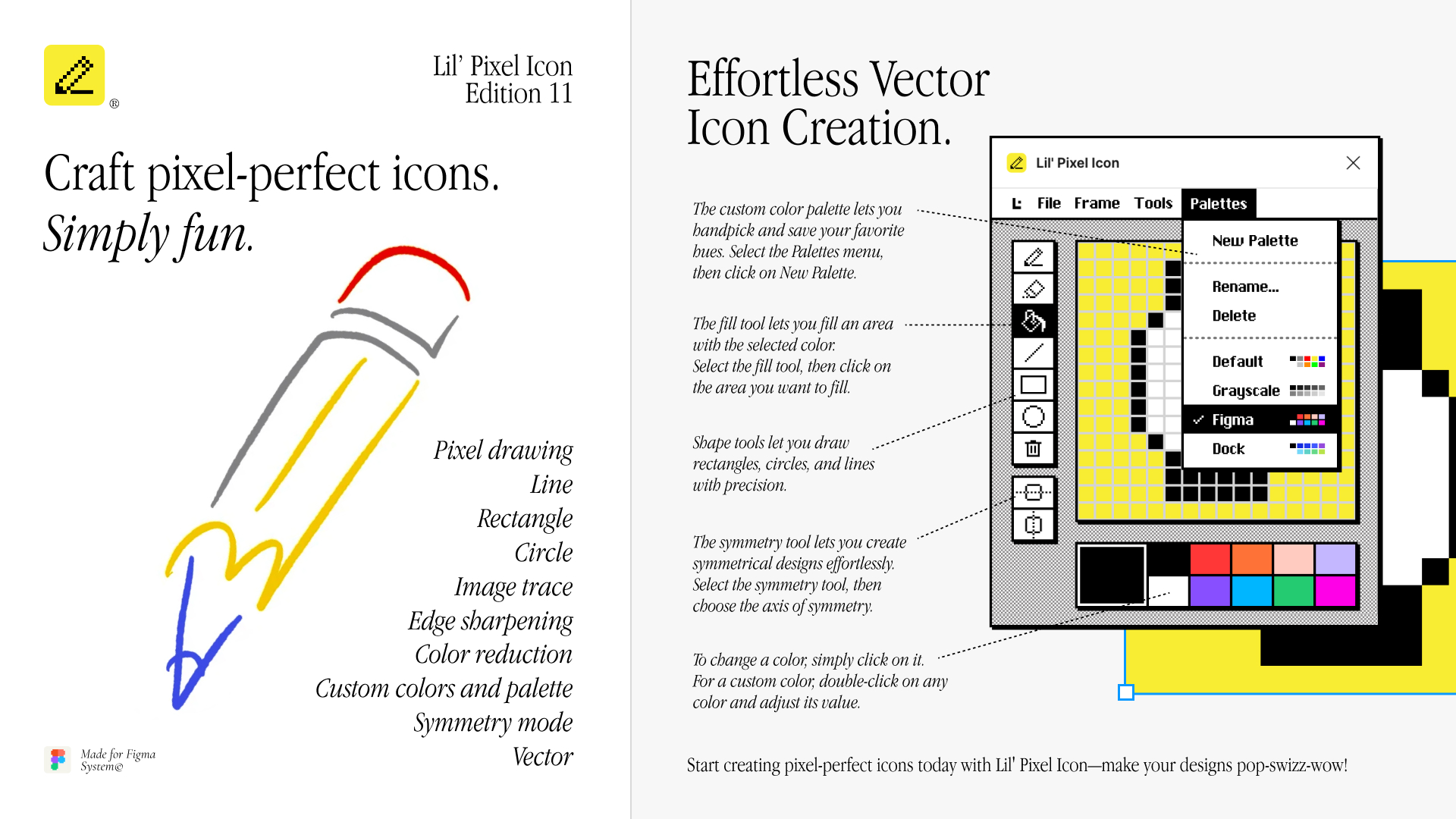
Lil Pixel Icon is a Figma plugin that lets you create pixel-art style icons directly in your design files. Generate retro, pixelated icons with customizable grid sizes and colors. The icons are created as vectors, making them crisp at any size and easy to export.
Perfect for indie game UI, retro-themed websites, playful branding, and any project that calls for a pixelated aesthetic. Install it from the Figma Community and start creating pixel icons without leaving your design tool.
Features
- Generate pixel-art icons in Figma
- Retro pixelated style
- Customizable grid sizes
- Export-ready vectors
FAQs
Common questions about Lil Pixel Icon
Is Lil Pixel Icon free?
Do I need Figma Pro?
Are the icons vectors?
Insights
Traffic and momentum for Lil Pixel Icon
What are alternatives to Lil Pixel Icon?
6 similar tools

Figma
Collaborative design tool for building interfaces, prototypes, and design systems — all in the browser.
Figma Make
AI-powered design tool by Figma — generate and iterate on UI designs, layouts, and prototypes with natural language prompts.

Figma Sites
Turn Figma designs into live websites — publish directly from Figma with responsive layouts, CMS, and custom domains.
Material Icons
Google's open-source icon library — 2,500+ icons in five styles (outlined, rounded, sharp, filled, two-tone) for web and mobile projects.
Figma App
Download the Figma design tool as a native app — available on macOS, Windows, iOS, and Android for offline access and better performance.
Lil Pixel Icon
Free pixel-art icon plugin for Figma — generate retro pixelated icons for your design projects.
Ask AI about Lil Pixel Icon
Share
Similar Launches
Lil Pixel Icon
Free pixel-art icon plugin for Figma — generate retro pixelated icons for your design projects.
Import CSS Gradients
Figma plugin that converts CSS gradient code into native Figma fills — paste any linear, radial, or conic gradient and apply it instantly.
Cursor for Figma
Figma plugin for Cursor — inspect your design system, find the right components, variables, and styles, then write directly to Figma as editable layers.

LottieFiles for Figma
Discover, create, and export Lottie animations directly inside Figma — browse thousands of free animations and add them to your designs.

Moodboard 3000
Figma plugin for building moodboards fast — drag, drop, and arrange images, colors, and references on a visual board.
Amicons
A friendly icon library with 760 hand-crafted icons in 3,040 variants, available as SVGs and in Figma.
Comments