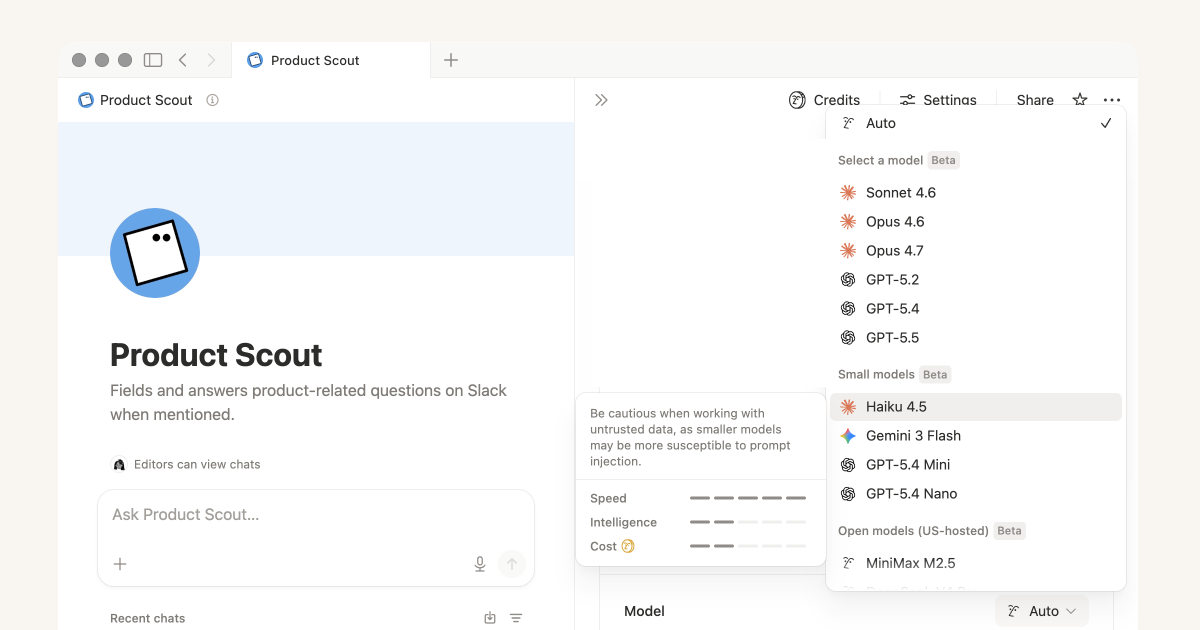
Notion adds an Insights view for tuning Custom Agents
By Steven Van ·
A new help centre guide covers model choice, trigger scope, and using the agent to debug its own failed runs.
Notion's help centre has published a guide for tuning Custom Agents after they're built, alongside a new Insights view that shows how each run performed. Insights lets you change a prompt or model and see whether a run got cheaper or smarter, track down expensive runs and the patterns behind them, and see exactly where a run broke, whether that's a failed tool call or a missing connection.
The accompanying guide walks through three levers for improving an agent: picking a model that fits the task (Notion recommends Auto by default, lightweight models for repetitive low-stakes work, and more powerful models like Opus for nuanced or complex tasks), tightening triggers and scope so the agent only runs on relevant events and reads from relevant sources, and using the agent itself to debug bad outputs by pasting in failed responses and asking it to propose sharper instructions.