AI Meeting Notes can now trigger Custom Agents
By Steven Van ·
Custom Agents can now run right after an AI Meeting Note is finished.
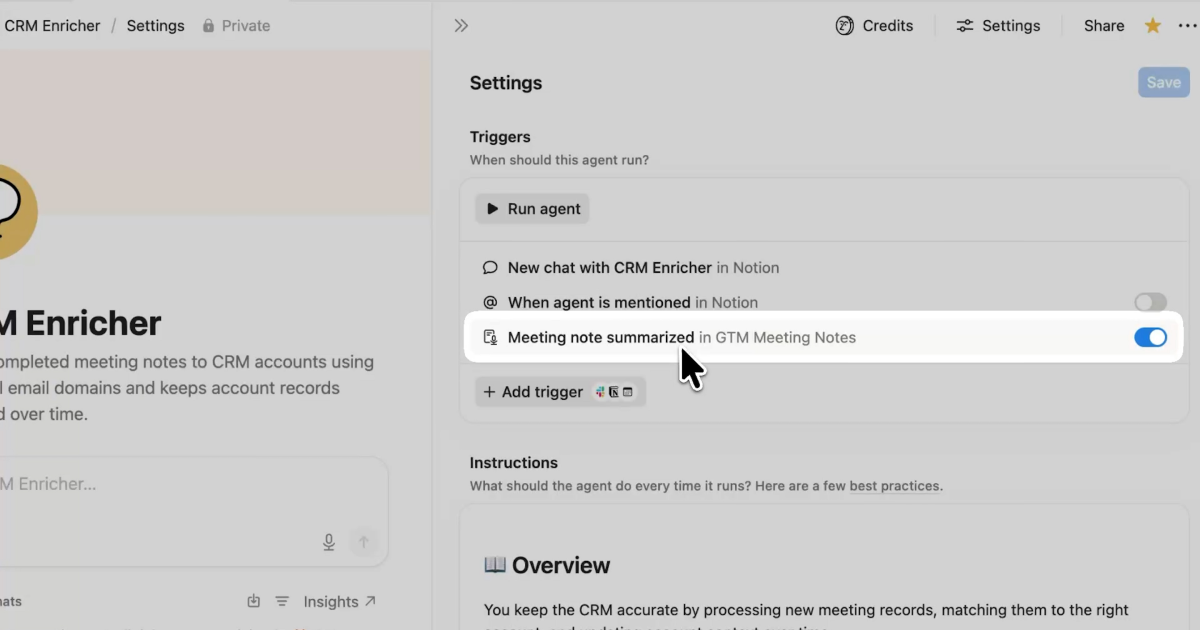
Custom Agents in Notion can now kick off automatically once an AI Meeting Note finishes, instead of being run by hand afterward.
- Update a project tracker with the latest status
- Post a recap to Slack or email with decisions and next steps
- Turn feedback into tickets for the engineering team
To set it up, open a Custom Agent's settings, add the "Meeting note summarized" trigger, and choose which meetings should kick it off. The agent runs after the next call.
Read the full announcement for more on Custom Agent triggers.
Notion
All-in-one workspace for notes, docs, projects, and wikis — with AI built in for writing, summarizing, and organizing.
View Notion →