Fill in the blanks when you use a macro
By Steven Van ·
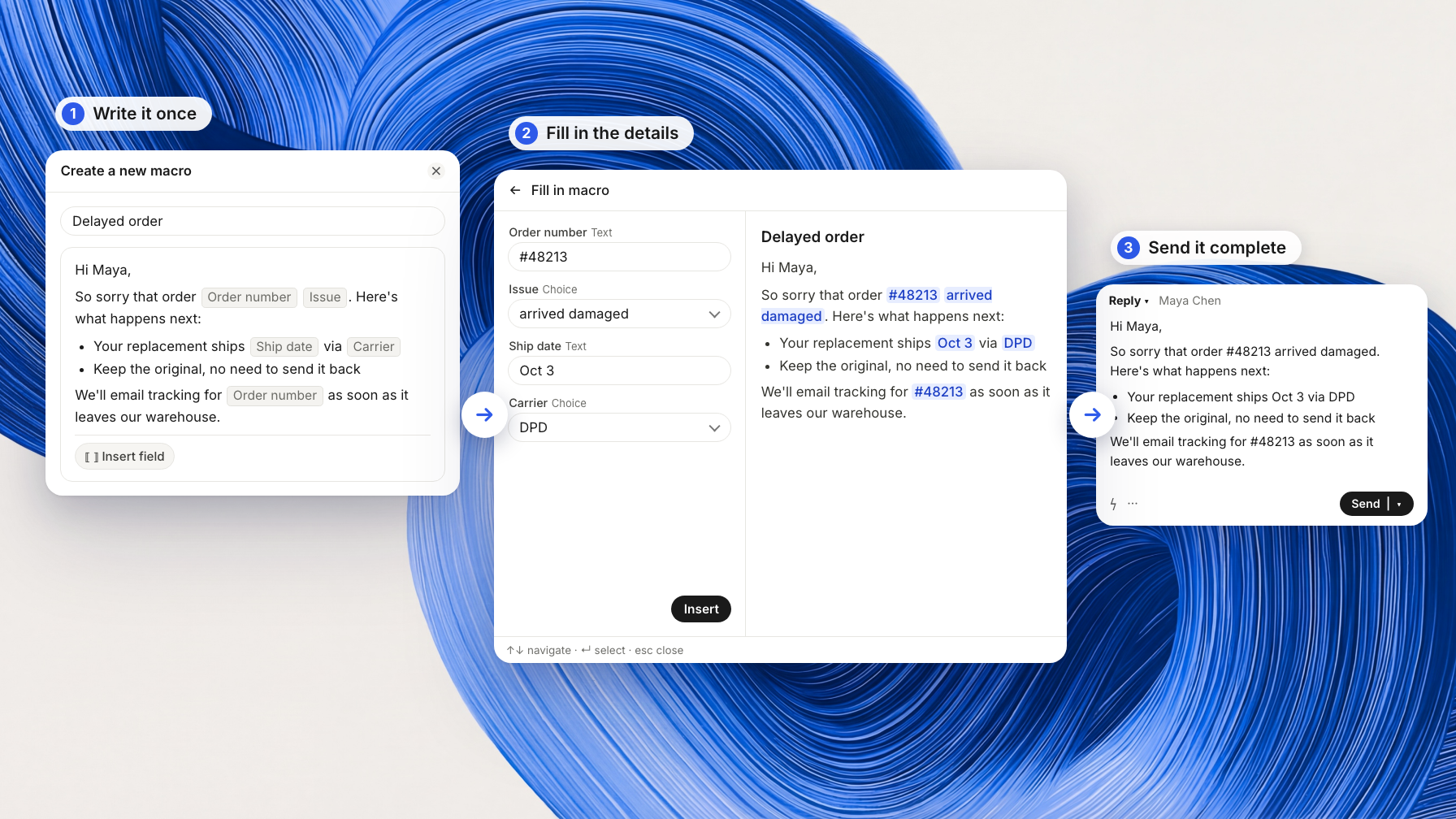
A short form collects reply details, with optional sections and a live preview, before the finished message reaches the composer.
Teammates can now personalise replies with fill-in fields inside Intercom macros. In the New Inbox update, selecting a macro opens a short form for the details before the finished reply lands in the composer, ready to review and send.
Fields, optional sections and a live preview
Macros support text, long text and choice fields, each marked optional or required. Teammates can switch optional sections on or off and see a live preview update as they type.
Create a macro with fields
The macro editor in Settings > Macros has an Insert field control. Teammates can also create a macro from the inbox through Cmd+K > Create macro > Using a macro with fill-in fields.
Intercom
Customer messaging platform — live chat, helpdesk, product tours, and AI-powered support in one place.
View Intercom →