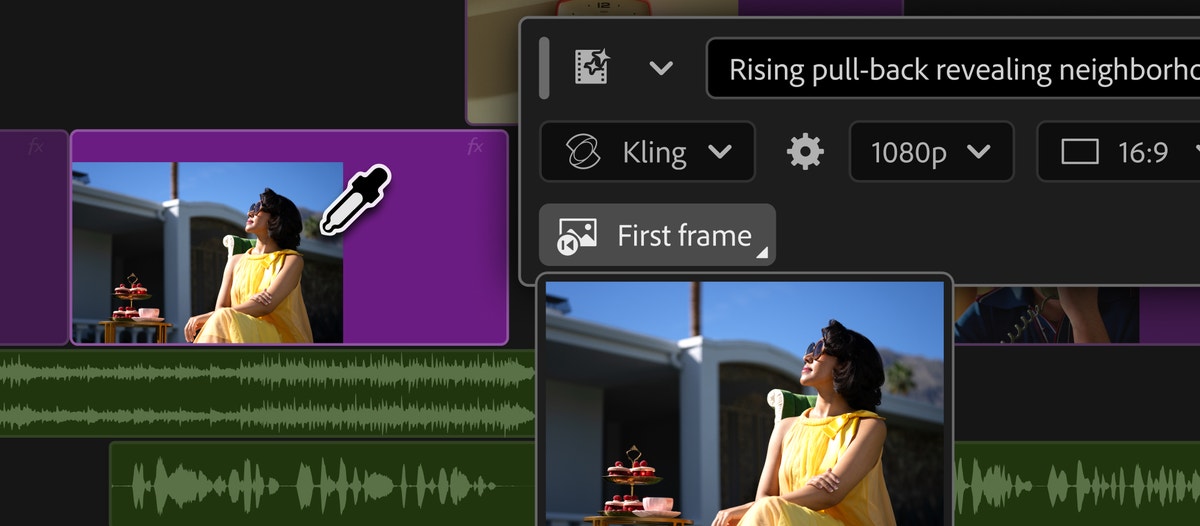
Generate and create directly in your timeline with new AI-powered innovations in Premiere and After Effects
By Steven Van ·
Premiere adds in-timeline generative video, sound effects and music, plus beta audio cleanup tools and an After Effects AI Assistant.
Premiere Pro can now generate video and audio directly inside the timeline, through a new Generative Media Tool. Editors pick where a clip should land, describe what they need, and Premiere produces an editable, context-aware result without a trip to a stock library or another app.
- Generate Video fills timeline gaps, using reference frames sampled from the project so new footage matches the surrounding edit.
- Generate Sound Effects, built on Adobe's own audio model, lets an editor use their voice to guide the timing and intensity of a generated effect.
- Generate Soundscape (beta) analyses up to 15 seconds of video and generates layered ambience and sound effects as a starting point to build on.
- Generate Music (beta) creates original, commercially safe music with multiple variations and controls for tempo and looping.
Alongside Adobe Firefly, the tool can call on partner models including Google Veo, Kling, Runway and Luma.
New audio tools, also in public beta, target cleanup: Enhance Audio gives independent control over dialogue, music, ambience and sound effects within one clip; Separate Crosstalk splits two overlapping speakers onto separate tracks without re-recording; and Dynamic Auto Ducking balances dialogue against music and other elements without manual keyframes. A new speed algorithm changes clip duration while keeping the original pitch and timbre.
After Effects gets its own AI Assistant in public beta, working across an entire project rather than just the open composition. Described in plain language, it can reorganize projects with thousands of layers, fix technical issues and build motion effects like expressions without code.
Premiere's Color Mode (beta) adds Vignette and Midtones style modules and a one-click Auto Color tool for correcting temperature and exposure on a clip, group or sequence. The Properties and Effects panels have been redesigned for faster navigation, and Frame.io Mounted Storage, for streaming full-resolution media onto the timeline from the cloud, is now available to all accounts.
Full details are in Adobe's announcement.