Tom Krcha
Founder and CEO
Design on canvas, land in code — a design-to-code tool that turns visual layouts into production-ready code.
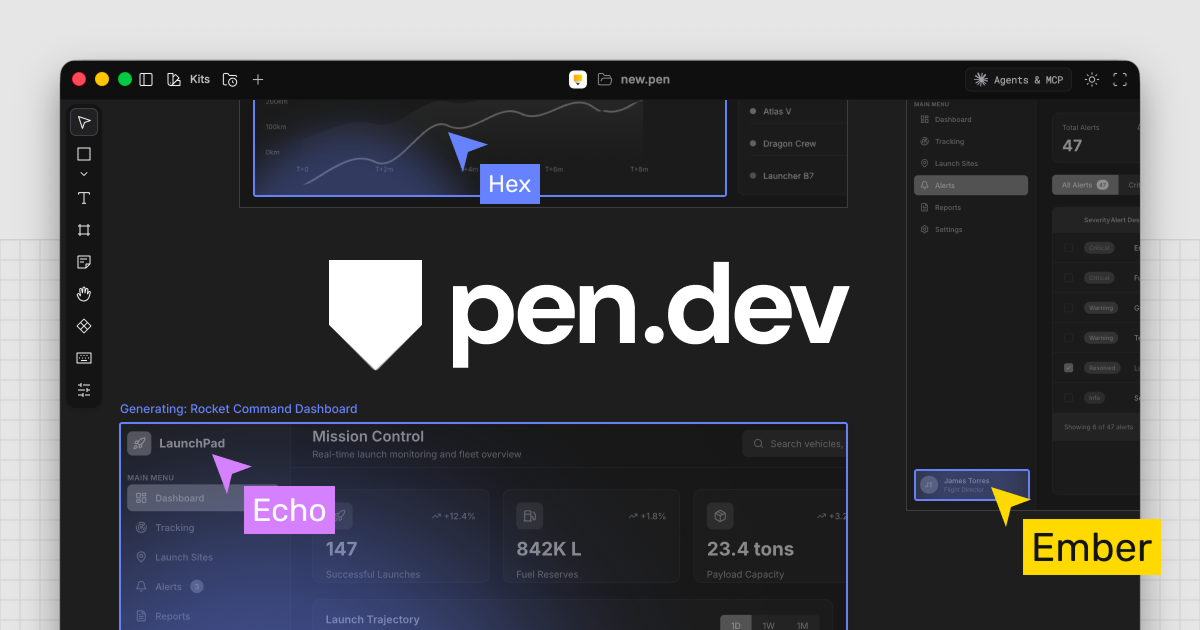
Pencil is a design-to-code tool that lets you create layouts and interfaces on a visual canvas, then automatically converts them into production-ready code. It bridges the gap between design and development — what you see on the canvas is what ships in code. No more redlining, no more pixel-perfect handoffs, no more rebuilding designs from scratch.
Designers work visually, developers get clean code.
Common questions about Pencil
Traffic and momentum for Pencil
6 similar tools

Wonder
Design canvas where you and your agents work on a live app, then send approved changes back to code.

v0
Generative UI system from Vercel that turns prompts into production-ready React and Tailwind components you can iterate on and paste into projects.
Lunagraph
Design canvas that writes code, powered by Claude Code — design and create UI using real HTML, CSS, and React with zero designer-to-dev handoff.
Stitch
AI-powered UI design tool by Google — generate mobile and web app interfaces from text prompts.
Bolt
AI coding platform that turns text prompts into full-stack websites and apps — with built-in databases, auth, hosting, and analytics.
Shipper
Agentic AI app builder — describe your idea and Shipper builds, deploys, and hosts a full web app with database, payments, and auth.
The people behind Pencil
Founder and CEO
Similar Launches
Stitch
AI-powered UI design tool by Google — generate mobile and web app interfaces from text prompts.
Wonder
Design canvas where you and your agents work on a live app, then send approved changes back to code.
Bolt
AI coding platform that turns text prompts into full-stack websites and apps — with built-in databases, auth, hosting, and analytics.
Shipper
Agentic AI app builder — describe your idea and Shipper builds, deploys, and hosts a full web app with database, payments, and auth.
Comments