AI color grading tool for video creators.
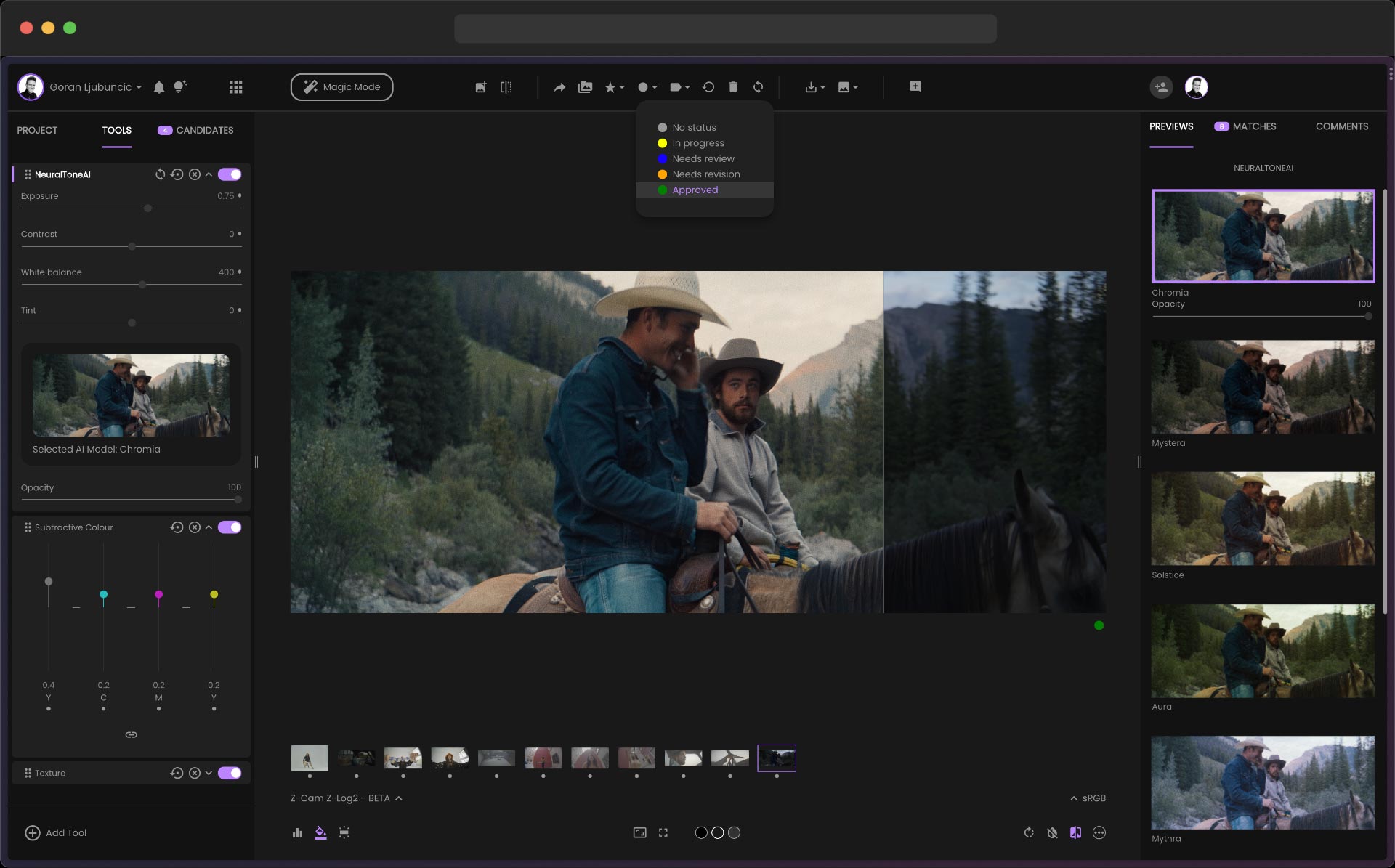
fylm.ai is a browser-based AI color grading tool that brings cinematic color to photographers and video creators without the complexity of traditional grading software. Match the color palette of any reference image using AI, apply and customize film emulation LUTs, fine-tune color wheels and curves, and export LUTs for use in Premiere Pro, DaVinci Resolve, or Lightroom. The intuitive interface makes professional color grading accessible to creators who want that signature cinematic look without years of training.
Yes, you can export LUTs for use in Premiere Pro, DaVinci Resolve, Lightroom, and other editing tools.
No, fylm.ai is entirely browser-based so you can start color grading without downloading any software.
Creators Toolbox is a free, browser-based platform with 100+ design tools, creative resources, interactive games, and curated courses for graphic designers, web designers, video editors, and content creators. Every tool runs in the browser — no downloads, no sign-ups.
Generate noise textures, CSS gradients, halftone patterns, flow fields, duotone images, SVG blobs, mesh gradients, glassmorphism effects, color palettes, and more. Each tool exports production-ready assets in PNG, SVG, or CSS.
Browse curated collections of free fonts, icon libraries, stock photography, texture packs, animation libraries, UI kits, illustration sets, and inspiration platforms — hand-picked for designers and developers.
Sharpen your design skills with interactive challenges: match hex colors by eye, identify typefaces, test your knowledge of design history, and compete on leaderboards.
Learn motion design, typography, and visual fundamentals through structured, hands-on lessons built directly into the platform.
Creators Toolbox serves graphic designers building brand assets, web designers prototyping layouts, video editors creating thumbnails, social-media managers generating content, and students learning design fundamentals. Whether you need a quick gradient for a hero section or a full noise-texture pack for a client project, every tool is free and instantly accessible.
Yes. All tools, games, quizzes, and most resources are completely free to use with no account required.
No. Every tool runs in the browser. There is nothing to download or install.
Most tools export PNG, SVG, or CSS code. Some tools also support JPEG and WebP export.
Yes. Assets you generate with Creators Toolbox tools are yours to use in personal and commercial projects.
Creators Toolbox is a focused collection of single-purpose generators and utilities — not a full design editor. It complements tools like Canva and Figma by producing textures, patterns, gradients, and effects you can import into your main workflow.