
Create a digital bouquet, write a personal message and share a flower gift by link, with optional music and motion.
What is DigiBouquet?
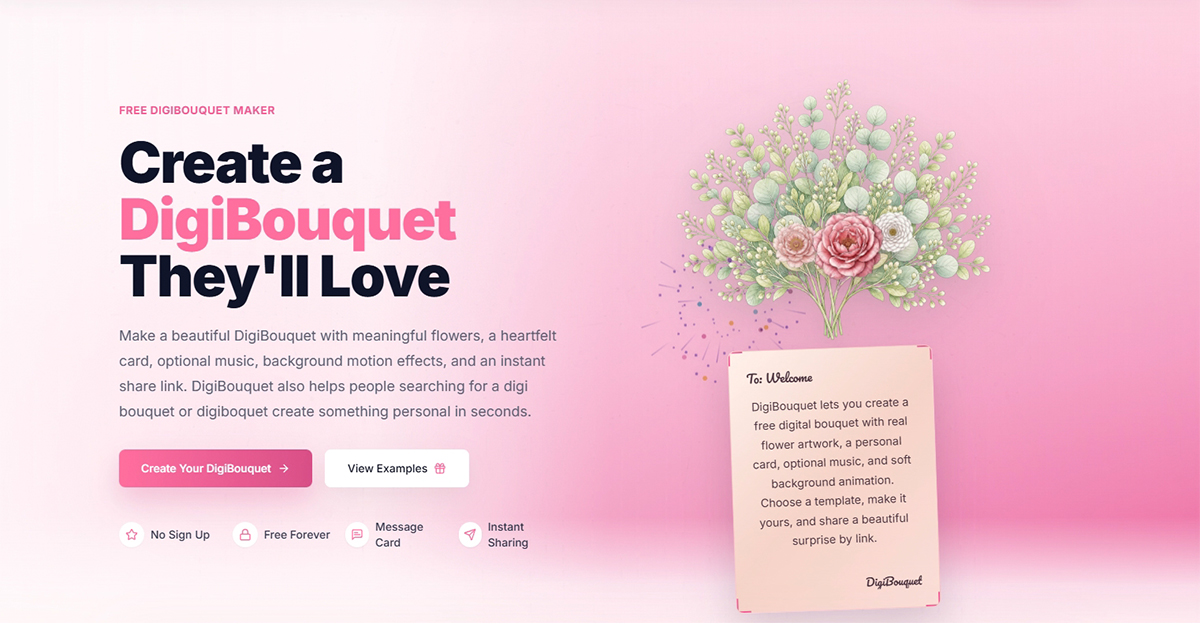
DigiBouquet is a free web-based maker for creating a digital flower bouquet with a personal message card and sharing it by link. The site says it is made for birthdays, love notes, apologies, long-distance relationships, get-well wishes and everyday surprises. Its occasion list also covers anniversaries, thank-you notes, Mother's Day and best friends.
The maker works through seven steps: flowers, greenery, card, message, music, theme and motion. Users pick at least three flowers from a set of flower artwork that includes roses, peonies, tulips, lilies, sunflowers and lotus. They then write a card, optionally starting from ready-made message ideas, and can add soft background motion such as petals, stars, confetti or gentle lights.
Music is optional. The site offers a built-in music library organized by occasion and mood, with a preview player on each track. Users can also paste their own music link, which DigiBouquet displays or opens but does not host.
The examples page lists 18 ready-made templates for occasions such as birthdays, love, long distance, apologies, thank-you notes, get-well wishes and anniversaries. Each template starts with flowers, a music suggestion and default card wording. Users can change the flowers, card, message, music and theme before sharing.
Every finished bouquet gets a unique link that can be sent through WhatsApp, SMS, email, social media or a QR code. Anyone with the link may be able to view the bouquet, and removal requests are handled by email. Creating and sharing bouquets is free and does not require a sign-up, an account, an email address or an app download.
The terms of service note that accounts, credits, purchases, subscriptions or donations may be offered for some features when available.
Pricing: Free to create and share with no sign-up; terms say accounts, credits, purchases, subscriptions or donations may be offered when available
Features
- Seven-step maker covering flowers, greenery, card, message, music, theme and motion
- Pick at least three flowers from a set including rose, peony, tulip, lily and lotus
- Personal message card with ready-made message ideas for common occasions
- Built-in music library by occasion and mood with track previews, or paste your own music link
- Background motion effects such as petals, stars, confetti or gentle lights
- 18 editable templates for birthdays, apologies, anniversaries, get-well wishes and more
- Unique share link for WhatsApp, SMS, email, social media or QR code
- No sign-up, account, email or app download needed to create and share
FAQs
Common questions about DigiBouquet
Is DigiBouquet free?
Do I need an account to make a bouquet?
What platforms does DigiBouquet run on?
Can I add my own music?
Who can see a shared bouquet, and can it be removed?
Who makes DigiBouquet?
Insights
Traffic and momentum for DigiBouquet
Comments