Write Form Errors That Help People Recover
By Steven Van ·
Design field and summary errors for a sample signup flow including retained input and correction hints
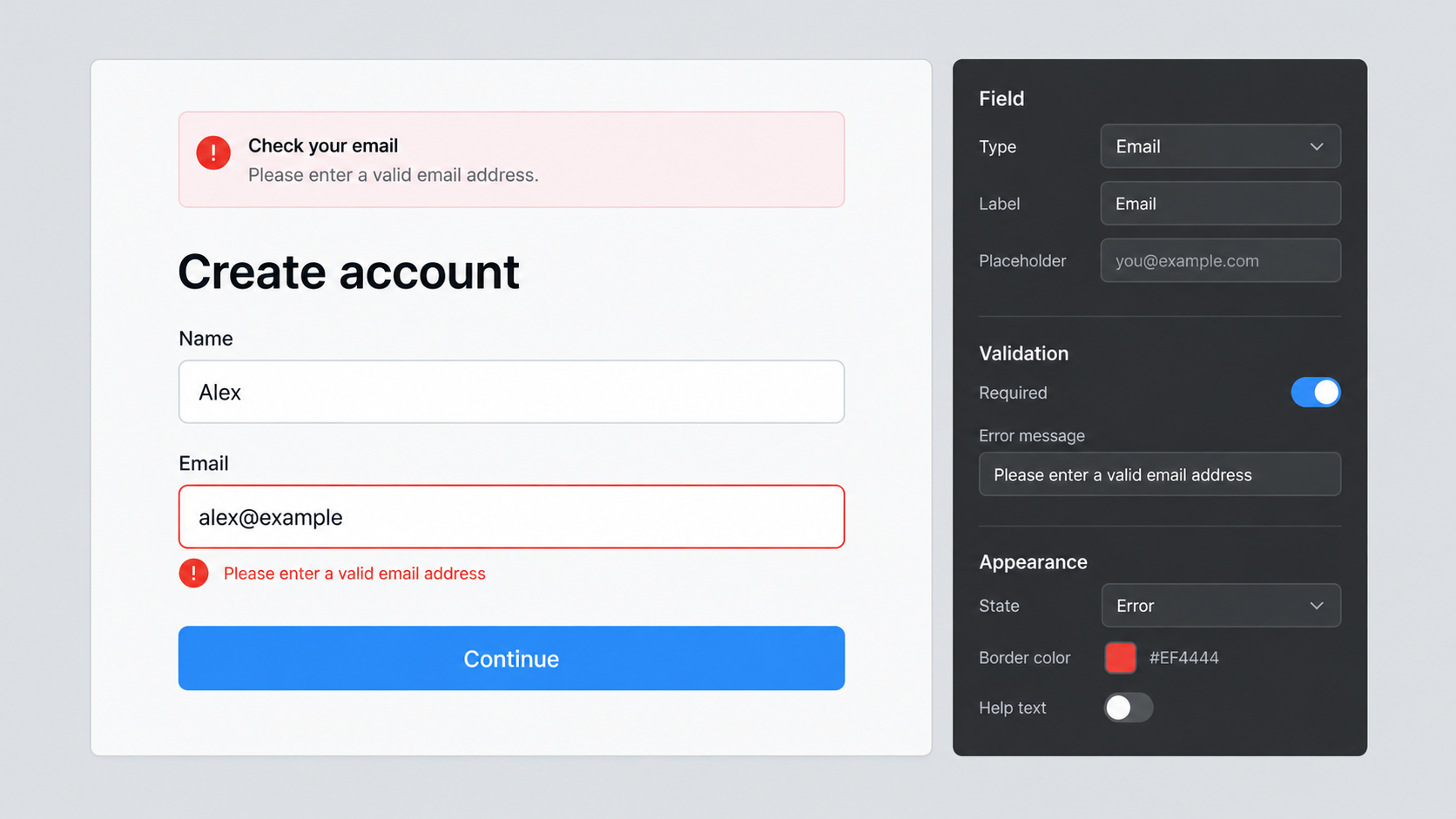
AI-generated conceptual illustration; not a product screenshot, measured result, or factual diagram.
A form error should answer three questions: what needs attention, where it is, and how to fix it. “Invalid input” answers none of them. A red border alone may show a location, but it still leaves the person guessing what the form expects.
Good recovery also depends on behavior. The form should preserve useful input, connect messages to their fields, and distinguish a correctable entry from a service failure. Better wording cannot rescue a form that deletes everything after submission or hides the error beyond the viewport.
This walkthrough uses a fictional signup flow for Fieldnotes, a workshop newsletter. It asks for a name, email address, and preferred topic. The examples are proposed interface copy and behavior, not a tested conversion experiment. The task is to help someone complete a real intention without guessing at the form’s rules.
Start with the form’s actual constraints
List the rules before writing messages. Which fields are required? What values does the service accept? Is a topic optional? What happens if an email address is already subscribed? Which failures originate in the browser, and which can be detected only after the server responds?
For Fieldnotes, the name is optional, email is required, and the topic can be left as “All workshops.” This immediately removes two unnecessary error cases. Do not write an error for a requirement the product does not genuinely need. Every extra constraint creates another opportunity to reject a useful answer.
Keep the validation rules and copy connected in the implementation. If the maximum length changes, the message must change too. If the service accepts a value but the browser rejects it, the interface has created an avoidable contradiction. A shared specification should identify the rule, its reason, and the recovery path.
Identify the problem in words
W3C’s error-identification guidance requires automatically detected input errors to identify the item and describe the error in text. A color change or icon can reinforce the message, but it should not carry the whole explanation.
For an empty email field, “Enter your email address” is direct. For an address missing a recognizable structure, “Enter an email address in the format name@example.com” gives a concrete correction hint. Avoid “You entered an invalid email,” which adds blame without adding information.
Do not claim to know more than the validation actually establishes. A format check does not prove that a mailbox exists or belongs to the person submitting it. If the signup requires verification, explain that in the next step. Keep format errors, delivery problems, and ownership confirmation as distinct states.
Put instructions before the mistake
If the form needs an unusual value, explain it before submission. A topic field should show its available choices. A date field should reveal the expected format. A file upload should state the accepted types and relevant limits before someone spends time selecting a file.
In the fictional newsletter form, no special name format is needed. Avoid a rule that rejects spaces, accents, or punctuation merely because the example name is simple. Only collect and constrain information the service can justify. A cleaner error message does not make an unnecessary rule helpful.
Hints and errors serve different purposes. A hint explains the normal expectation; an error explains what needs to change now. Keep the permanent hint available when the error appears, unless repeating it would create needless confusion. The person may need both the instruction and the diagnosis to recover.
Use field messages and a summary together
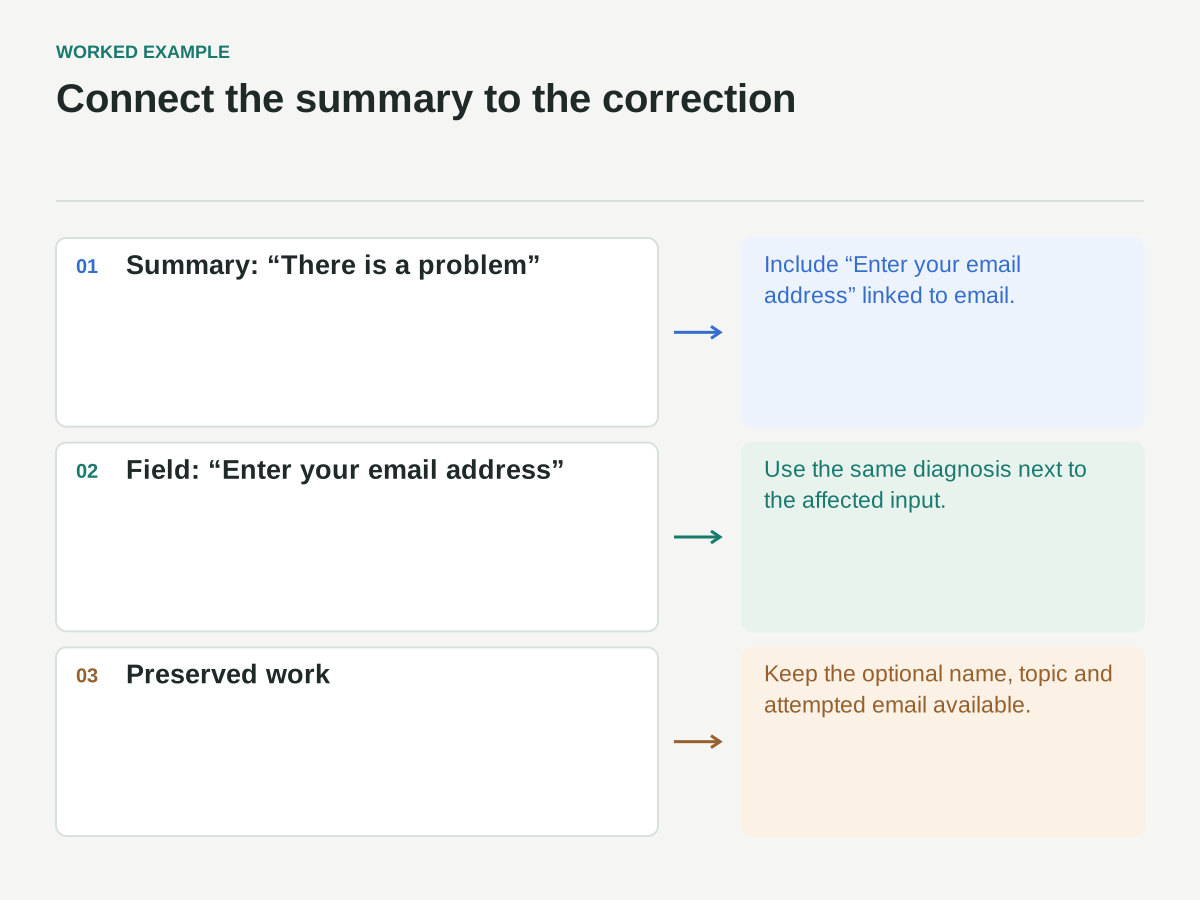
After a failed submission, place a concise summary near the top of the form and an error beside each affected field. The summary helps someone understand the overall state; the field message supports correction at the point of action. Link summary items to the relevant fields.
The GOV.UK error-summary pattern recommends an error summary and matching field errors, including linked destinations. Its implementation guidance is a useful primary reference, though your page still needs testing in its own environment.
For Fieldnotes, the summary heading could be “There is a problem,” followed by “Enter your email address.” The field uses the same wording. Avoid one message in the summary and a different diagnosis below, such as “Email required” above but “Invalid address” beside an empty field. Consistency makes the relationship easier to follow.
Make the relationship programmatic
The visual placement of an error is not enough. Associate the message with the field using the appropriate HTML and accessibility attributes, and expose the invalid state when applicable. A visible label should remain attached to the input; placeholder text is not a durable substitute.
The GOV.UK error-message component provides examples of connecting error text and input descriptions. Treat the example as a pattern to implement and verify, not as a decorative style to copy while omitting the relationships.
Choose how the failed-submission state is announced. Moving focus to an error summary is one common approach for a submitted form. Repeatedly moving focus while a person is still typing is a different and often disruptive behavior. Coordinate focus and live announcements so the same message is not unnecessarily spoken several times.
Preserve the work the person already did
When email validation fails, keep the optional name and topic choice. Keep the attempted email value too, so the person can correct a small mistake rather than start again. Do not clear the entire form merely because one field needs attention.
Preservation has limits for sensitive values and particular security flows, so specify the behavior deliberately. A newsletter signup is simpler than a payment or password form. The general principle is to retain useful non-sensitive work where appropriate, not to store every value indefinitely or expose it in logs.
For a multi-step flow, test backward navigation and failed submissions. A person should not lose earlier valid answers because a later step has a problem. If the session has expired, explain what remains and what must be re-entered. Do not present that situation as if the person mistyped a field.
Distinguish field errors from service failures
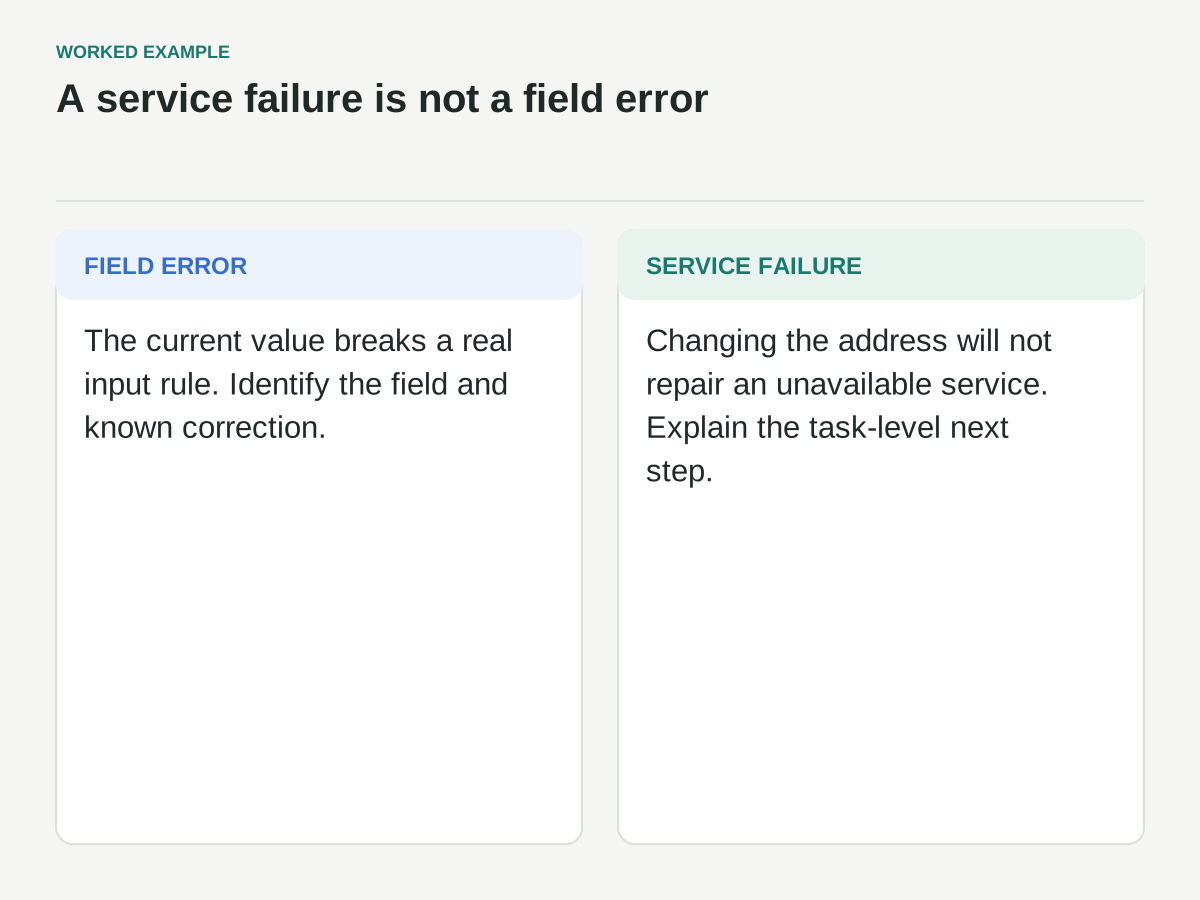
Suppose the server is temporarily unavailable. “Check your email address” is misleading because changing the address will not fix the outage. Use a form-level message that explains the submission could not be completed and provides a reasonable next action, such as trying again later.
If the request may have succeeded but the response was lost, avoid confidently saying it failed. The product needs a safe retry strategy and a clear status model. For the fictional newsletter, a repeat subscription request should not create duplicate records; the implementation team must verify that behavior rather than relying on reassuring copy.
Similarly, do not reveal sensitive account information through overly specific errors without reviewing the security implications. The message for an already-subscribed address should fit the service’s privacy design. Helpful recovery and careful disclosure need to be considered together.
Work through three concrete states
State one: the person submits an empty email field. Show the summary, associate the field error, preserve other values, and provide a link back to email. The correction is clear: enter an address. There is no need for a long explanation of validation technology.
State two: the person enters “sam at example.com.” A suitable message explains the expected address structure with an example. The form retains the attempted value and places the correction close to it. After the person edits it, avoid announcing success on every keystroke; choose a validation moment that fits the interaction.
State three: the person enters a well-formed address, but the service cannot complete the request. Keep their values and show a service-level recovery message. Do not attach a false error to the email field. If a verification email was successfully requested, show a distinct confirmation state explaining what to do next, without claiming the subscription is fully confirmed before verification occurs.
Match the message to what the system knows
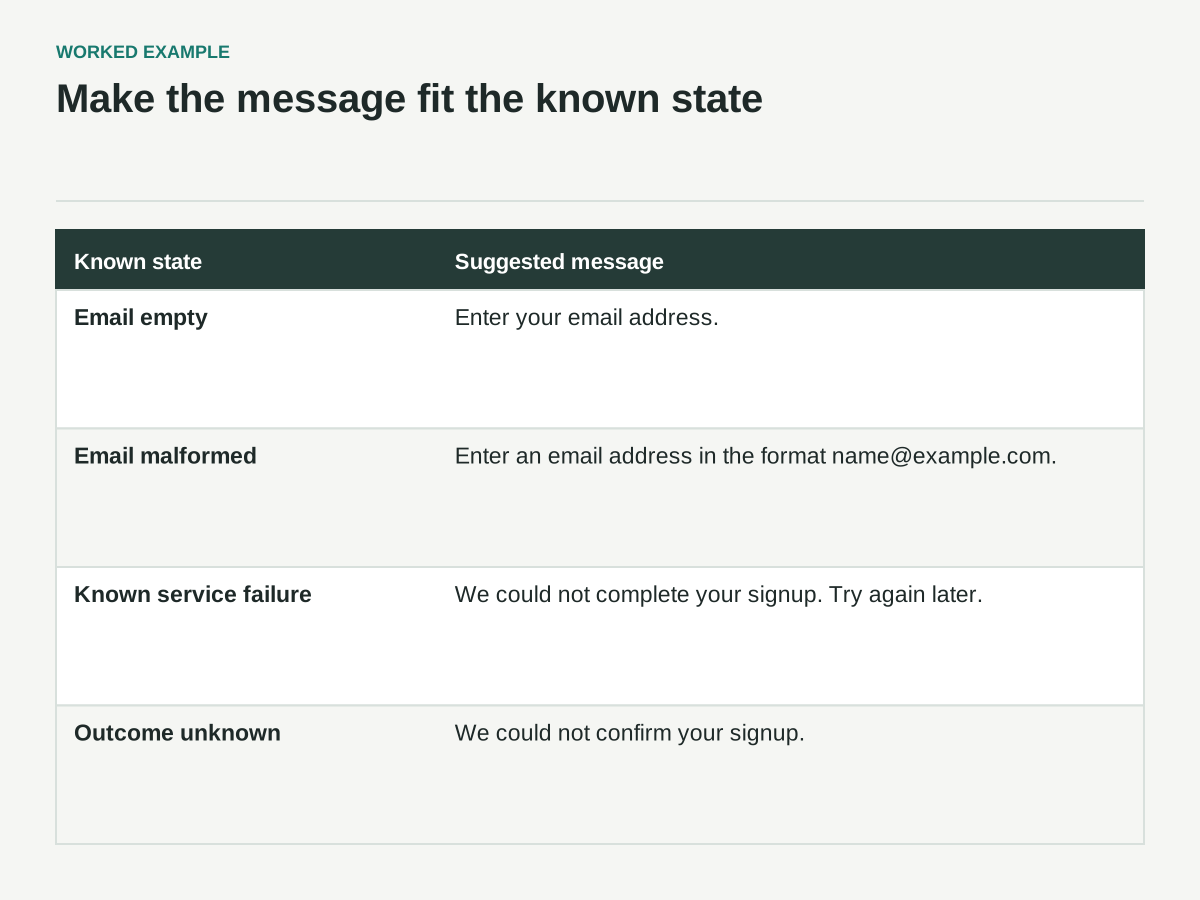
This is a proposed copy and behavior specification for Fieldnotes. No submission or delivery test has been performed.
| Known state | Suggested message | Recovery behavior |
|---|---|---|
| Required email is empty | Enter your email address. | Matching summary and field error; preserve name and topic |
| Email is malformed | Enter an email address in the format name@example.com. | Retain attempted value and associate the error with email |
| Service reports it cannot complete the request | We could not complete your signup. Try again later. | Form-level message; do not mark a well-formed email invalid |
| Response is lost; outcome is unknown | We could not confirm your signup. | Keep values; offer only a retry/status route whose duplicate handling has been verified |
The last two states are different. “Could not complete” is appropriate only when failure is known; it should not replace “could not confirm” for an uncertain outcome.
Decide when validation should appear
Validation on submission is a clear baseline because the person has indicated readiness. Earlier validation can help in some cases, but it should not punish incomplete input. Showing “invalid email” after the first letter is technically unsurprising and practically unhelpful.
If you validate after leaving a field, consider whether the person had a fair opportunity to complete it. Once an error is shown, decide when it clears. Leaving a stale error visible after a valid correction can be as confusing as clearing it before the value has actually been checked.
W3C’s error-suggestion guidance addresses providing known correction suggestions, with exceptions where that would jeopardize security or purpose. The useful design question is whether the message supplies the next step the system actually knows, rather than a generic command to try again.
Review copy and behavior together
Build a test set that includes empty required fields, malformed values, long entries, non-ASCII names, server rejection, timeout, and success. Use values appropriate to the service’s actual rules. The point is to explore the form’s states, not to assume every unusual value is invalid.
Test with keyboard navigation, a narrow viewport, zoom, and relevant assistive technology. Follow a summary link and confirm that it reaches the correct input. Read the field label, hint, and error together. Check whether the combined announcement is clear rather than repetitive or missing a crucial instruction.
Record each defect as a reproducible path: starting state, entered value, action, expected recovery, and actual result. Screenshots help with layout, but they cannot demonstrate focus behavior or announcement order. Keep evidence that matches the failure you are describing.
A practical release checklist
Before shipping, confirm that every rule has a reason, every detected error identifies the affected item, and every known correction is explained. Confirm that the summary and field messages agree, labels remain visible, associations are implemented, and useful input survives failure.
Then test the less comfortable states: unavailable service, uncertain response, repeated submission, and recovery after an earlier error. Use plain language that reflects what the system knows. A form error is successful when someone can make the next useful move with confidence, not when the interface merely announces that something went wrong.