Webflow's Designer adds pan and zoom for pages
By Steven Van ·
A canvas-bar toggle brings spacebar/middle-mouse panning and Cmd/Ctrl-scroll zoom to Design, Build, and Edit modes.
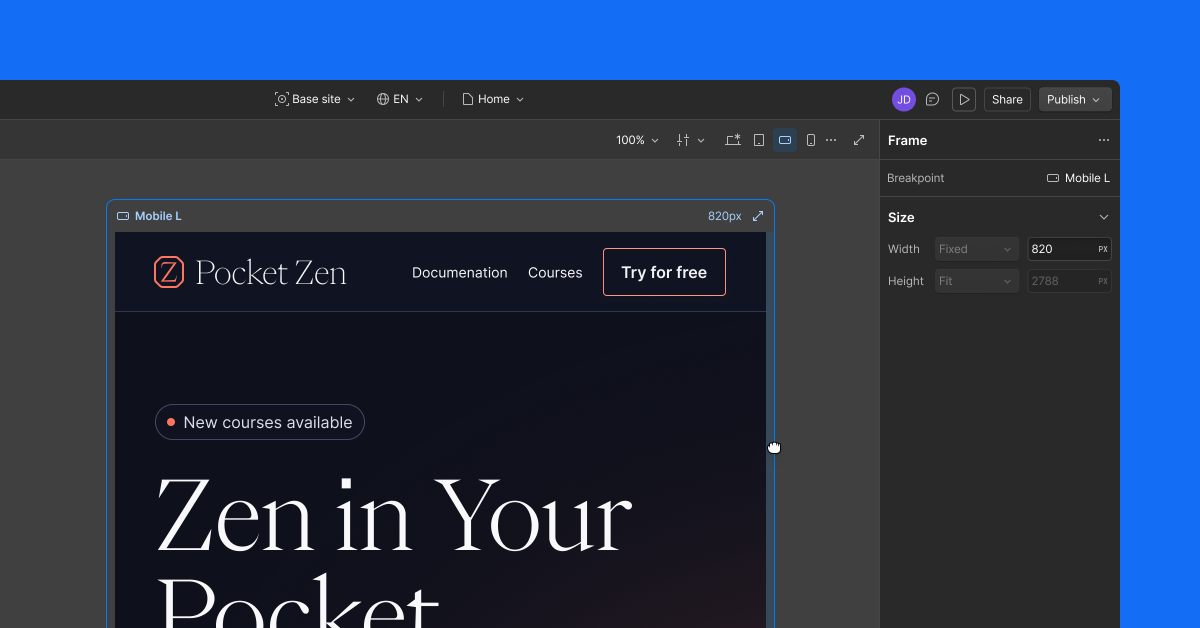
Pages in Webflow's Designer now support pan and zoom, matching the behaviour of other design tools. A new icon on the canvas bar switches from the default top-to-bottom scroll into pan/zoom mode, and clicking it again returns to scrolling.
- Pan by holding spacebar and dragging, using middle-mouse drag, or a two-finger trackpad scroll.
- Zoom with Cmd/Ctrl + scroll, pinch, or the zoom dropdown, which jumps to 50%, 100%, or 200%.
- Drag the frame edge to resize its width (height resize isn't included in this release).
The same gestures work on both the page canvas and the component canvas, with selection, editing, and rendering staying reliable at every zoom level. Pan and zoom are available in Design, Build, and Edit modes, but not in Preview or Comment modes.

Webflow
Build professional websites visually — no code required, with CMS, interactions, and hosting built in.
View Webflow →