Webflow's theme setting now syncs across the whole app
By Steven Van ·
Choosing System, Light, or Dark saves to the account and applies across Dashboard, Sites, and Optimize.
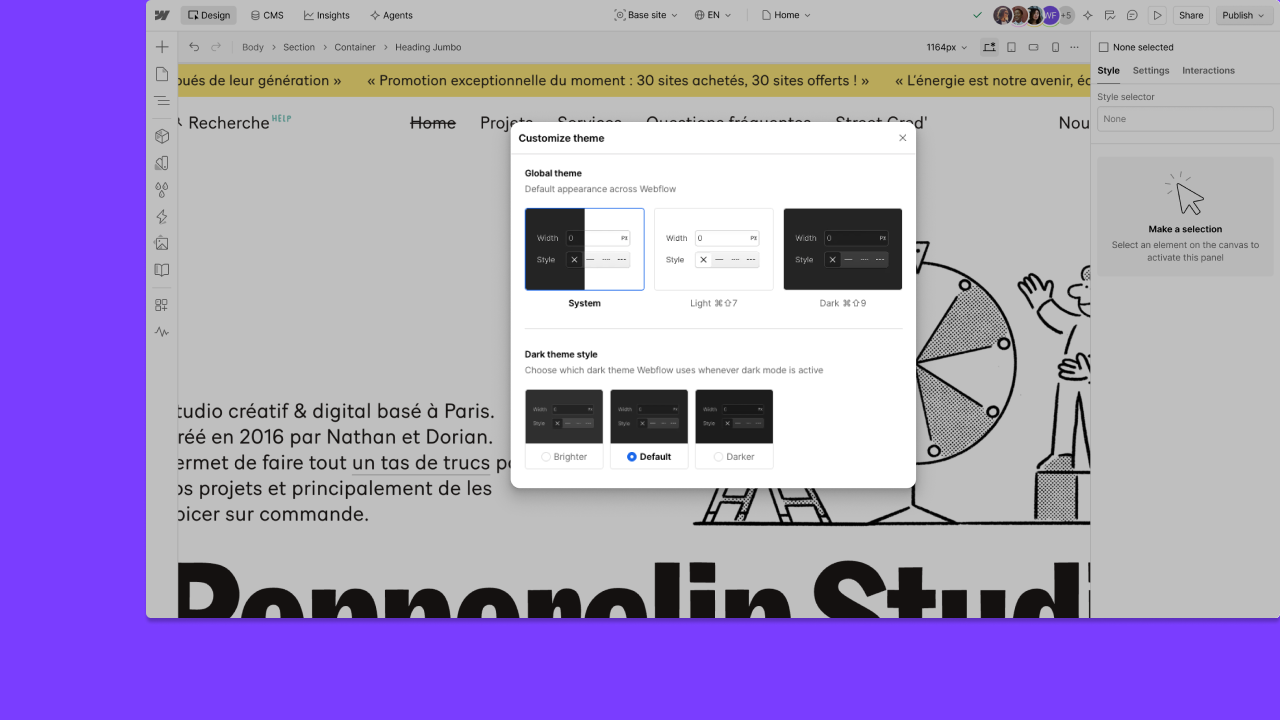
One appearance setting, System, Light, or Dark, now applies across Webflow's Dashboard, Sites and Optimize surfaces, including Light mode in Sites.
The preference saves to the account, so it carries over as you move between product areas instead of resetting on each one. Choosing Dark also opens a choice of Darker, Default, or Brighter, and System follows the operating system's own light or dark setting. The announcement notes this controls the Webflow interface itself, not a published site.

Webflow
Build professional websites visually — no code required, with CMS, interactions, and hosting built in.
View Webflow →