Webflow adds drop shadow filters to the Style panel
By Steven Van ·
Drop shadows follow an element's exact shape and can bind to variables and interactions in the Designer.
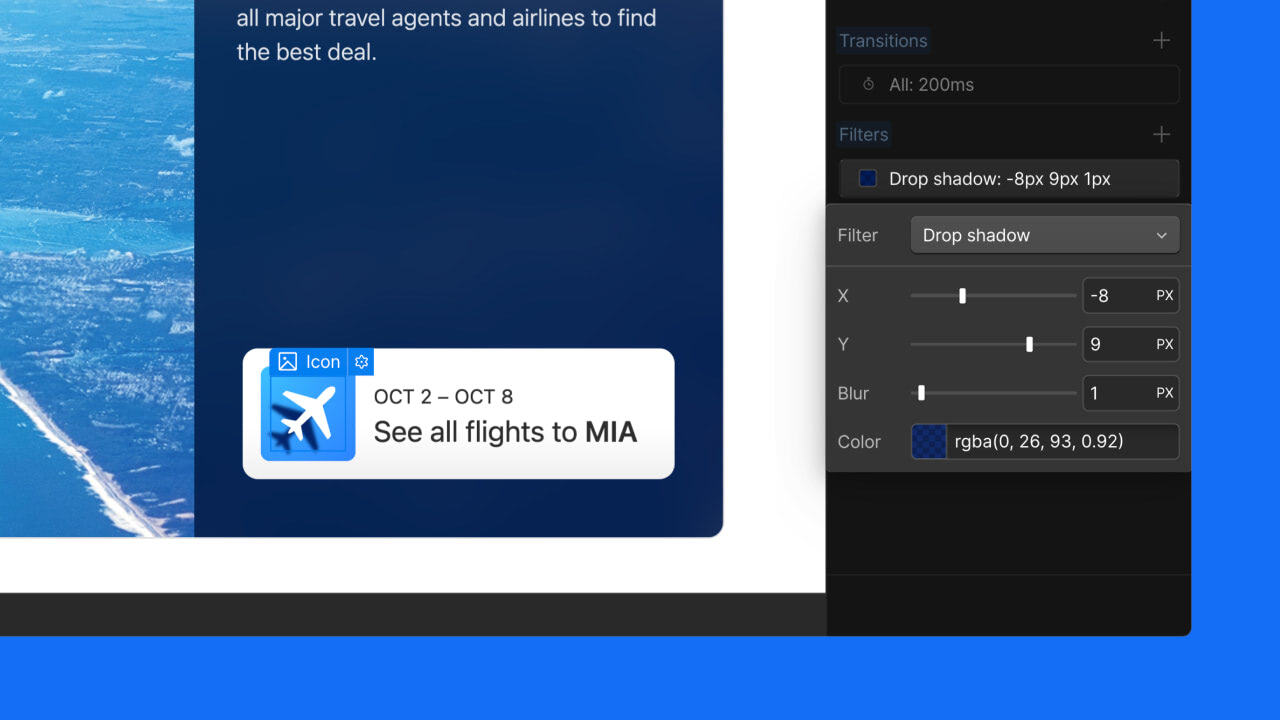
Webflow's Style panel now includes a drop shadow filter under Effects, built on the CSS drop-shadow() function, so shadows can be added without custom code. Unlike box shadows, drop shadows follow the exact outline of an element, which makes them useful for transparent images, logos, and other irregular shapes.
- Controls for X and Y offset, blur, and shadow colour (with opacity via the colour picker)
- Settings can be adjusted per breakpoint
- Offset, blur, and colour can be bound to variables and animated using a "Set variable value" action in the Interactions panel
The feature is available now in the Webflow Designer. Read the full announcement.

Webflow
Build professional websites visually — no code required, with CMS, interactions, and hosting built in.
View Webflow →