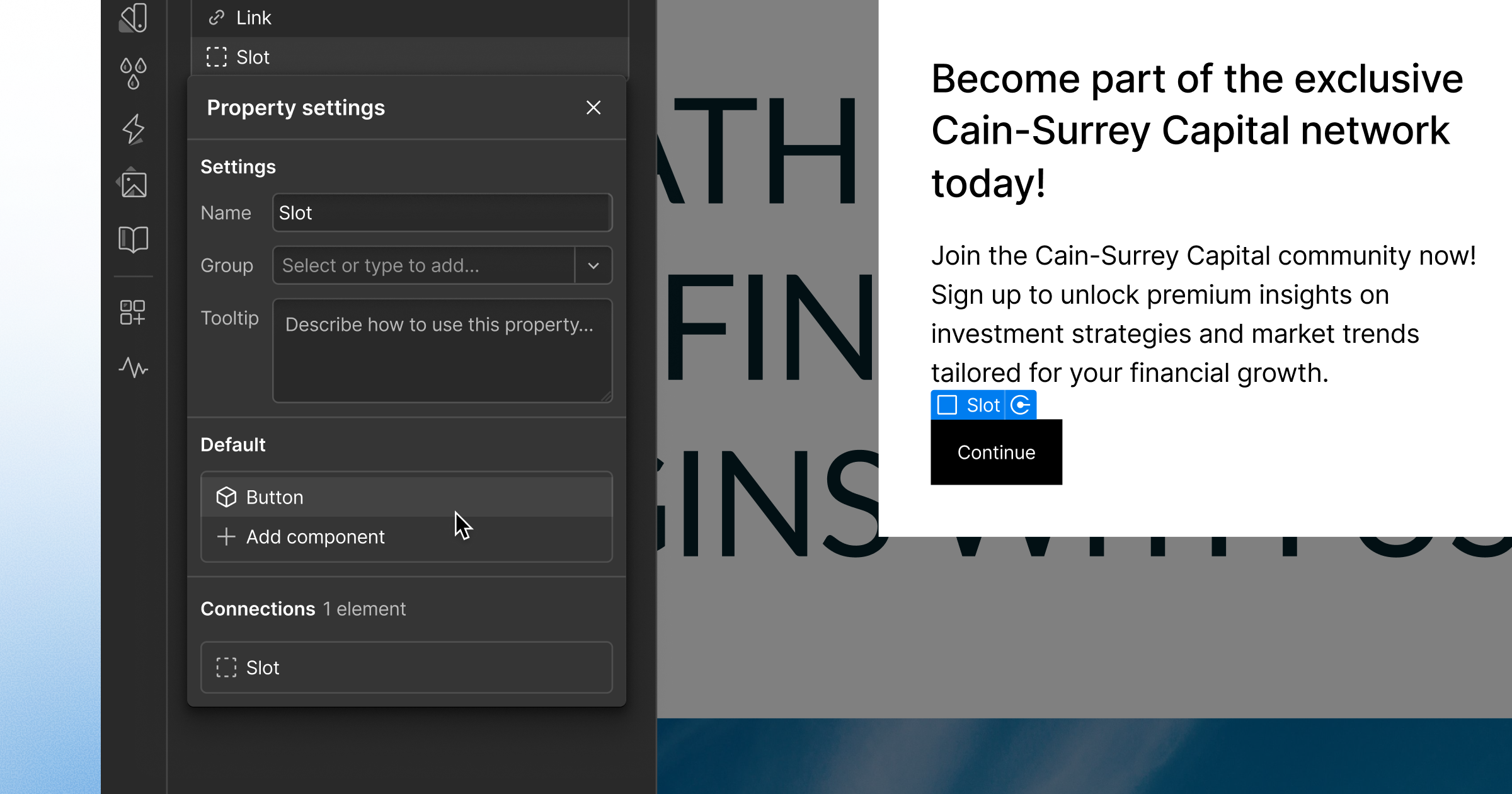
Component slot defaults
By Steven Van ·
Slots on main components can now be pre-filled with default components, available on all Webflow plans, while marketers can still swap, reset or clear them.
Designers can now set a default component for a slot on a main component. Webflow says the change is meant to cut ambiguity for marketers, who otherwise get an empty slot with no hint of what belongs there, and to save designers from documenting dos and don'ts or rebuilding the same setup on every instance. The announcement lists it under the Designer category.
How defaults work
Add components to a slot on a main component and they become that slot's default. In Webflow's example, a button component placed in a slot on a main card component appears already in the slot the next time the card is added to a page, ready to customize.
When a designer updates the default in a main component, every instance that still uses that component updates too.
What marketers can change
Marketers keep their flexibility on individual instances. They can:
- swap the content for other components
- reset the slot to the default
- clear the slot for a customized instance
Slot defaults join show/hide controls for marketers and slot restrictions as guardrails for handing off a component system.
Limits and availability
Slot defaults accept components only. Components in CMS Rich Text show their slot defaults, but slot content can't be edited there.
The feature is available on all plans. Webflow said it should reach all users by the day after launch on October 23, 2026.