Add components to CMS content
By Steven Van ·
Add Webflow components directly to rich text fields, both on canvas and in the CMS panel.
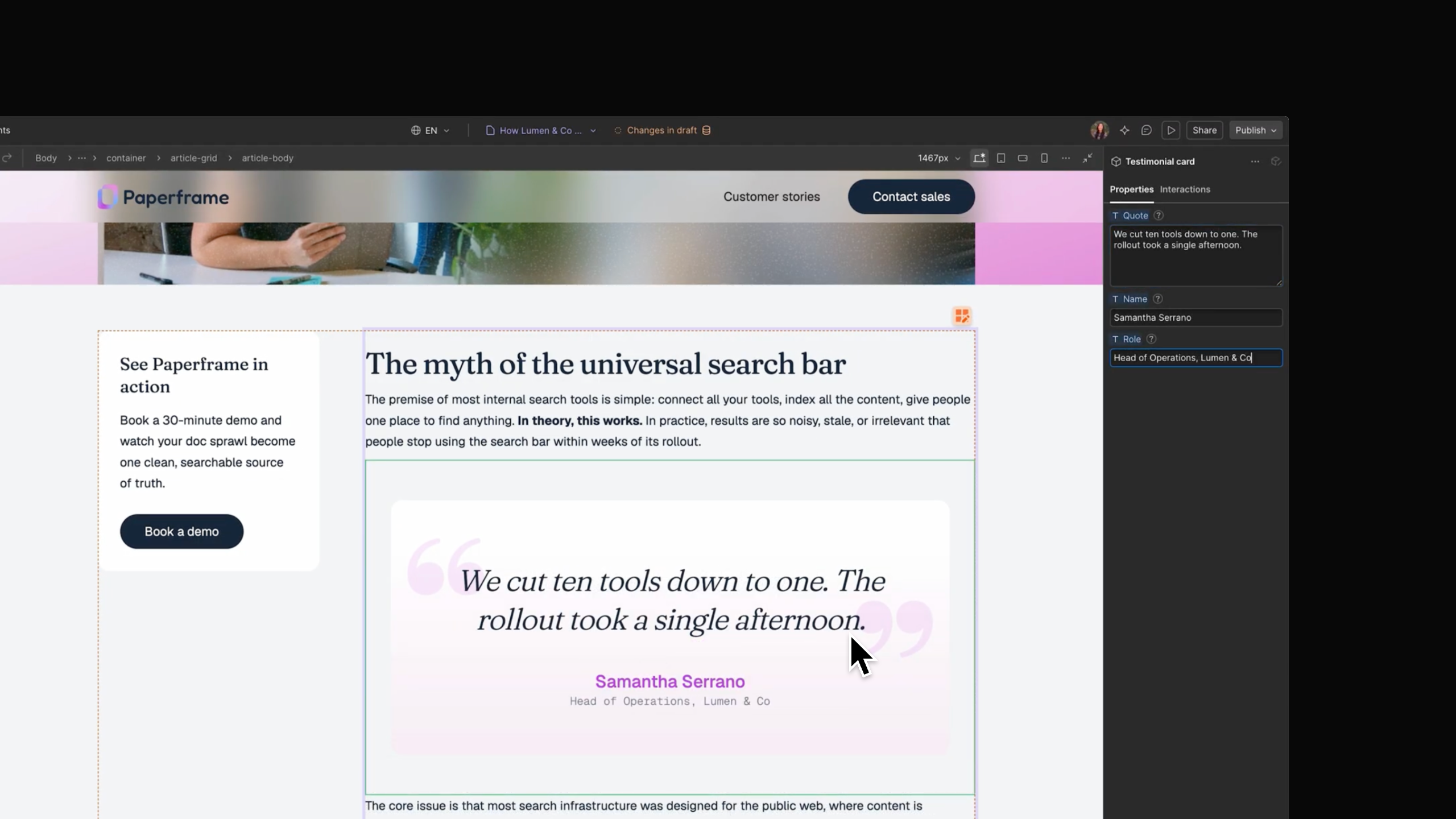
Webflow components can now be inserted directly into rich text fields, on the canvas or in the CMS panel, so items like CTA buttons, testimonial cards, and pricing tables no longer require third-party solutions or custom code embeds.
To add one, open a rich text field or element, hit / (or the + button) to bring up the insert menu, choose Component, and pick the one to insert. Its settings open automatically so its properties can be configured for that instance. Updating the component updates every instance across the CMS. Components containing Collection Lists can't be placed in rich text, and components placed within rich text can't be bound to the CMS or have their slots exposed.
Support is rolling out today and should reach all users within the next week. Read the announcement.