7 Standout Student Portfolio Website Examples for 2026
By Steven Van ·
Discover top-tier student portfolio website examples and learn how to build your own. Get actionable tips and platform advice for your creative career.
As a student, your portfolio is more than just a gallery of your best work; it's your single most important career tool. It tells a story about your skills, your process, and your potential. But staring at a blank screen, wondering where to begin, can be intimidating. How do you translate classroom projects into a compelling online presence that grabs the attention of recruiters and hiring managers?
This guide is built to deconstruct what makes a portfolio truly effective. We will move beyond just looking at pretty designs and dive into the strategic decisions that make them work. We’ll analyze a curated selection of excellent student portfolio website examples, breaking down not just what they look like, but the specific choices behind their structure, project selection, and storytelling.
You’ll get actionable takeaways, replicable strategies, and direct insights into the best platforms to showcase your unique talent. The goal is to give you a clear roadmap. We will explore examples from platforms like Behance, Adobe Portfolio, Squarespace, and Webflow, providing screenshots and direct links for each. You'll learn what to copy, what to avoid, and how to present your work with confidence.
Whether you're a designer, artist, developer, or writer, these examples will provide the inspiration and tactical knowledge needed to build a portfolio that stands out. To gain a deeper understanding of the entire process from start to finish, you can read more on how to create a portfolio website. Let’s dive into the examples that can help you turn your academic work into a professional asset that gets you hired.
1. Behance (Adobe)
Behance isn't a portfolio builder in the traditional sense; it's the world's largest creative social network, owned by Adobe. For students, it serves a dual purpose: it's a powerful platform to publish project-based case studies and a vital research tool for analyzing professional work. Think of it less as a personal website and more as a dynamic, public gallery where your work can gain immediate exposure.
The platform’s core strength is its massive, built-in audience of creatives, recruiters, and potential clients. Uploading a project here puts it in front of millions of people instantly. This discoverability is a significant advantage over a personal website that starts with zero traffic. You can publish detailed case studies, complete with text, high-resolution images, embedded videos, and interactive prototypes.
Analysis & Strategic Breakdown
Behance excels at project-based storytelling. Instead of a simple gallery, the best student portfolios on Behance present each project as an in-depth case study. This format is perfect for demonstrating your thought process, from initial research and sketches to the final polished outcome. The user interface is straightforward, guiding you to build a long-form, scrolling presentation for each piece.
The social and community features are also a key part of its value. Your work can be featured in curated galleries (like Interaction, Graphic Design, or school-specific collections), which provides a massive visibility boost. Recruiters actively scout the platform using its powerful search filters to find talent based on skills, tools (e.g., Figma, Photoshop), and location.
Key Insight: Use Behance not just to show your final work, but to prove your process. A well-documented case study with behind-the-scenes visuals, problem statements, and solution breakdowns is more compelling to employers than a simple image gallery.
Replicable Strategies & Takeaways
To make the most of Behance, focus on quality over quantity.
- Structure Projects as Case Studies: Don't just upload final images. Start with a compelling project title and a one-sentence summary. Outline the problem, your role, the process, and the final solution.
- Use Rich Media: Incorporate a mix of high-quality images, GIFs of microinteractions, and embedded videos of walkthroughs. This makes your presentation dynamic and engaging.
- Optimize for Discoverability: Tag your projects with relevant fields (e.g., "UX Design," "Branding"), tools used ("Adobe Illustrator," "Webflow"), and your creative discipline. This is crucial for appearing in searches.
- Engage with the Community: Follow artists and agencies you admire. Comment thoughtfully on their work and build a network. This activity can increase the visibility of your own profile.
Behance is free to use for publishing and browsing. It's an excellent starting point and a necessary platform for any creative student, especially since many students already use Adobe products. If you're a student, you can often find a good deal on the full suite of tools with the Adobe Creative Cloud student discount. While it offers less branding control than a personal site, its built-in audience and industry recognition make it an essential part of any student's online presence.
Website: https://www.behance.net
2. Adobe Portfolio (myportfolio.com)
Adobe Portfolio is a website builder designed specifically for creatives to build polished, professional portfolio sites with minimal effort. It’s included with most Adobe Creative Cloud plans, making it an incredibly accessible option for students already using tools like Photoshop and Illustrator. Unlike Behance, which is a social network, Adobe Portfolio lets you create a standalone, multi-page personal website with a custom domain.
Its main benefit is the seamless integration with the Adobe ecosystem. You can create a new website and populate its galleries directly from your Behance projects or Lightroom albums with just a few clicks. This automation saves an enormous amount of time, allowing you to focus on curating your best work rather than wrestling with a complex website builder. The platform offers clean, responsive templates that put your creative work front and center.
Analysis & Strategic Breakdown
Adobe Portfolio is built for speed and simplicity. The editor is a straightforward, no-code interface where you select a theme, customize fonts and colors, and arrange your projects. This makes it an ideal platform for students who need a professional-looking site live in a matter of hours, not weeks. The templates are designed with visual creatives in mind, emphasizing large images and clean grids, which makes it one of the better student portfolio website examples for photographers and graphic designers.
While it offers less granular design control compared to a tool like Webflow, its strength lies in its constraints. By providing well-designed, structured templates, it prevents students from making common design mistakes and ensures the final site is clean, accessible, and professional. It also includes password-protected pages, which are useful for sharing works-in-progress or sensitive client projects with specific people.
Key Insight: Use Adobe Portfolio as your central, professional "home base" online. Link it to your Behance for detailed case studies and use its clean presentation to give recruiters a quick, high-level overview of your skills and best work.
Replicable Strategies & Takeaways
To build an effective site with Adobe Portfolio, your focus should be on curation and polish.
- Integrate with Behance/Lightroom: If you have projects on Behance, sync them directly. This automatically imports your project covers and links back to the full case study, creating a powerful combination of a clean gallery and in-depth process documentation.
- Choose the Right Theme: Browse the available themes and choose one that best complements your work. A photography student might want a full-screen layout, while a UX designer might prefer a grid-based theme to display multiple projects.
- Create a Clear "About" Page: Don't neglect your bio. Add a professional headshot, write a brief summary of who you are, what you do, and what you’re looking for. Include a link to your resume and your social profiles.
- Use a Custom Domain: A custom domain (e.g., yourname.com) appears far more professional than the default
myportfolio.comaddress. A custom domain is often included with eligible Creative Cloud plans.
Adobe Portfolio is an excellent choice for students who want a beautiful, low-maintenance portfolio. If you're wondering how to structure your projects and what to include, you can find a good guide on how to create a portfolio that gets results. Publishing a site requires an active Creative Cloud subscription, but for students already in the Adobe ecosystem, it's one of the fastest and most effective ways to establish a professional online presence.
Website: https://portfolio.adobe.com
3. Squarespace (Made with Squarespace showcase)
Squarespace is an all-in-one website builder known for its award-winning templates and ease of use. For students, it represents the ideal middle ground between a restrictive social platform and the complexity of coding a site from scratch. Its official inspiration gallery, particularly the "Made with Squarespace" showcase, is an invaluable resource for seeing how high-quality, recruiter-friendly portfolios are built on the platform. It's a place to study professional presentation and find a template to make your own.
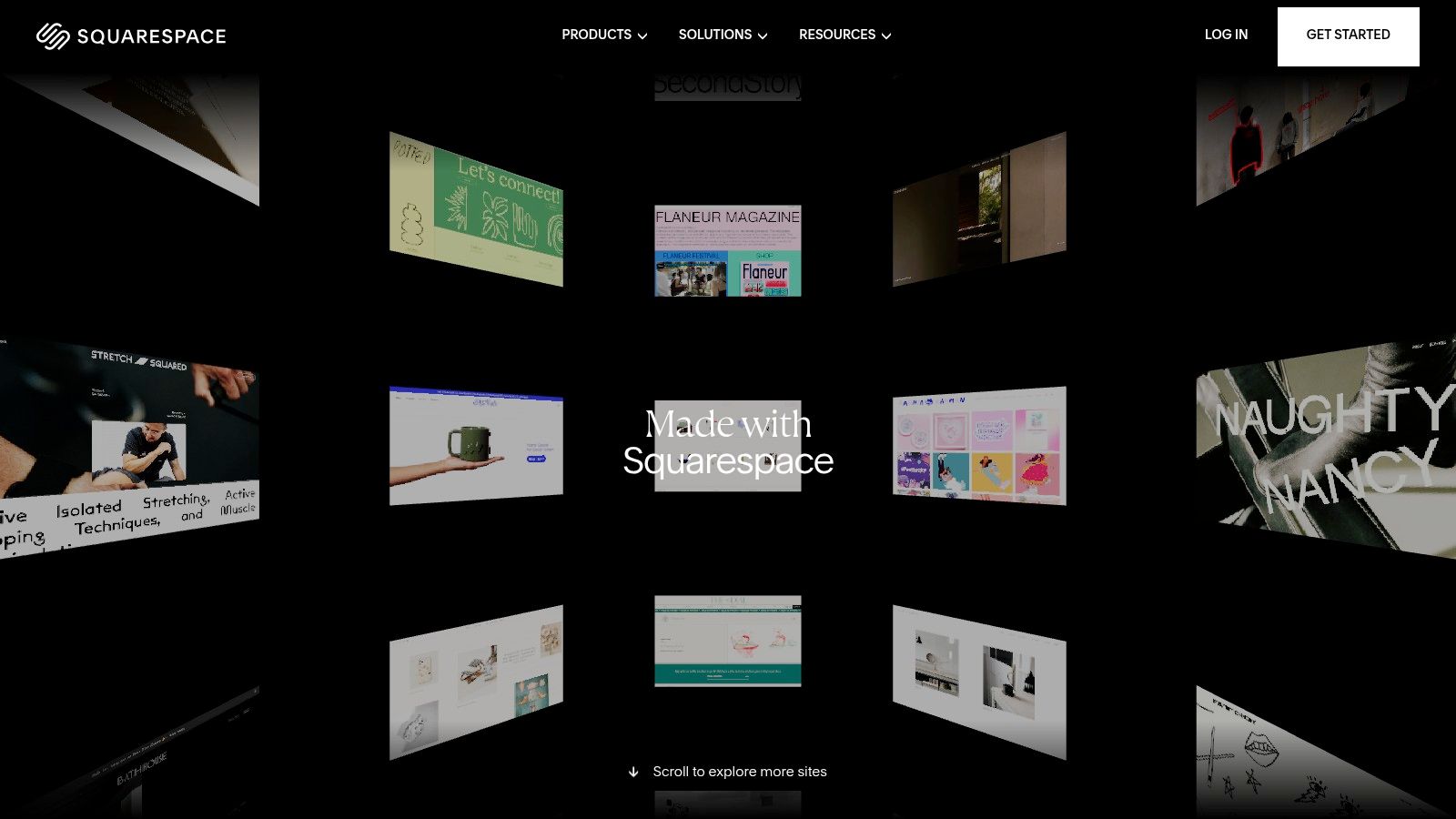
Unlike a purely social portfolio site, Squarespace gives you complete control over your brand identity, information architecture, and user journey. The platform handles hosting, domains, and analytics, allowing students to focus on content rather than technical maintenance. The "showcase" section is particularly useful, as it allows you to reverse-engineer what makes a portfolio effective by studying live, successful examples before you even start building.
Analysis & Strategic Breakdown
Squarespace’s strength lies in its balance of customization and simplicity. The drag-and-drop editor and professionally designed templates ensure a polished, modern, and mobile-responsive result without needing any code. This is perfect for students who need a professional website quickly. The curated templates are designed with strong visual hierarchy and typography, which helps you present your work in a clean, minimal, and professional manner that appeals to recruiters.
The platform's all-in-one nature simplifies the process. You can buy a custom domain, set up a professional email, and track site visitors with built-in analytics, all from one dashboard. This unified system helps students present a cohesive and professional online presence. The "Made with Squarespace" showcase, especially its Portfolios section, provides a clear roadmap for what a great site looks like, from the homepage layout to individual project pages.
Key Insight: A Squarespace portfolio signals professionalism and an eye for design. Use its structured, minimal templates to create a focused narrative around your best work, guiding recruiters directly to your case studies without distraction.
Replicable Strategies & Takeaways
To build an effective student portfolio website on Squarespace, think like a curator.
- Start with the Showcase: Before picking a template, browse the "Made with Squarespace" portfolio examples. Analyze their navigation, project page layouts, and "About Me" sections to understand best practices.
- Choose a Minimal Template: Select a template with a simple grid or list-based gallery for your homepage. This puts your project thumbnails front and center. Avoid templates with overly complex animations or layouts that could distract from your work.
- Create Dedicated Project Pages: For each project, use a blank page or a pre-designed layout to build a case study. Combine text blocks, image galleries, and video embeds to tell the full story of your process.
- Optimize Your "About" Page: Make your "About" page personal and professional. Include a high-quality headshot, a brief bio, a link to your resume, and clear contact information. This is often the second page a recruiter visits.
Squarespace is a subscription-based service, but it offers a 50% discount for students for their first year. While it has an ongoing cost compared to free options, the investment provides a custom domain and a polished, professional site that you fully control. It's a top-tier choice for students in design, marketing, writing, and photography who need a stunning, personalized portfolio without the technical overhead.
Website: https://www.squarespace.com/showcase
4. Wix (portfolio examples / official blog showcases)
Wix is a versatile website builder that offers students a clear path from inspiration to a live portfolio. Instead of just providing tools, Wix actively curates and analyzes high-quality portfolio examples on its official blog, offering a valuable learning resource. This allows students to see what a finished, effective site looks like before they even start, bridging the gap between concept and execution.
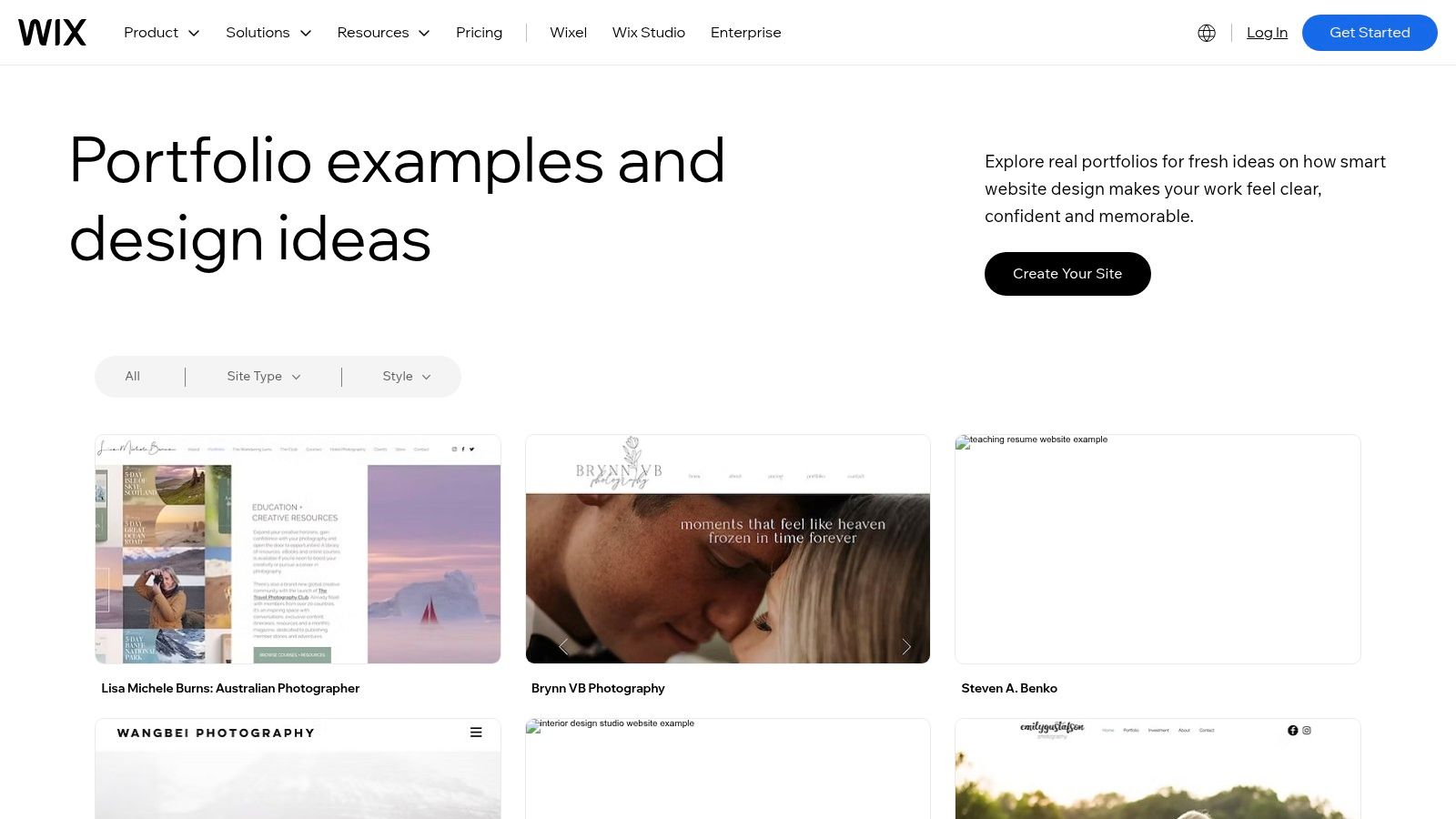
The platform caters to all skill levels with multiple editor options. You can use the classic drag-and-drop editor for intuitive control, have the AI generator create a site for you in minutes, or use Wix Studio for more advanced design capabilities. This flexibility ensures that whether you're a beginner focused on content or a design student wanting pixel-perfect control, there’s a suitable workflow.
Analysis & Strategic Breakdown
Wix excels at providing a quick and structured way to build a professional-looking website. Its strength lies in its massive template library, which gives students strong, pre-vetted starting points for their own designs. These templates aren't just empty shells; they come with logical page structures for case studies, "About Me" sections, and contact forms, reducing the initial setup time significantly.
The platform's App Market is another key advantage, allowing you to add functionality that would otherwise require custom code. Students can integrate features like a blog to write about their process, a booking system for freelance consultations, or even an e-commerce store to sell prints or digital assets. This ecosystem turns a simple portfolio into a multi-functional professional hub. The official blog's showcases of excellent student portfolio website examples are a major asset, as they often break down why a particular layout or design choice is effective.
Key Insight: Use Wix templates as a foundation, not a limitation. Start with a structure that fits your work, but then customize the colors, typography, and layout to inject your unique personal brand. The goal is to look professional, not generic.
Replicable Strategies & Takeaways
To build an effective portfolio on Wix, combine its ease of use with strategic content choices.
- Start with a Curated Template: Browse the portfolio category in the Wix template library. Choose a design that aligns with your aesthetic and has built-in pages for projects or case studies.
- Explore the App Market: Think beyond just a gallery. Consider adding the Wix Blog app to write detailed case studies or the Forms & Payments app to create a professional contact and client intake form.
- Use the AI Tools for Efficiency: If you're short on time, use the AI site generator to create a first draft. Provide it with information about your field and style, then refine the result in the editor.
- Study the Official Blog: Before you build, review the portfolio examples featured on the Wix blog. Pay attention to their navigation, project presentation, and "About" page copy for inspiration.
Wix offers a free plan with Wix branding and a subdomain, which is a great way to start. To connect a custom domain and remove ads, you'll need a premium plan. Pricing can vary by region, so it's best to check the final cost at checkout. While power users might eventually seek more advanced platforms, Wix provides an excellent, all-in-one solution for students to launch a polished portfolio quickly.
Website: https://www.wix.com/blog/best-portfolio-websites
5. Webflow
Webflow occupies a unique space between template-driven site builders and full-stack coding. It gives students professional-grade design control, allowing them to build highly custom, interaction-rich websites without writing production code. Instead of being just a gallery, a Webflow portfolio can become a flagship project in itself, demonstrating advanced web and interaction design skills.
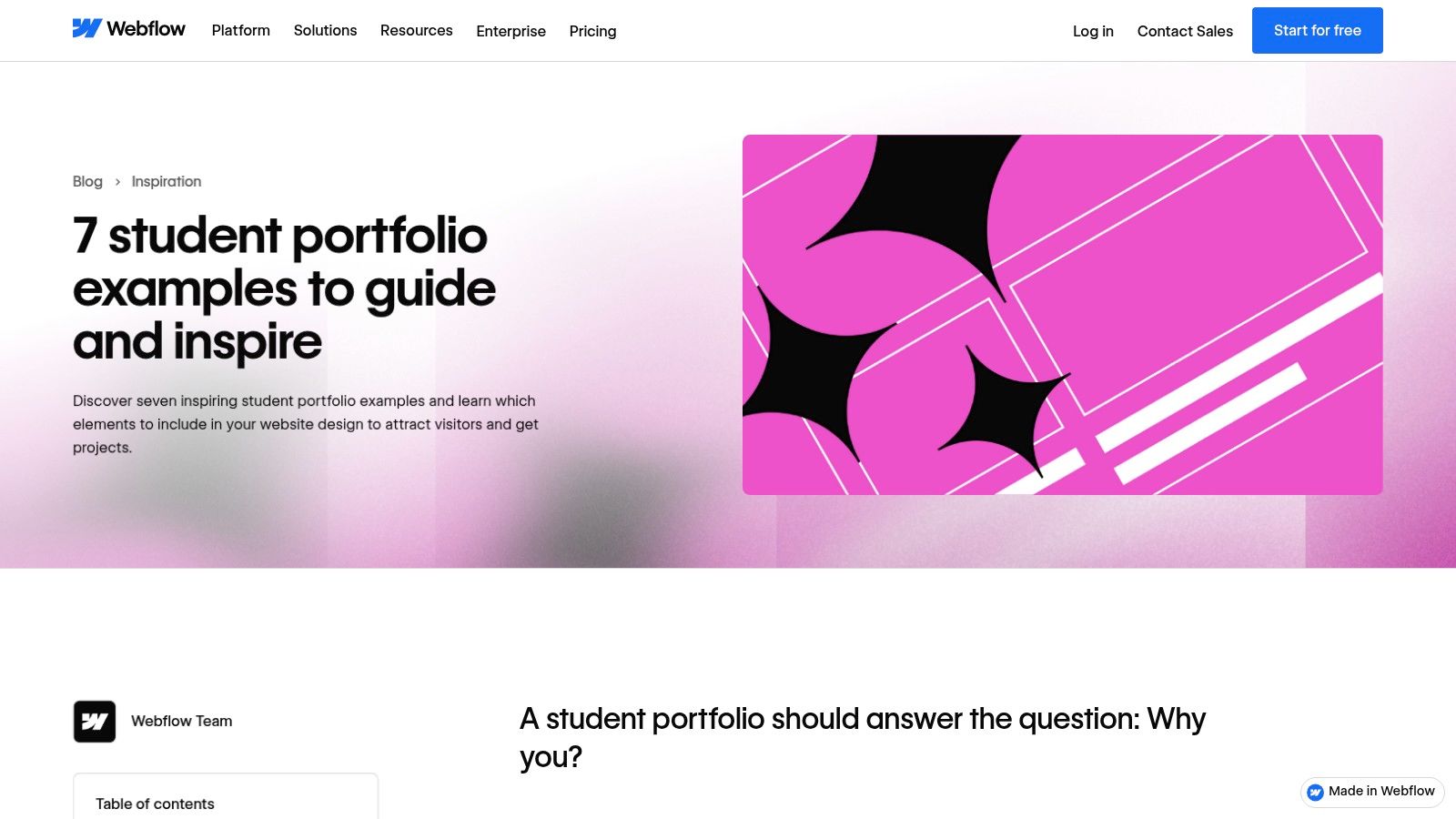
The platform is renowned for its "Made in Webflow" ecosystem, which includes cloneable projects, templates, and showcases that are invaluable resources. Students can deconstruct professional sites, learn complex animations, and adopt best practices directly from the community. Its powerful CMS is also perfect for creating and managing detailed, media-rich case studies for each portfolio piece.
Analysis & Strategic Breakdown
Webflow’s primary strength is its visual canvas that translates directly to clean HTML, CSS, and JavaScript. This gives you fine-grained control over layout, typography, and motion design that is simply not possible with simpler builders. For students in UX/UI, interaction design, or web design, building a portfolio in Webflow showcases technical and aesthetic prowess simultaneously. The learning curve is steeper, but mastering it is a marketable skill.
The platform encourages a narrative-driven approach through its blog and showcases, which frequently feature exceptional student portfolio website examples and break down what makes them effective. This provides a clear roadmap for what recruiters and industry leaders value: fluid animations, clear information architecture, and compelling project storytelling. If you are considering Webflow for your portfolio, you might find inspiration in these 7 Incredible Webflow Website Examples.
Key Insight: Treat your Webflow portfolio site as your most important case study. The site itself-its structure, responsiveness, and microinteractions-becomes a testament to your skills, often more powerful than the projects it contains.
Replicable Strategies & Takeaways
To succeed with Webflow, lean into its unique capabilities for motion and customization.
- Start with a Cloneable: Instead of a blank canvas, find a "cloneable" project from the Webflow Showcase. This gives you a pre-built structure and style guide to customize, greatly speeding up the initial build.
- Master Microinteractions: Use Webflow's Interactions panel to add subtle animations to button hovers, scroll events, and page loads. These small details make a site feel polished and professional.
- Build a Robust CMS for Case Studies: Set up a "Projects" collection in the CMS with fields for a project summary, client, your role, a problem statement, and rich text for the full case study. This keeps your portfolio organized and easy to update.
- Showcase Your Process Visually: Use the visual editor to create engaging layouts for your case studies that blend text with images, GIFs, and embedded prototypes from tools like Figma.
Webflow offers a free plan to build and publish on a subdomain (yourname.webflow.io), which is sufficient for many students. Its student discount program has been in flux, so check for current eligibility. While it demands more effort than other platforms, the result is a truly custom portfolio that stands out and serves as a powerful example of your web design capabilities. The principles behind a great portfolio layout are universal, and you can find more inspiration in these professional web design portfolio examples.
Website: https://webflow.com/blog/student-portfolio-examples
6. Cargo (Cargo.site)
Cargo is a portfolio platform deeply rooted in the art and design school communities, known for its distinctive, often experimental, template-driven approach. It prioritizes bold typography and flexible grid systems, allowing students to create sites that feel more like editorial publications than standard websites. For those in fine art, photography, and graphic design, Cargo offers a curated aesthetic that stands apart from more mainstream builders.
Its strength lies in providing a framework that is both structured and highly customizable, encouraging a unique visual identity. The platform's "Sites in Use" gallery is a standout feature, serving as a living lookbook of real-world student and professional portfolios built with the tool. This provides immense inspiration and practical layout ideas that are hard to find elsewhere, making it one of the better student portfolio website examples for artistic disciplines.
Analysis & Strategic Breakdown
Cargo excels at creating visually forward, gallery-focused websites quickly. Its backend editor is unique; users manipulate content and layout on a live preview of their site, which can be more intuitive for visually-minded students. The templates are designed by artists and designers, resulting in layouts that respect image quality and typographic hierarchy from the start.
The platform is less about project case studies in the UX/UI sense and more about presenting a body of work as a cohesive collection. This makes it ideal for photographers who need to show series, illustrators displaying a style, or fine artists documenting an exhibition. The focus is on the visual impact of the work itself, with minimal distraction from the platform's interface.
Key Insight: Use Cargo to build a strong, overarching brand for yourself as an artist. Instead of focusing on individual case studies, think of your entire website as a single, curated exhibition that communicates your unique point of view.
Replicable Strategies & Takeaways
To build an effective portfolio with Cargo, lean into its artistic strengths.
- Study "Sites in Use": Before you start, spend significant time browsing the "Sites in Use" and "Templates" pages. This will help you understand the platform's potential and find a visual direction that aligns with your work.
- Embrace the Grid: Many Cargo templates use a strong underlying grid. Learn to work with it to create dynamic, organized layouts. Mix image sizes and use negative space deliberately to guide the viewer's eye.
- Prioritize High-Quality Imagery: The minimalist aesthetic of many Cargo sites means your images are the main event. Ensure all photos, scans, and mockups are high-resolution and color-corrected.
- Customize Your Typography: Cargo offers excellent control over fonts. Choose a distinctive typeface that complements your work and establishes a memorable personal brand.
A standard Cargo subscription with all core features costs $144 per year ($12/month) after a 14-day free trial. While it may have fewer built-in business tools than an all-in-one builder like Squarespace, its specific focus on the needs of artists and designers makes it a top choice for students who want a portfolio that feels intentionally designed and visually sophisticated.
Website: https://cargo.site
7. Format
Format is a portfolio-building platform designed with visual artists, photographers, and designers in mind. While platforms like Webflow offer infinite customization, Format provides a more guided experience, focusing on elegant, image-centric templates and professional tools for client work. For students, it represents a fast track to a polished, professional-looking portfolio without a steep learning curve.
Its standout features are built around the workflow of a working creative. It offers client galleries with password protection and proofing capabilities, which is a great way for students to practice professional handoffs. The platform also includes an integrated store for selling prints or digital goods and direct integration with Adobe Lightroom, a huge time-saver for photography students.
Analysis & Strategic Breakdown
Format’s main advantage is its focus on presentation and professional practice. The templates are clean, modern, and built to make high-resolution images the hero. This is ideal for students in photography, illustration, and graphic design whose work needs to be displayed with minimal distraction. The editor is straightforward, allowing you to quickly arrange galleries and pages without needing to code.
Beyond just showcasing work, Format prepares students for client interactions. The client proofing galleries are a significant feature, allowing you to create private, shareable collections for review. A student can use this to get feedback from professors or even on early freelance projects, simulating a real-world approval process. This functionality makes your student portfolio website more than a gallery; it becomes a workspace.
Key Insight: Use Format to create a portfolio that not only displays your work but also demonstrates your professionalism. Leveraging built-in tools like client galleries shows potential employers you understand the practical side of the creative business, from presentation to client delivery.
Replicable Strategies & Takeaways
To build an effective portfolio on Format, focus on its core strengths.
- Choose a Minimalist Theme: Select a template that prioritizes your images. Avoid themes with distracting elements. Let your work speak for itself.
- Practice with Client Galleries: Create a mock project and use the client proofing feature. Send a password-protected link to a friend or mentor for feedback. Documenting this process can even be part of a case study.
- Curate Ruthlessly: Because the platform is so image-focused, the quality of your work is paramount. Only show your absolute best projects. It’s better to have one strong gallery with 10 amazing photos than three galleries with 50 mediocre ones.
- Explore the Store Function: Even if you don't plan to sell work immediately, setting up a test store with a few prints can be a valuable learning experience. It shows ambition and an entrepreneurial mindset.
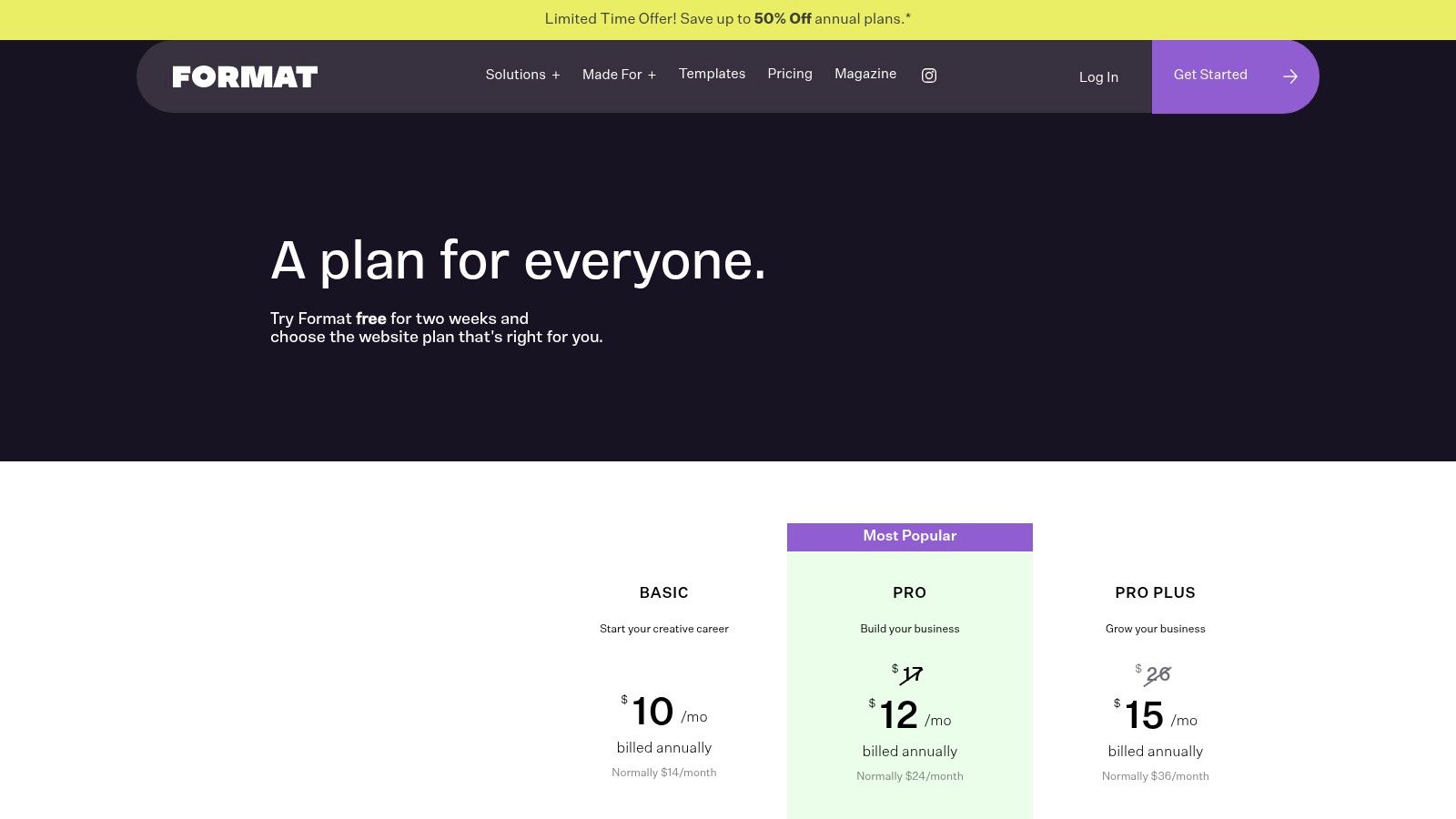
Format offers several pricing tiers, starting with a Basic plan and scaling up to Pro and Pro Plus, which include more advanced features and larger storage capacities. While it is a paid service, its specialization in visual portfolios and client-facing tools provides a clear value proposition for creative students looking to build one of the best student portfolio website examples with a professional edge.
Website: https://www.format.com/pricing-portfolio
Student Portfolio Platforms — 7-Way Comparison
| Platform | 🔄 Implementation Complexity | ⚡ Resource Requirements | ⭐ Expected Outcomes / 📊 Impact | 💡 Ideal Use Cases | Key Advantages |
|---|---|---|---|---|---|
| Behance (Adobe) | Low — simple upload & tagging | Minimal (free account; time to curate) | ⭐⭐⭐ — High discoverability; uneven quality signal 📊 | 💡 Showcase student work, research trends, compare presentation styles | Instant audience, powerful search & school filters |
| Adobe Portfolio (myportfolio.com) | Very Low — no-code themes | Moderate — requires eligible Creative Cloud plan to publish | ⭐⭐⭐⭐ — Polished, consistent portfolio presentation 📊 | 💡 Fast personal portfolio for Adobe users | One‑click Lightroom/Behance sync, clean templates |
| Squarespace (Showcase) | Low–Medium — template customization | Moderate — subscription for hosting/domain | ⭐⭐⭐⭐ — Recruiter‑friendly, strong visual UX 📊 | 💡 Professional portfolios where design + simplicity matter | High‑quality templates, built‑in SEO/analytics |
| Wix (Blog showcases) | Very Low — AI / drag‑drop; Medium with Studio | Moderate — paid plans for custom features | ⭐⭐⭐⭐ — Rapid prototyping; flexible feature set 📊 | 💡 Quick launches, freelancers needing bookings/ecommerce | Large template/app ecosystem, AI site generation |
| Webflow | High — designer‑level controls, learning curve | Moderate–High — time to learn; paid hosting for production | ⭐⭐⭐⭐⭐ — High‑fidelity, interactive case studies 📊 | 💡 Interaction‑driven portfolios, detailed storytelling | Fine‑grained layout/animation control, CMS for case studies |
| Cargo (Cargo.site) | Low — template driven with editorial grid | Low–Moderate — subscription; fewer business add‑ons | ⭐⭐⭐⭐ — Distinct artistic aesthetic; gallery focus 📊 | 💡 Art/photography portfolios, experimental work | Bold templates, “Sites in Use” inspiration gallery |
| Format | Low — gallery/proofing templates | Moderate — paid tiers optimized for images | ⭐⭐⭐⭐ — Client‑ready galleries and proofing workflows 📊 | 💡 Photographers and artists needing client proofing/sales | Purpose‑built proofing, store tools, generous media allowances |
Your Next Steps: From Inspiration to Action
Throughout this guide, we've dissected a diverse collection of student portfolio website examples, moving beyond surface-level looks to understand the strategic thinking behind them. We've seen how students across different disciplines use platforms like Behance, Squarespace, and Webflow not just as galleries, but as powerful storytelling tools. The common thread connecting every strong portfolio is intentional presentation.
The most successful portfolios you’ve seen here do more than just display finished projects. They guide the viewer through a narrative, revealing the creator’s problem-solving process, technical skills, and unique creative voice. Your portfolio's job is to answer the unasked questions of recruiters and clients: "How do you think?" and "What value can you bring to my team?"
Distilling the Core Principles
As you prepare to build or refine your own site, remember the key takeaways we uncovered. These principles are your foundation for creating a portfolio that gets results.
- Curate with Purpose: Less is almost always more. Select only your strongest 3-5 projects that demonstrate the skills you want to be hired for. A portfolio with three exceptional, well-documented case studies is far more powerful than one with ten mediocre projects.
- Context is King: Never just show the final product. Use project pages to tell a story. Detail the initial problem, your specific role, the process you followed, the obstacles you overcame, and the final outcome. This shows depth and professionalism.
- Design for Your Audience: Who are you trying to reach? A recruiter, a creative director, or a potential client? Your design choices, from the user interface to the tone of your copy, should be made with that specific person in mind. The goal is to make their job of evaluating you as easy as possible.
- Launch Before You're Ready: Perfection is the enemy of progress. Your portfolio is a living document, not a static monument. It's better to launch a "good enough" version now and improve it over time than to wait months for a "perfect" site that never goes live.
Choosing Your Platform: A Quick Guide
The tool you choose can either accelerate your progress or become a frustrating obstacle. Based on the student portfolio website examples we've explored, here’s a quick way to decide:
- For Speed and Simplicity: If you need a polished site online quickly with minimal technical fuss, Squarespace, Adobe Portfolio, and Format are excellent choices. Their template-driven approach lets you focus on your content.
- For Creative Community and Discovery: If you're in a visual field like graphic design or illustration, a Behance profile is non-negotiable. It integrates a portfolio with a massive creative network, increasing your visibility.
- For Maximum Customization and Control: If you want to build a truly unique experience and showcase your web design or development skills, Webflow is the clear winner. It offers design freedom without forcing you to write code from scratch, unless you want to.
- For an Artistic, Minimalist Aesthetic: If your work aligns with a more avant-garde or editorially-focused style, Cargo provides the tools to create a distinct, art-school-inspired presence.
Your journey from viewing examples to launching your own site is a significant step in your professional development. The examples in this article prove that a compelling student portfolio is within your reach. It requires strategic curation, thoughtful storytelling, and a commitment to presenting your work with clarity and confidence. Take the inspiration you've gathered, choose the right tool for your goals, and start building. The perfect portfolio isn't the one you dream about; it's the one that's finished and actively working for you.
Struggling to find the right assets, templates, and tools to bring your portfolio to life? Creators Toolbox is a curated directory of high-quality resources specifically for creators. Find everything you need to build and promote your student portfolio at Creators Toolbox.