Custom GPTs Are Retiring: How to Migrate Before Dec 11
By Steven Van ·
Quickchat's guide covers moving a custom GPT to a ChatGPT plugin or a Quickchat AI Agent, including setup and testing from inside ChatGPT.
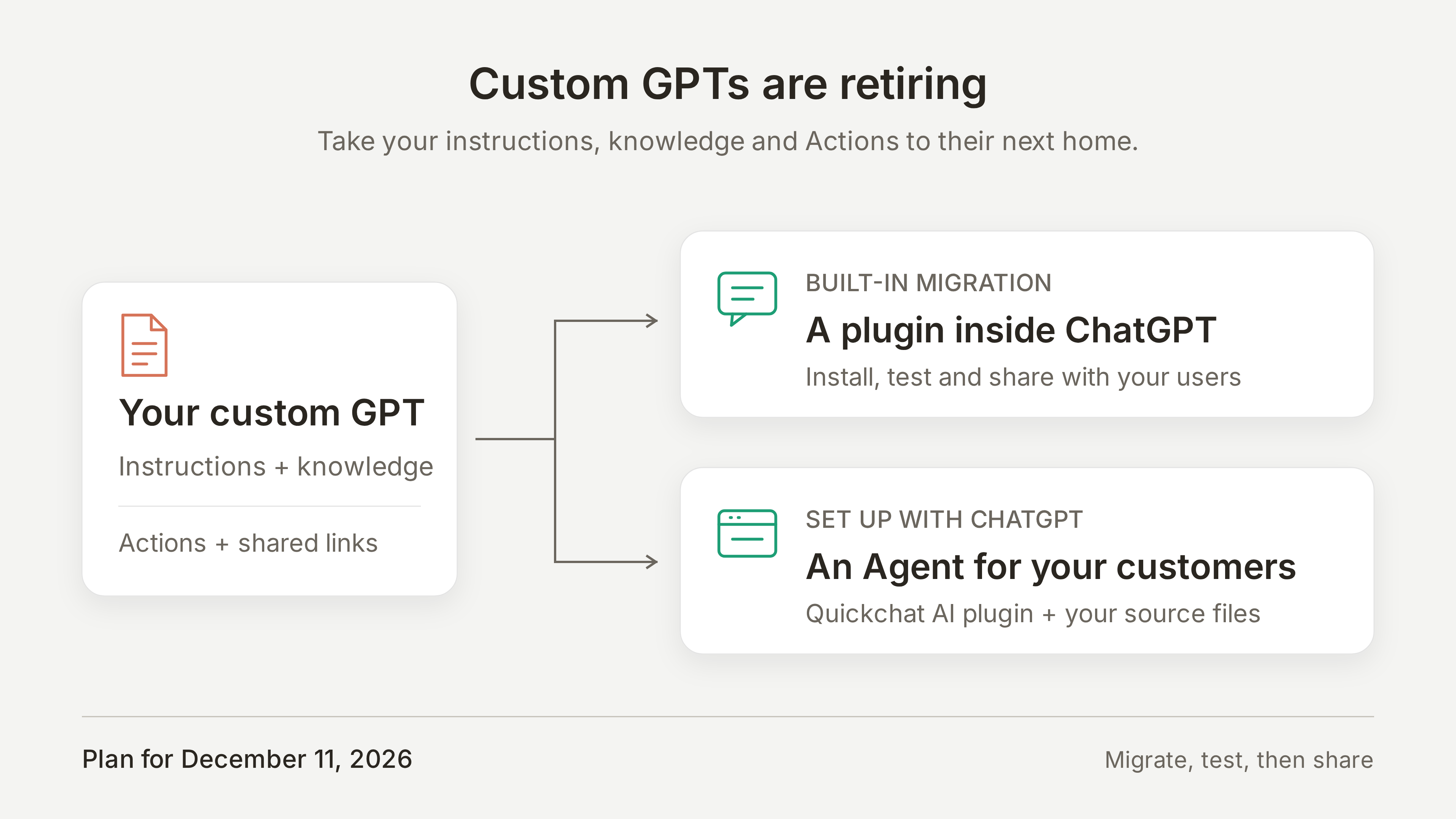
Custom GPTs retire on December 11, 2026, and Quickchat has published a migration guide for moving them to a ChatGPT plugin or into Quickchat AI. The guide notes that OpenAI's retirement FAQ gives FedRAMP and qualifying Enterprise workspaces with approved deferrals until February 11, 2027.
What changes at retirement
The GPT and its page become inaccessible. Existing conversations remain accessible, so they do not need to be exported to keep the history. Before moving, the guide suggests saving the GPT's instructions, original knowledge files and action definitions, and collecting a few questions it answers well to compare against the replacement.
Two destinations
- ChatGPT plugin: keeps the assistant inside ChatGPT. OpenAI's built-in migration converts the GPT's instructions into a skill and its knowledge files into reference files. Connected apps are added to the plugin, but custom actions need to be recreated. The replacement starts private, and the original GPT becomes read-only after migration. OpenAI also supports migration after retirement.
- Quickchat AI Agent: for assistants customers should reach on a website, through a public link or from other channels. The Agent can also be connected back to ChatGPT.
Migrating with the Quickchat AI plugin
The setup can be done from ChatGPT. After installing the Quickchat AI plugin and connecting a Quickchat AI account, the user attaches the GPT's instructions as text, the original knowledge documents, action definitions (such as an OpenAPI schema, with keys and tokens removed) and example questions with expected answers.
ChatGPT then uses the plugin to configure an Agent from that material. It can turn the knowledge into titled Knowledge Base articles, recreate API Actions, build a Simulation Testing dataset from the example questions, run the tests and report mismatches. Test replies use Quickchat AI credits. If an Action needs a key or token, it is added in the dashboard under Actions & MCPs.
The guide uses a fictional hiking-tour assistant, Alpine Trail Planner, and offers a downloadable migration kit with the instructions, three knowledge files, an availability API definition and ten test questions.
Reviewing in the dashboard
The plugin and dashboard work on the same Agent. The guide points to Identity → Main Prompt for the role and business rules, Knowledge Base for checking that sources have finished processing, and Actions & MCPs for reviewing API Actions. Actions can be checked with Test Response, then inspected in Inbox after a test conversation.