Build a Discord FAQ and Feedback Bot with Google Sheets
By Steven Van ·
Quickchat's tutorial sets up a Discord bot that answers from docs and logs requests and gaps to Sheets, on Free or the $9 Starter plan.
Quickchat has published a tutorial for building a Discord FAQ and feedback bot that records to Google Sheets, with no bot service to write or host. The walkthrough uses a fictional SDK company, Beacon Labs, and configures the assistant in Quickchat AI with a Knowledge Base, two AI Actions and Human Handoff.
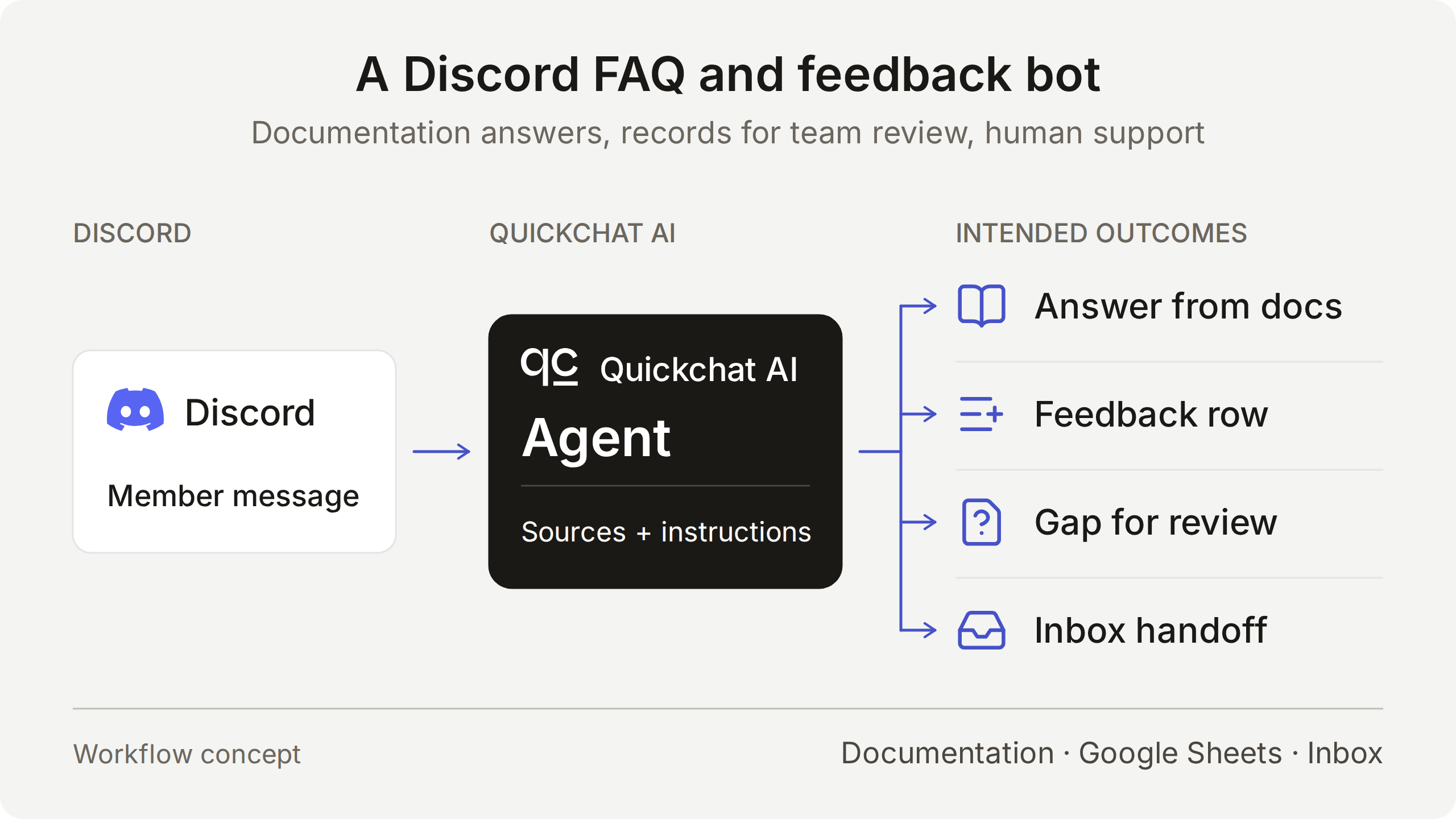
Four routes for member messages
The Agent picks a route from the member's intent, and each route has its own result to check.
- Product question: answered from the sources, with no recording Action. The example is whether SDK 2.4 supports Node.js 22.
- Explicit feature request: the complete request is recorded immediately and the saved fields are acknowledged. The team reviews it afterward, and one matching Feedback row should appear.
- Question the docs cannot answer: the Agent states what the docs do not establish and records a possible documentation gap in a Knowledge gaps tab. It should not invent a feature status or release date.
- Request for a person: the conversation is flagged through Human Handoff, with an AI summary in the Inbox.
How the Actions work
Each Action has a fixed HTTP method, destination and body template. The model decides whether to call it and fills the parameters, such as category, summary and requested outcome. The platform supplies the Google Sheets access token (the System Token is selected, so no raw credential is pasted), the conversation URL, the channel, and a UTC timestamp. A literal value in the body gives each row an initial triage status.
Because the Google Actions use a Google credential, they work with the shared one-click Discord connection. Discord administration Actions, such as creating private tickets or changing roles, need your own Discord bot credential and are a separate setup.
The tutorial says a correct reply does not prove the record is complete. It advises comparing the member's request, the Action parameters and the resulting spreadsheet cells. Required and No default settings handle missing parameter values, but they do not determine intent or prove a record is complete. Ordinary questions, quoted examples and brainstorming should produce no feedback row.
Setup and cost
The setup needs a Quickchat AI account, a Google account to authorize the Sheets connection (which creates the spreadsheet), and a Discord server where you can authorize the bot and adjust channel permissions. A demo kit includes the five source articles, Main Prompt, JSON bodies, sheet headers and test inputs. These are editable files, not a one-click import.
The Free plan includes 50 monthly AI credits for personal, non-commercial use. Starter is $9 per month with 150 credits and allows commercial use. Replies, AI Preview and Simulation Testing use credits, and consumption depends on the selected model.
The setup can also be prepared through Quickchat AI's account MCP connector in ChatGPT or Claude. The assistant can create a dedicated Agent, save the prompt and articles, configure the two Actions and prepare a Simulation Testing dataset.