OpusClip now flags retakes and flubs in raw footage
By Steven Van ·
Detect Retakes marks false starts and self-corrections inline so creators can review, not re-cut, the timeline.
OpusClip shipped Detect Retakes, a feature aimed at one of the most tedious parts of editing raw footage: finding the clean take buried behind the flubs. The team's framing nails the actual problem, every good take has three bad ones in front of it, you flub the line, you sigh, you start over, and then you spend an hour hunting for the version that actually works inside a two-hour recording.
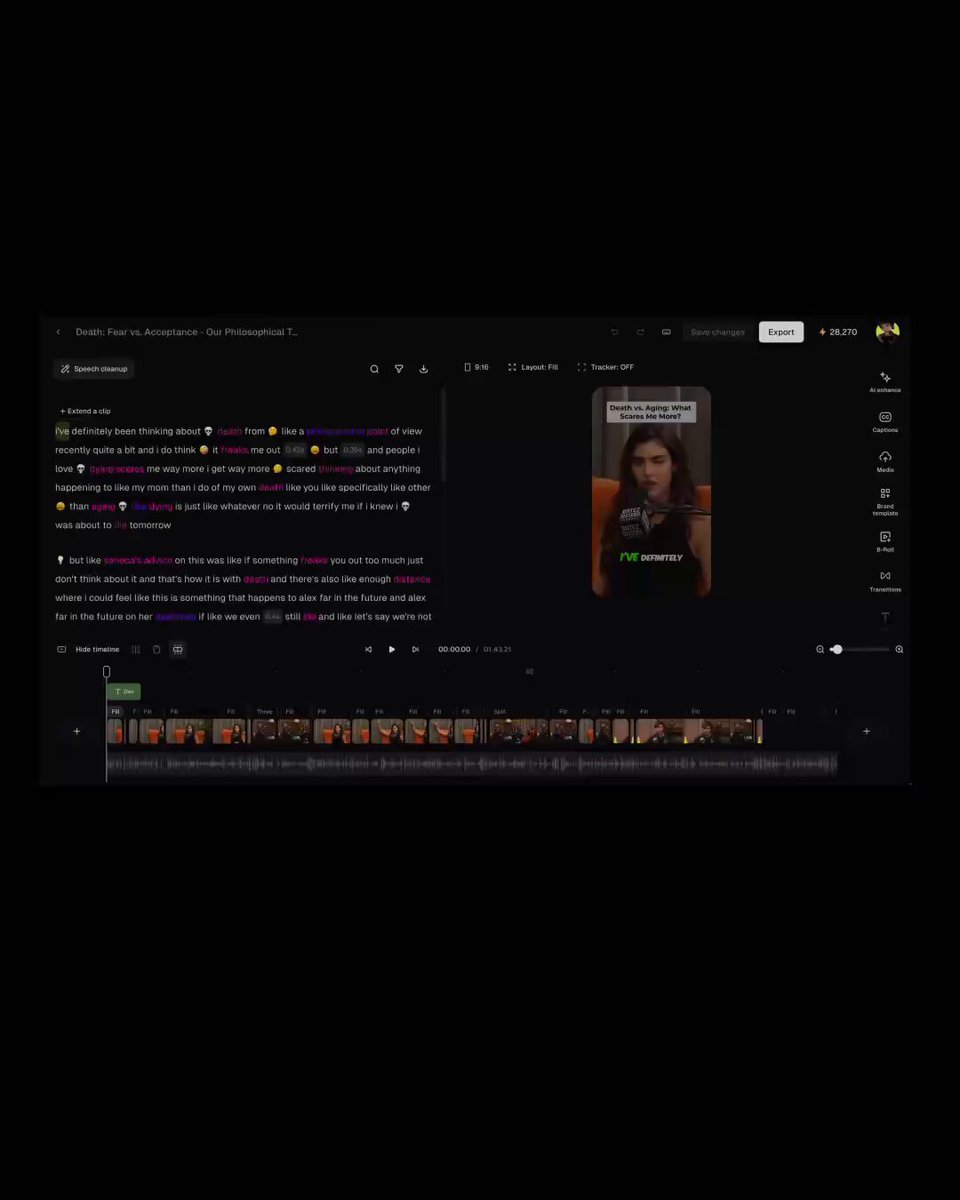
Flag, don't replace
Hit Detect Retakes and every retake, restart, and self-correction in the footage gets flagged inline, with OpusClip showing exactly what it found and where in the timeline. That's a deliberate design choice worth calling out: most AI editing tools take your footage and hand you back something new, an automatically cut version you then have to review and trust wholesale. OpusClip's approach is the opposite, it flags, you approve, and the timeline stays yours. You keep the editorial control, the tool just does the tedious part of finding the candidates.
Why this matters for creators doing their own filming
Anyone recording long-form content solo, talking-head videos, podcasts, tutorials, knows the real cost isn't the filming, it's combing back through hours of footage to find where the clean take actually starts. Automating the detection of filler words and false starts turns that hunt into a review pass, which is a meaningfully faster workflow for creators without a dedicated editor.
Fits OpusClip's editing-assist direction
Detect Retakes lands alongside recent additions like Auto Headline in brand templates, both aimed at removing manual, repetitive editing steps rather than generating new content outright. It's available now.