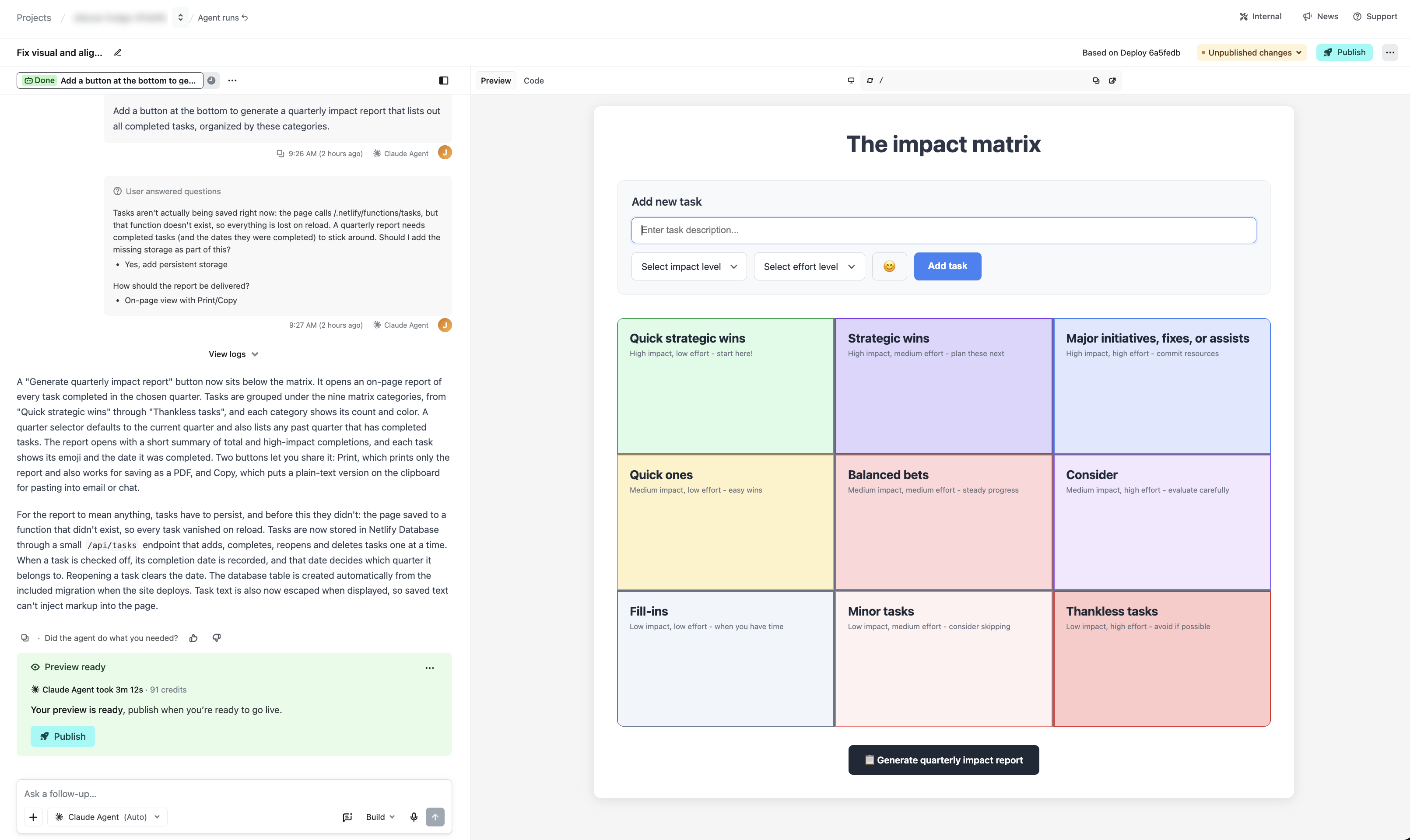
Prompt and preview in one view with Agent Runners
By Steven Van ·
Agent Runners on Netlify now shows the Deploy Preview inline next to the prompt, so there is no separate tab to open after each change.
Agent Runners in Netlify now shows a preview beside the prompt box. Before, the agent gave you a Deploy Preview link, and you had to open it in a separate tab to see what had changed. The preview now appears inline, so you can review the result and write the next prompt without switching tabs. The Deploy Preview link is still available if you need it.
Netlify gives an example in its changelog entry. A user building a task organizer asks the agent to add a button that generates a quarterly impact report, and watches the change in the side preview. In the same view, the agent says the project can't yet save tasks across browser sessions, and the user can approve adding a database.