Make Dialogue Edits Sound Continuous With Room Tone
By Steven Van ·
Repair dialogue gaps with matching room tone, careful level and crossfade choices, while preserving breaths and separating continuity from noise reduction.
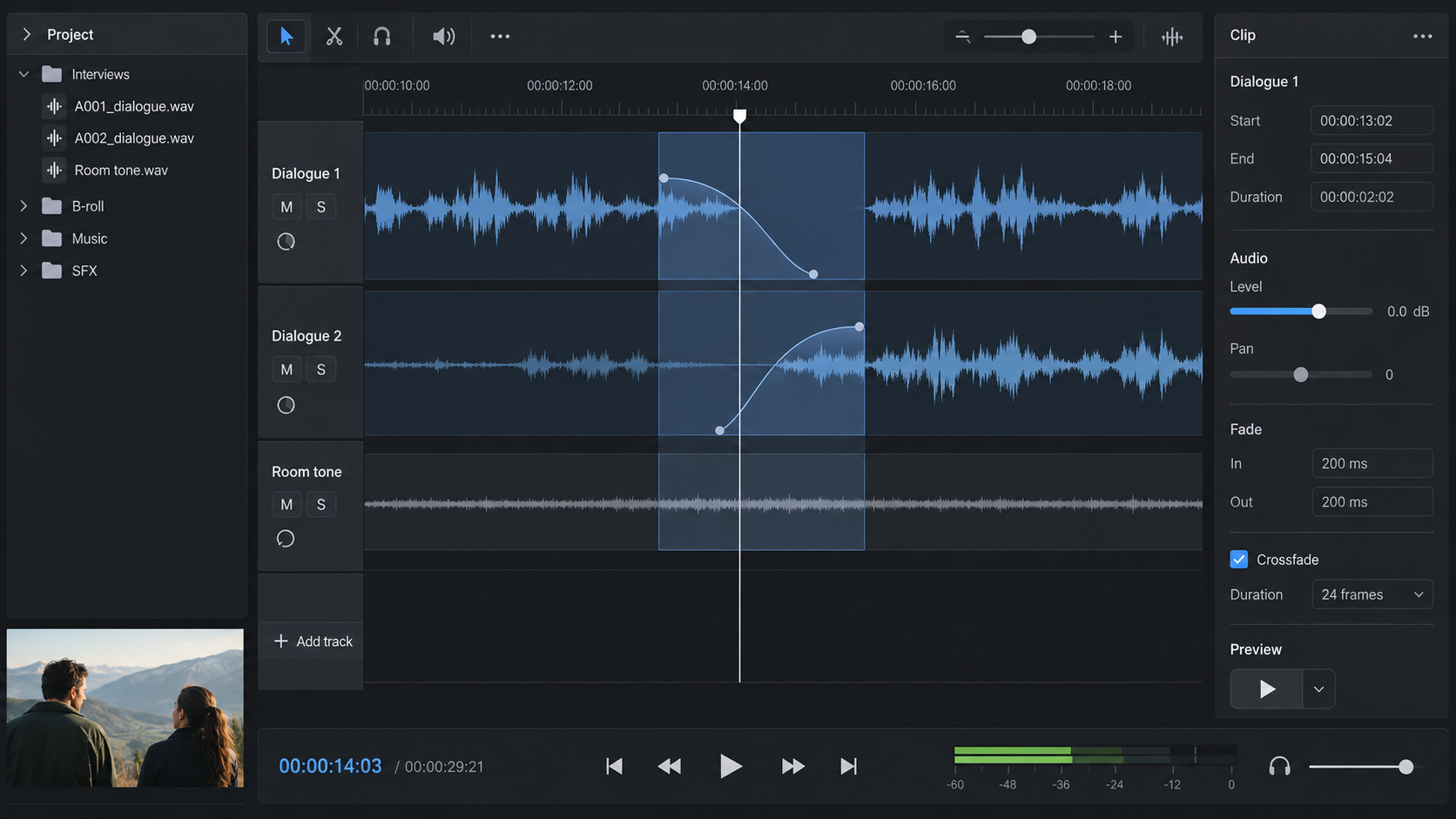
AI-generated conceptual illustration; not a product screenshot, measured result, or factual diagram.
A dialogue edit can preserve every word and still reveal itself through the background. The room hum disappears between sentences, returns abruptly under the next phrase, and makes the speaker sound as though they have been moved between spaces.
Room tone is the recorded sound of the location when no one is intentionally speaking or performing the main action. In an edit, it can help maintain the background through gaps and transitions. It does not repair every recording problem, replace missing speech, or make a noisy room silent.
This guide works through a fictional interview edit with a short pause between two sentences. The example timings are illustrative starting points, not universal settings or claims about a tested recording. The goal is to learn what to listen for, how to choose a suitable fill, and when a different repair is needed.
Diagnose the discontinuity before adding anything
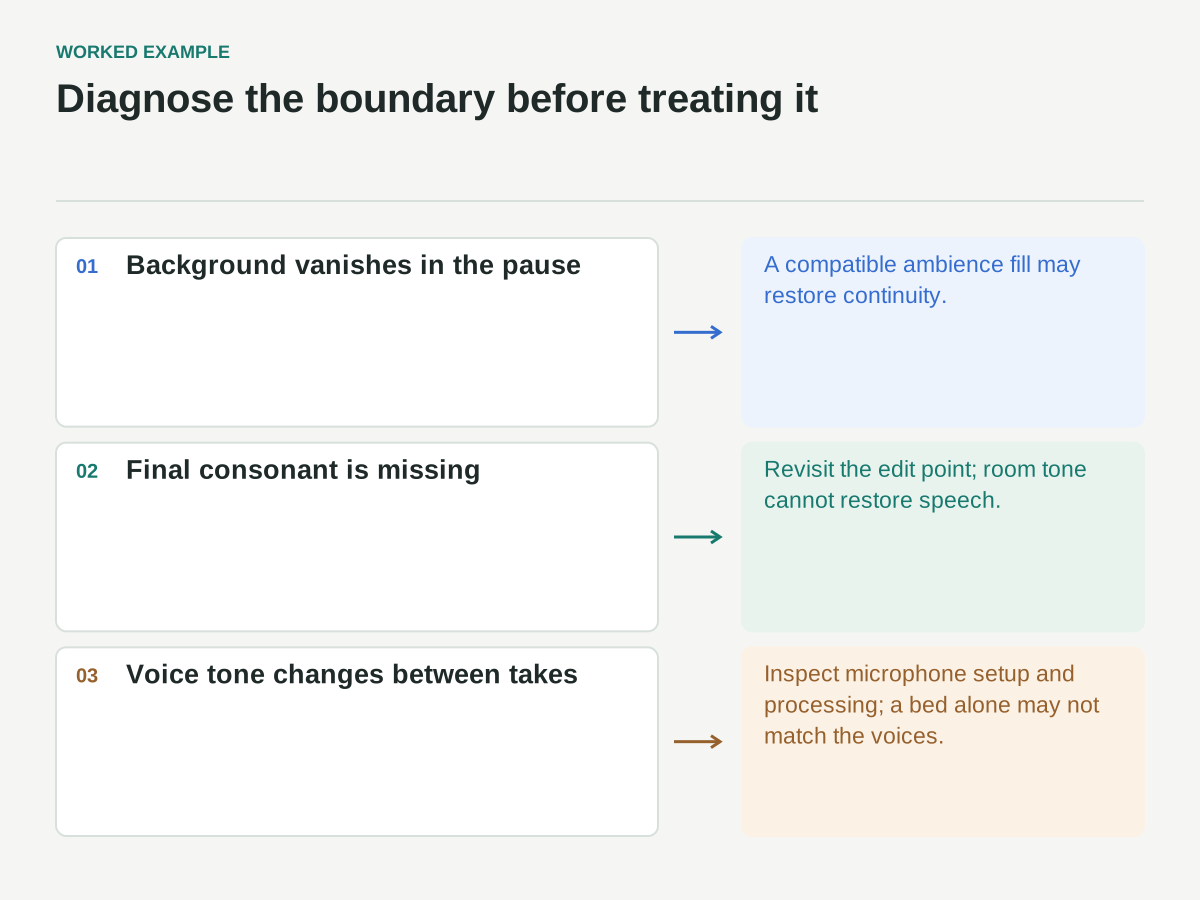
Listen to the cut without music. Identify what changes: the background level, its tonal character, the reverberation around the voice, a clipped consonant, or the timing of the speaker's breath. These are different problems.
If the background vanishes during a gap, room tone may be the right tool. If the final syllable has been cut off, adding ambience will not restore it. If two takes were recorded with different microphone positions, a background bed alone may not make their voices match. If a chair squeak overlaps speech, filling the pause does not remove the squeak.
For the fictional interview, sentence A ends with “we changed the handoff.” Sentence B begins, “That gave us one version to check.” The editor has removed a digression and left a 0.65-second pause. Both sentences contain a steady ventilation sound, but the gap is digital silence.
The immediate problem is the absence of the room between phrases. The first repair is therefore continuity of ambience, followed by a separate judgment about whether the pause feels natural.
Preserve the original and organize the edit
Work in a duplicate sequence or a non-destructive editing session. Keep the original dialogue clips available, including their handles before and after the selected words. Those handles may contain useful breaths, word tails, and background sound.
Place room-tone material on a clearly labeled track or layer so it can be adjusted without changing the dialogue. Name clips according to the source location and setup rather than simply “silence.” A useful name might identify the interview room, microphone setup, and recording take.
Mark the intended repair region. For the example, that region begins slightly before the end of sentence A and extends slightly into the lead-in of sentence B. The exact overlaps will be chosen by listening and inspecting available material, not by applying one fixed transition duration everywhere.
Keep any existing dialogue processing visible in your notes. If the speech has been equalized or denoised but the room tone has not, the background may change character at the boundary even when the source recording came from the same room.
Choose a room-tone sample that matches the setup
The best candidate usually comes from the same recording setup and nearby in time. Listen for steady background character, consistent microphone perspective, and the absence of speech, breathing, handling noise, or identifiable events.
Do not choose a sample solely because its waveform looks flat. A quiet click, distant word, or chair movement may become obvious when repeated. Use headphones and normal listening volume to inspect the candidate, then check it in context with the dialogue.
For the fictional repair, suppose a two-second pause later in the same take contains steady ventilation without other events. Use part of that pause as the fill. A sample from another room, another microphone, or a different ventilation state may be less convincing even if its average level is similar.
If the recording includes deliberate room tone, verify that the crew and equipment were in comparable positions. A room recorded after everyone leaves can sound different from the same room during the interview. The label “room tone” is a useful starting point, not a guarantee of a match.
Fill the gap before adjusting the rhythm
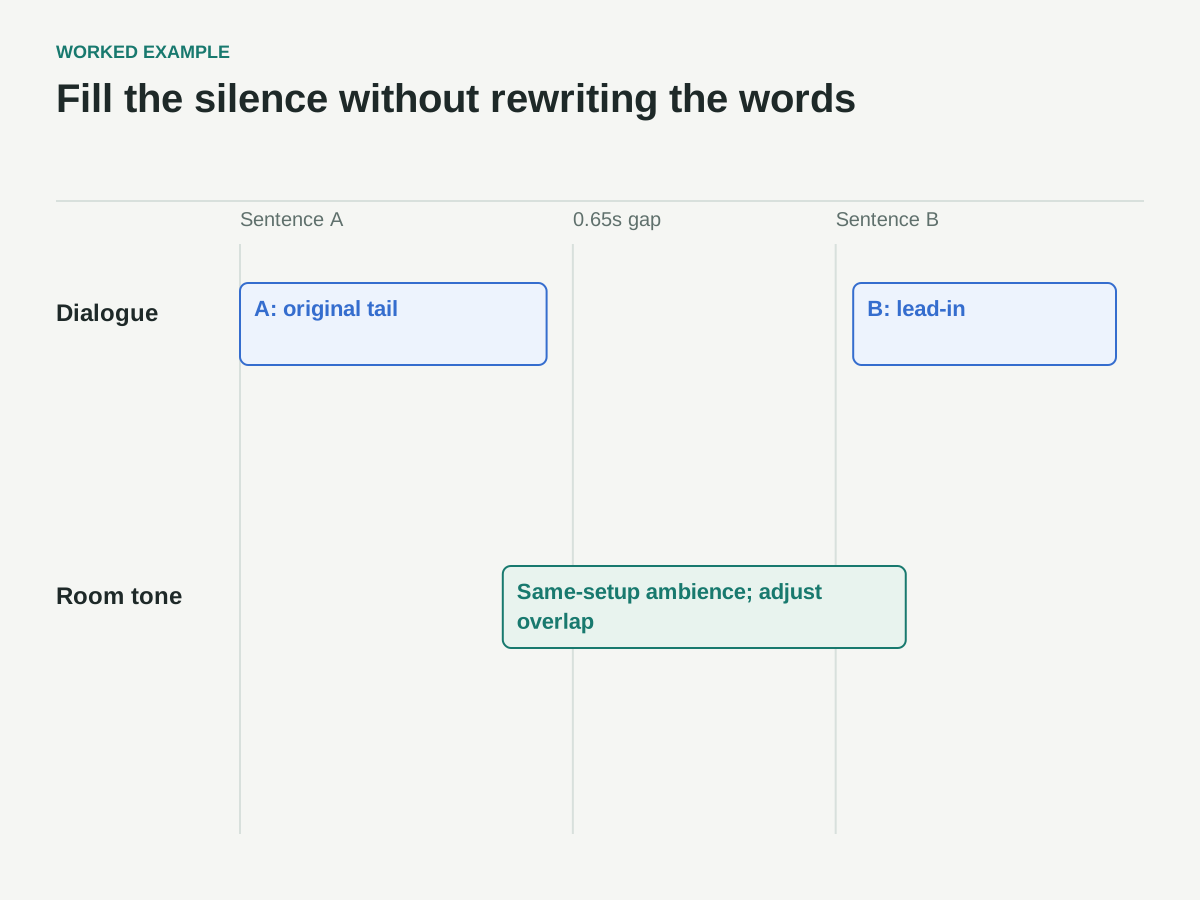
Place a suitable section of tone beneath the 0.65-second gap, with enough extra material on either side to create transitions. First make the background continuous while preserving the existing pause length.
This separates two decisions that are easy to confuse. A silent gap can feel unnaturally long because the ambience disappears, while a filled gap of the same length may feel appropriate. Conversely, a smooth background cannot make a genuinely awkward pause sound intentional.
After the fill is in place, listen to the complete thought. Does sentence B follow at a pace consistent with the speaker's delivery? Does the pause preserve the reflective quality of the statement? Avoid removing every breath and hesitation simply because the waveform allows it.
If the wording has been assembled from different parts of the interview, verify that the edit still preserves the speaker's meaning. Room tone can make an edit less noticeable; that technical success should never be used to conceal a change in what the person actually said.
Map the repair before touching the mix
The following is a fictional edit plan, not measured audio. The only specified duration is the 0.65-second gap; overlap lengths and gain settings remain listening decisions.
| Region | Proposed material | Check |
|---|---|---|
| End of sentence A | Original word tail and any natural decay; tone introduced only as needed | Do not soften the final consonant |
| 0.65-second gap | A clean segment from the same-take two-second pause | Match the surrounding ventilation, not the voice peaks |
| Lead-in to sentence B | Original preparatory breath if appropriate; tone eased out | No double ambience or sudden tonal jump |
| Complete thought | Dialogue plus the edited tone, then the finished mix | Compare at normal speed and document remaining defects |
Where the inserted tone overlaps ambience already in the dialogue clip, both signals add together. Fade or automate the fill in the available space rather than leaving two full-level backgrounds stacked under speech. Preserve word tails and breaths; do not fade the dialogue merely to make the added bed fit.
Match level by listening to the background
Set the room-tone level relative to the ambience around the dialogue, not relative to the peaks of the voice. The voice will naturally dominate the waveform and can make a correctly matched background look almost invisible.
Listen just before the cut, through the fill, and into the next phrase. If the room swells during the pause, reduce the fill or reconsider the sample. If the room appears to close down and reopen, raise it cautiously or inspect whether processing has changed the surrounding ambience.
Avoid normalizing a room-tone clip as though it were a speech clip. That can make a quiet background unnecessarily prominent. Use clip gain or automation deliberately and compare in context.
Do not judge only while looping a tiny boundary at high volume. That can help locate a problem, but the final decision belongs to normal-speed playback of the full sentence at a sensible listening level. A repair that sounds impressive in isolation may draw attention when heard as part of the conversation.
Shape the transitions without softening the words
A short overlap and fade can help avoid an abrupt boundary between ambience clips. Adobe's audio crossfade documentation describes Constant Gain, Constant Power, and Exponential Fade transitions. Their curves behave differently; no one preset guarantees a seamless result for every pair of recordings.
Start with a modest transition that fits inside the available nonessential audio. Adjust its position and duration while listening. If the fade reaches into the final consonant or the start of the next word, it may soften speech that should remain clear.
Overlapping similar background material can also create an audible level change or tonal interaction. If you hear a swell, dip, or hollow quality, try a different overlap, curve, or sample rather than assuming a longer fade is always smoother.
For the fictional gap, the goal is simple: the ventilation sound should continue without drawing attention, and both sentence boundaries should remain intact. The correct transition is the one that accomplishes that in the actual recording, not the one with the most familiar name.
Avoid obvious loops in longer pauses
A short sample repeated many times can reveal a pattern. Even a faint distant knock or irregular fan fluctuation becomes noticeable when it returns at regular intervals.
For a longer gap, look for a longer clean source section before duplicating a tiny one. If repetition is unavoidable, use carefully chosen different segments and inspect each join. Do not reverse clips automatically; reversed background events or changing textures can sound unnatural.
Keep the purpose of the fill in mind. A long pause may belong to a scene transition that needs a broader ambience treatment rather than a patch copied from an interview pause. A change in location may require a deliberate sound transition instead of pretending the same room continues.
When no suitable source exists, document the limitation. A library ambience may help in some productions, but it may not match the microphone perspective or acoustic character. Choose it as an explicit sound-design decision, not as a falsely labeled recording of the original room.
Distinguish room-tone editing from noise reduction
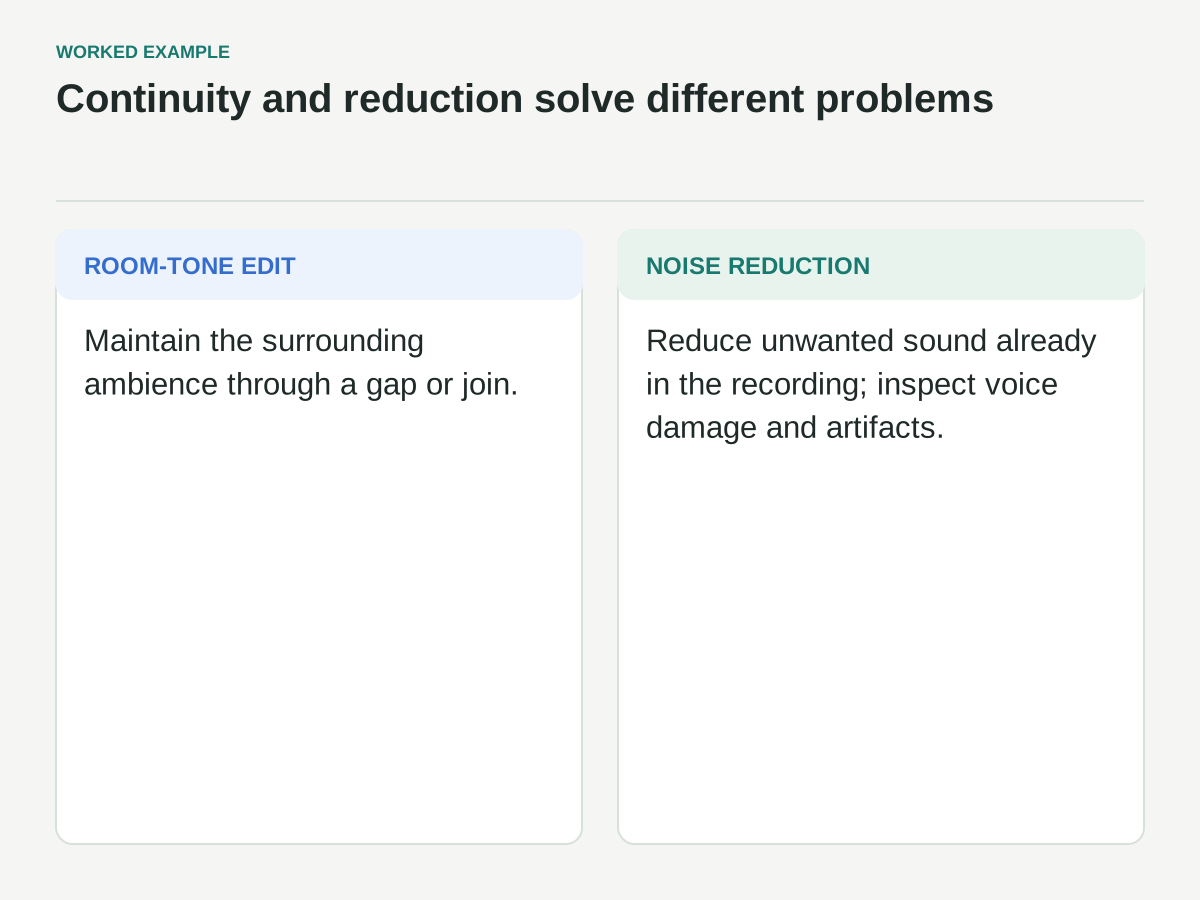
Room-tone editing maintains continuity. Noise reduction attempts to reduce unwanted sound already present in the recording. They can be used together, but they solve different problems.
Audacity's Noise Reduction manual describes obtaining a noise profile from a selection containing the noise and applying reduction to the target audio. It also discusses limits and artifacts. A clean room-tone sample may be useful for that profiling step, but using it as a profile is different from placing it into a timeline gap.
If you reduce the background under speech, reconsider the level and processing of the inserted tone. Otherwise the gap may suddenly contain a louder or brighter version of the room than the surrounding dialogue.
Use the least processing that meets the production's needs. Aggressive reduction can damage the voice or create a changing background texture. If the room is distracting throughout the interview, solve that as a broader dialogue-processing problem rather than trying to hide it with louder fill.
Check breaths and reverberation tails
A breath can be part of the speaker's rhythm, and the room's reverberation can continue after a word ends. Removing both at every cut can make a conversation sound unnaturally assembled.
Inspect the end of sentence A before replacing anything. If its final word has a natural tail, preserve it where possible and bring the tone in underneath or after it. At sentence B, check whether a preparatory breath belongs with the phrase.
Do not use room tone to disguise a missing piece of speech. If the edit clicks because it cuts through a waveform or clips a consonant, adjust the edit point or use an appropriate local repair. The background fill may be part of the solution, but it is not the whole diagnosis.
A useful comparison is to bypass the repair and listen to the original surrounding material. That reminds you of the speaker's natural timing and the room's ordinary behavior, rather than letting repeated editing redefine what sounds normal.
Review the repair in the finished mix
Once the dialogue works on its own, restore music and other sound. Check that the room tone does not become conspicuous during a music dip and that the speech remains clear. Then export a short representative section and listen outside the editing application.
Use headphones to catch subtle clicks and obvious looping, and speakers to judge the overall conversation. Neither replaces the other. Also check any required mono playback path if the project will be heard that way, because stereo ambience and overlapping material can behave differently when combined.
Keep a concise repair log: source tone, edited region, gain changes, processing, and any unresolved issue. This is especially useful when another editor inherits the sequence or a later picture change exposes a previously hidden boundary.
The repair is ready when the listener follows the thought rather than noticing the room turning on and off. Room tone should usually disappear into the scene. Its success is continuity that supports the speaker, with the words, pauses, and meaning still intact.