Keep AI-Generated Image Variations Visually Consistent
By Steven Van ·
Run a controlled variation matrix changing one dimension at a time and log drift
AI-generated conceptual illustration; not a product screenshot, measured result, or factual diagram.
A single generated illustration can look convincing while the next one quietly changes the lighting, palette, object proportions, and camera angle. Put the images together and the campaign starts to feel like several unrelated commissions. The problem is easier to diagnose when each variation changes only one intended dimension.
A controlled variation matrix gives you that discipline. It records what should stay fixed, what is allowed to change, and what drift actually appears. It does not guarantee identical results or make a model deterministic. Its value is that you can explain why a candidate belongs in the series and which correction it still needs.
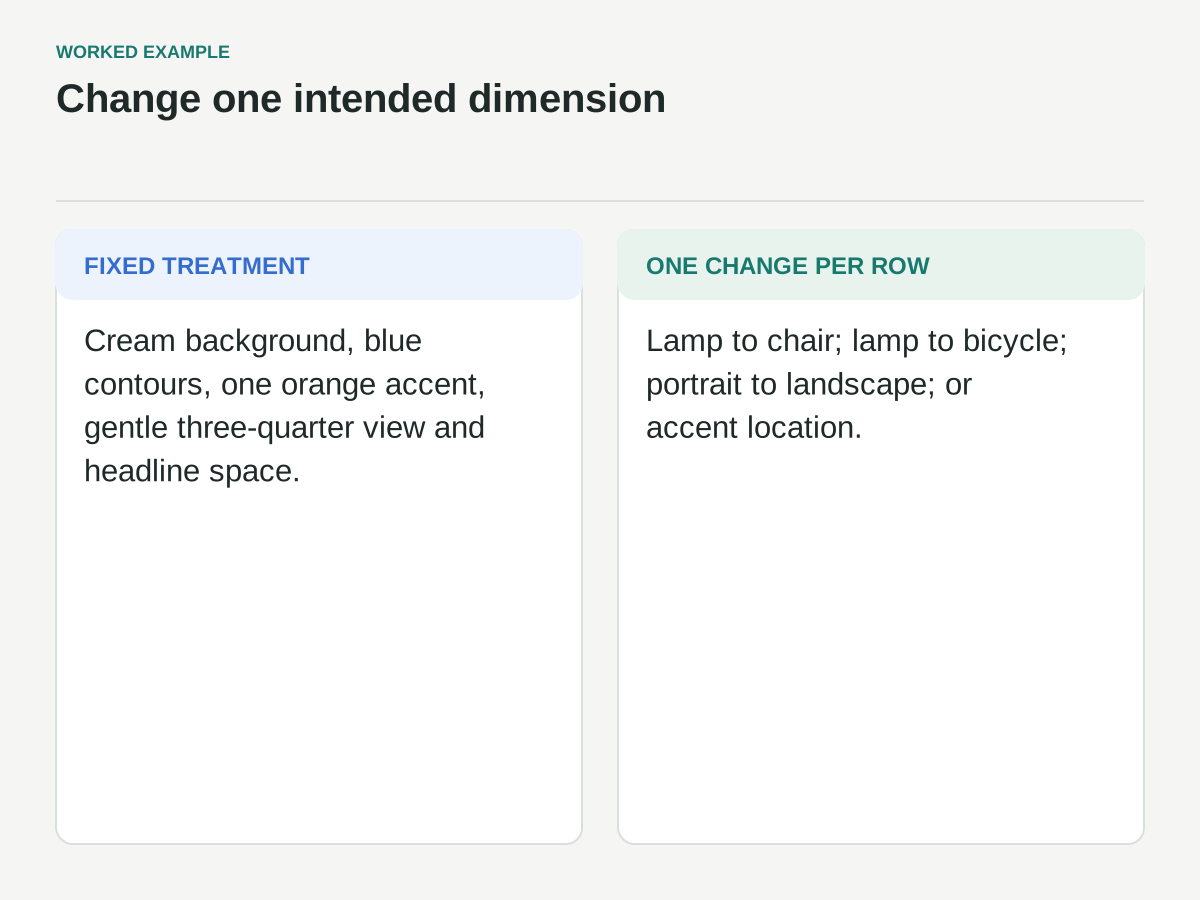
The fictional example is a repair-workshop campaign with three objects: a lamp, a chair, and a bicycle. The intended treatment is a cream background, blue linework, one orange accent, a gentle three-quarter view, and space for a headline. No images or test results are claimed here; this is a production plan with invented review observations.
Define the series identity in observable terms
Avoid relying on a phrase such as “same style.” Describe the properties you can inspect: outline treatment, palette roles, shadow softness, viewpoint, object scale, background texture, and placement. Separate those properties from the subject itself, which must change across the series.
For the workshop, blue defines the main contour, orange highlights one replaceable component, and cream remains the background. The object occupies the lower portion of the portrait frame, leaving the upper portion quiet. The illustration should explain the object clearly rather than resemble a product photograph.
Write down tolerances in words before inventing numerical precision. A slightly different contour shape may be acceptable because the objects differ. A second accent color or a dramatic cast shadow may not be. The point is to define what makes the series coherent without demanding that a bicycle have the same silhouette as a lamp.
Choose a reference with the right job
Use a rights-cleared reference that demonstrates the intended treatment. It can be an original sketch, an approved generated image, or another asset you have permission to use for this purpose. Record its origin and permitted use. Do not assume that an image found online is available for uploading as a production reference.
A style reference and a composition reference do different jobs. One may guide appearance; another may guide arrangement. Adobe’s style-reference documentation describes using an existing image to guide the look of generated variations. That capability is tool-specific, and it is not a promise of exact identity preservation.
Keep the reference set small and purposeful. If one image demonstrates heavy texture and another demonstrates smooth flat shapes, the set contains a conflict. Resolve that conflict in the brief rather than hoping the model chooses the intended property from each image. Label which attribute each reference is meant to supply.
Establish an approved baseline
Start with one subject and one composition. For this exercise, use the lamp because its silhouette is simple enough to inspect clearly. Review the baseline for palette, line weight, lighting, background, crop, and semantic accuracy before expanding the series.
Do not choose the baseline only because it is beautiful. Choose it because its treatment can plausibly extend to the chair and bicycle. A lamp image built around a dramatic circular glow may be difficult to translate into a consistent chair illustration without making the lighting concept feel forced.
Save the selected baseline, original prompt, reference files, settings that are actually available, tool or model label, and date. If a seed is exposed, record it, but do not assume the same seed guarantees the same appearance after other inputs or software versions change. Preserve the output itself as the visual reference.
Build the variation matrix before generating
Give each row one intended change. Row one changes only the subject from lamp to chair. Row two changes only the subject from lamp to bicycle. Row three keeps the lamp and changes the framing from portrait to landscape. Row four keeps the lamp and changes the orange accent’s location.
This is a diagnostic matrix, not necessarily the final production order. Its purpose is to reveal which changes destabilize the treatment. If changing the subject also changes the lighting, record lighting drift. If changing the aspect ratio makes the object much smaller, record scale drift.
Keep the other prompt language and reference inputs stable where the tool allows. If the service requires a different workflow for a particular variation, log that fact. A process with hidden changes is hard to learn from, because you cannot tell whether the subject, settings, or instructions caused the difference.
Review the contact sheet before the individual favorites
Place the baseline and candidates on one contact sheet at equal display sizes. Use the intended background and crop. The sheet reveals relationships that are less obvious when each image fills the screen alone: one object may be much larger, one shadow much darker, or one background noticeably warmer.
First inspect the whole set without scoring. Then review each fixed property in turn. Look at palette across all images, then line treatment, then viewpoint, then scale. This makes the comparison less dependent on whichever candidate happens to be most visually exciting.
Keep rejected images visible in the working record with concise reasons. If the bicycle is attractive but looks photographic, “wrong rendering treatment” is more useful than “bad.” If the chair follows the palette but has impossible joints, separate consistency from structural accuracy. An image can pass one review and fail the other.
Log drift as a specific difference
A useful drift note says: candidate chair-02 adds a second orange region and a hard black shadow; the series permits one orange component and soft blue-gray grounding. The next action is clear. “Does not match” is too broad to guide an edit or a revised instruction.
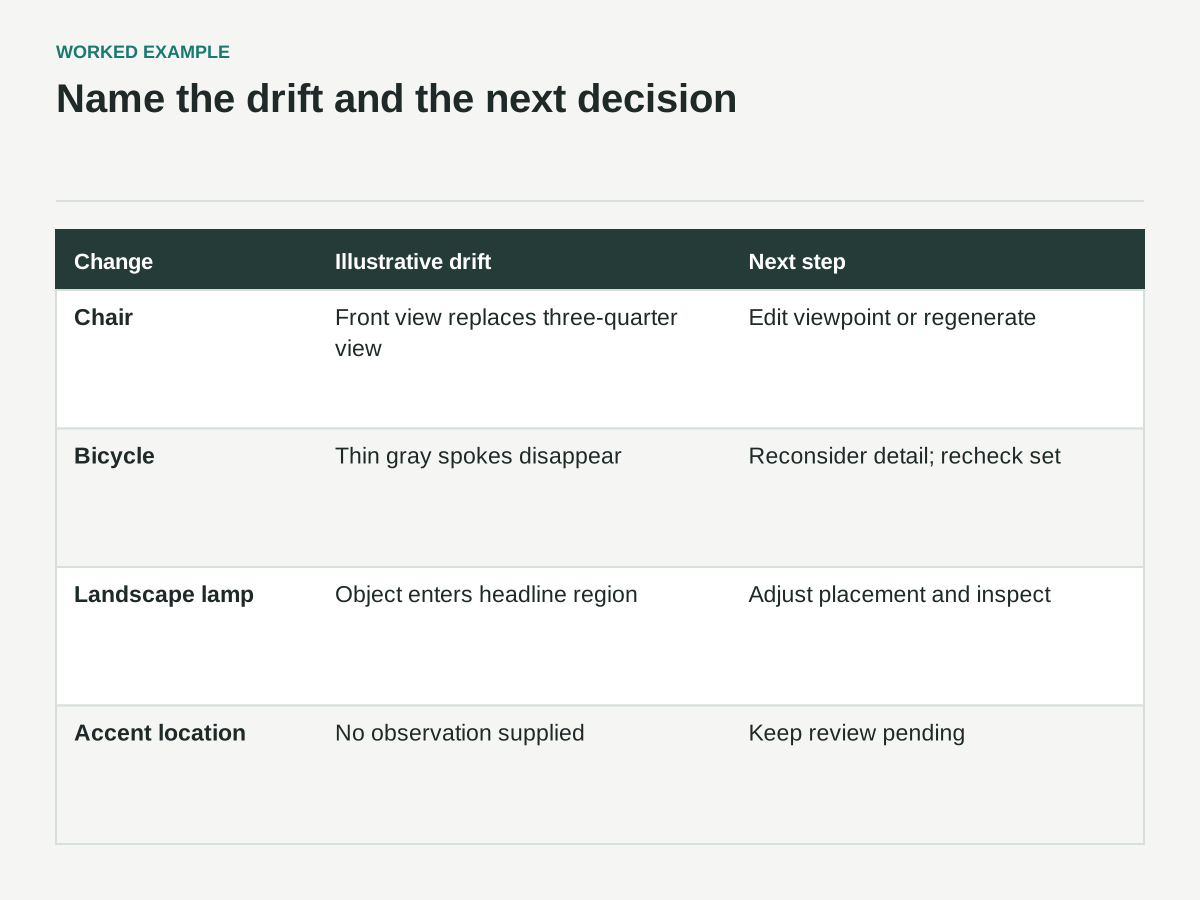
For the fictional matrix, imagine the chair keeps the palette but changes to a front view. The bicycle keeps the viewpoint but introduces thin gray spokes that disappear at small size. The landscape lamp preserves the treatment but moves the object into the headline area. These are illustrative observations, not generated results.
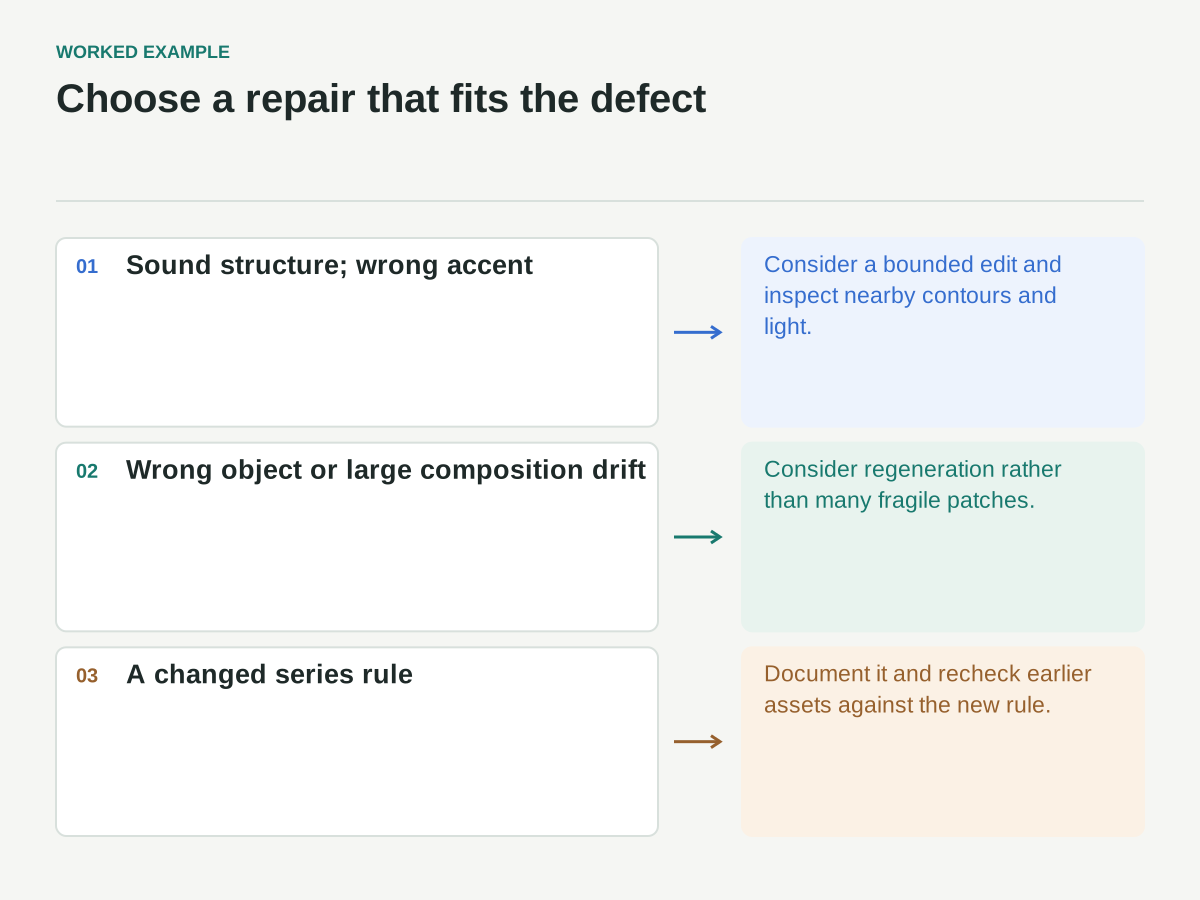
Assign a disposition to each candidate: accept, edit, regenerate, or reconsider the constraint. The last option matters. A rule that works for a lamp may be unsuitable for a complex bicycle. You can revise the series rule deliberately, but then recheck the earlier assets against the new rule instead of quietly making one exception after another.
A filled variation and drift matrix
Each row starts from the proposed lamp baseline. These drift observations are invented to illustrate review, not results from generated images or a vendor comparison.
| Intended change only | Illustrative drift to log | Next decision |
|---|---|---|
| Subject: lamp → chair | Front view replaces the shared three-quarter view | Edit viewpoint or regenerate; retain other fixed properties |
| Subject: lamp → bicycle | Thin gray spokes disappear at delivery size | Reconsider detail treatment, then recheck the whole set |
| Frame: portrait → landscape lamp | Object moves into the headline region | Adjust arrangement; inspect the actual headline placement |
| Accent position on the lamp | No observation supplied yet | Leave review pending until an output is inspected |
If a correction changes a supposedly fixed property, record that as a new difference. Do not call a row accepted because it looks attractive in isolation or because the conceptual teapot hero appears consistent.
Choose editing or regeneration deliberately
If the candidate’s structure and composition are sound but one accent is wrong, a targeted edit may be more efficient than a full regeneration. Preserve the approved parts and inspect whether the edit changes nearby contours, texture, or lighting unexpectedly. The boundary of the requested edit is part of the review.
If the object is fundamentally incorrect or the composition has drifted too far, regeneration may be more appropriate. Repeatedly patching a weak foundation can produce a complicated file that remains difficult to maintain. Record the reason for switching approaches so the next person does not repeat an unsuccessful sequence.
Do not assume either route is cheaper without measuring the actual work if cost or time drives the decision. Generation time, selection time, correction time, and export verification all contribute. Until those steps are observed, label any estimate as an estimate and avoid claiming a productivity improvement.
Keep exact brand elements outside uncertain generation
When a campaign requires exact lettering, a logo, or a precise color value, consider adding those elements in a controlled design step after the illustration is selected. The generated image can provide the visual subject while editable typography and brand marks remain separate assets.
For the workshop series, the title and event details are added in the layout file. The illustration’s blank upper area is therefore a functional constraint, not just a stylistic preference. Review that space using the actual headline length so a candidate is not approved with an unusable text zone.
If color precision matters, verify the exported image in the intended color workflow rather than assuming the prompt’s color name produced an exact value. A visually similar orange may still differ from the required brand color. Decide whether that difference is acceptable for illustration or requires a separate correction.
Recheck the series in its delivery contexts
A contact sheet is only the first context. Put the images into the actual poster, social card, or website layout. Check the small thumbnail and the large feature use. Fine texture or narrow gaps that look pleasing at full size may become noise or disappear when reduced.
Check crop behavior too. The portrait lamp may fit while the bicycle’s wheels reach the edge. Do not solve every mismatch by scaling one object down until the series loses its balance. Consider a subject-specific composition within the shared rules, or revise the layout to accommodate the necessary shape.
Review adjacent images as a sequence. If a carousel alternates pale and dark backgrounds unintentionally, it can feel inconsistent even when each image passes an isolated checklist. The final series is the product, so approve it as a set as well as approving individual files.
Preserve a reproducible handoff
Package the approved outputs with the baseline, reference permissions, prompt versions, settings, variation matrix, and drift decisions. Distinguish the original generated result from any manually corrected derivative. A future editor should be able to identify which file is the actual delivery asset.
Include a short recipe for the next subject: fixed properties, allowed changes, reference input, review sizes, and known failure modes. Do not promise that following the recipe will reproduce identical pixels. It should reproduce the process and its quality checks, which is the part the team can control.
Before release, confirm that the set shares the intended treatment, each object is coherent, exact brand elements have been checked, crops work, and rights questions are resolved. Consistency comes from repeated comparison and explicit corrections. The matrix makes those decisions visible instead of leaving them hidden inside a long history of hopeful prompts.