How to Create a Retro Fisheye Camera Effect
By Steven Van ·
Learn how to transform any photo into a vintage fisheye camera shot with chromatic aberration, vignette, and VHS scanlines.
In this tutorial, you'll learn how to create a retro fisheye camera effect that combines lens distortion with chromatic aberration, vignette, and VHS scanlines. This effect gives any photo that nostalgic, vintage camcorder aesthetic.
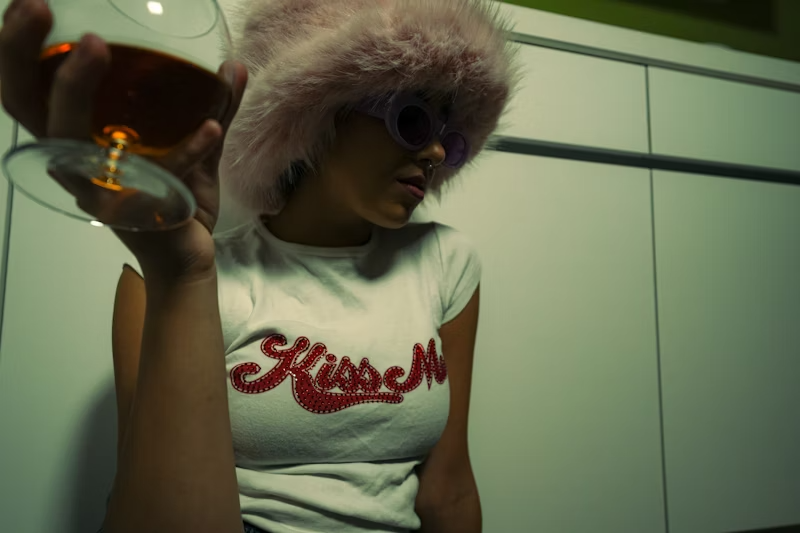
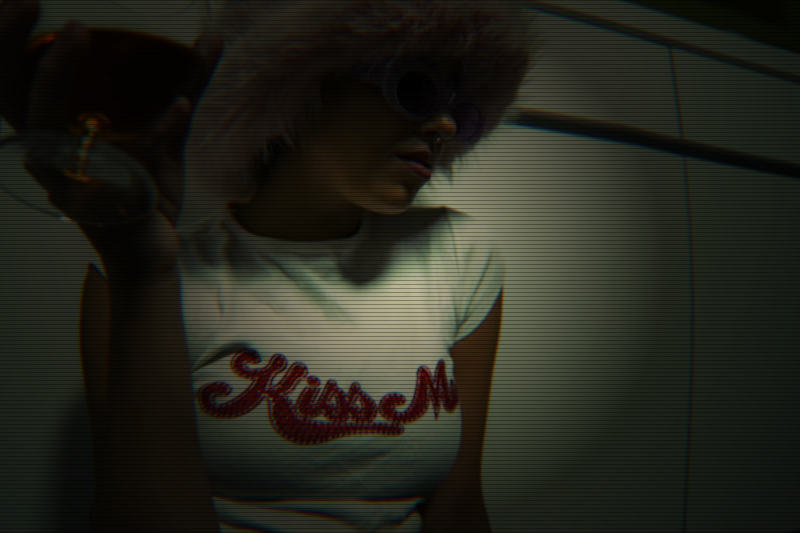 Before
After
Before
After
Step 1: Upload Your Image
Start by uploading any image to the Fisheye tool. This effect works great with portraits, street photography, or any image where you want to add a vintage camera feel.

Step 2: Set the Distortion
The distortion settings control the fisheye lens effect. We'll use subtle values for a realistic camera look rather than an extreme warp.
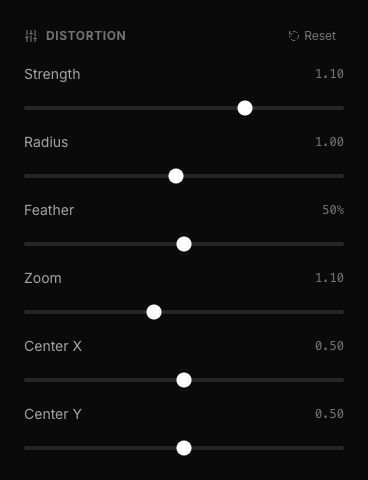
- Strength: 1.10 - Subtle barrel distortion that mimics a wide-angle lens
- Radius: 1.00 - Full image coverage for the distortion
- Feather: 50% - Smooth falloff at the edges
- Zoom: 1.10 - Slight zoom to crop out edge artifacts
- Center X: 0.50 - Centered horizontally
- Center Y: 0.50 - Centered vertically
Step 3: Add Chromatic Aberration
Chromatic aberration creates that distinctive RGB color fringing you see in vintage lenses. This is key to the retro look.
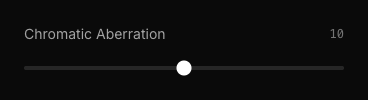
Set Chromatic Aberration to 10. This adds visible but not overwhelming color separation at the edges, mimicking the imperfections of older camera lenses.
Step 4: Apply the Vignette
The vignette darkens the edges, drawing focus to the center and adding to the vintage camera aesthetic.
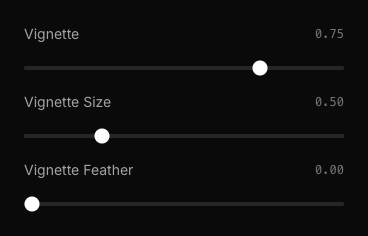
- Vignette: 0.75 - Strong edge darkening for dramatic effect
- Vignette Size: 0.50 - Medium coverage, affecting about half the image
- Vignette Feather: 0.00 - Sharp vignette edge for that classic camera look
Step 5: Enable VHS Scanlines
The final touch is adding VHS-style scanlines that give the image a true retro video aesthetic.
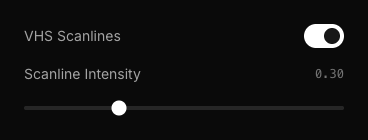
- VHS Scanlines: On - Enable the horizontal line overlay
- Scanline Intensity: 0.30 - Visible but not overpowering
Final Settings Summary
The Final Result
Here's what your image will look like with all the settings applied:
That's it! You now have a professional retro fisheye camera effect. Try adjusting the chromatic aberration for more or less color fringing, or increase the scanline intensity for a stronger VHS look.