Less Switching, More Flow in Google Workspace
By Steven Van ·
Gemini can now draft slides from Chat, spreadsheets from Drive, emails from Docs, and briefs from Gmail threads without switching apps.
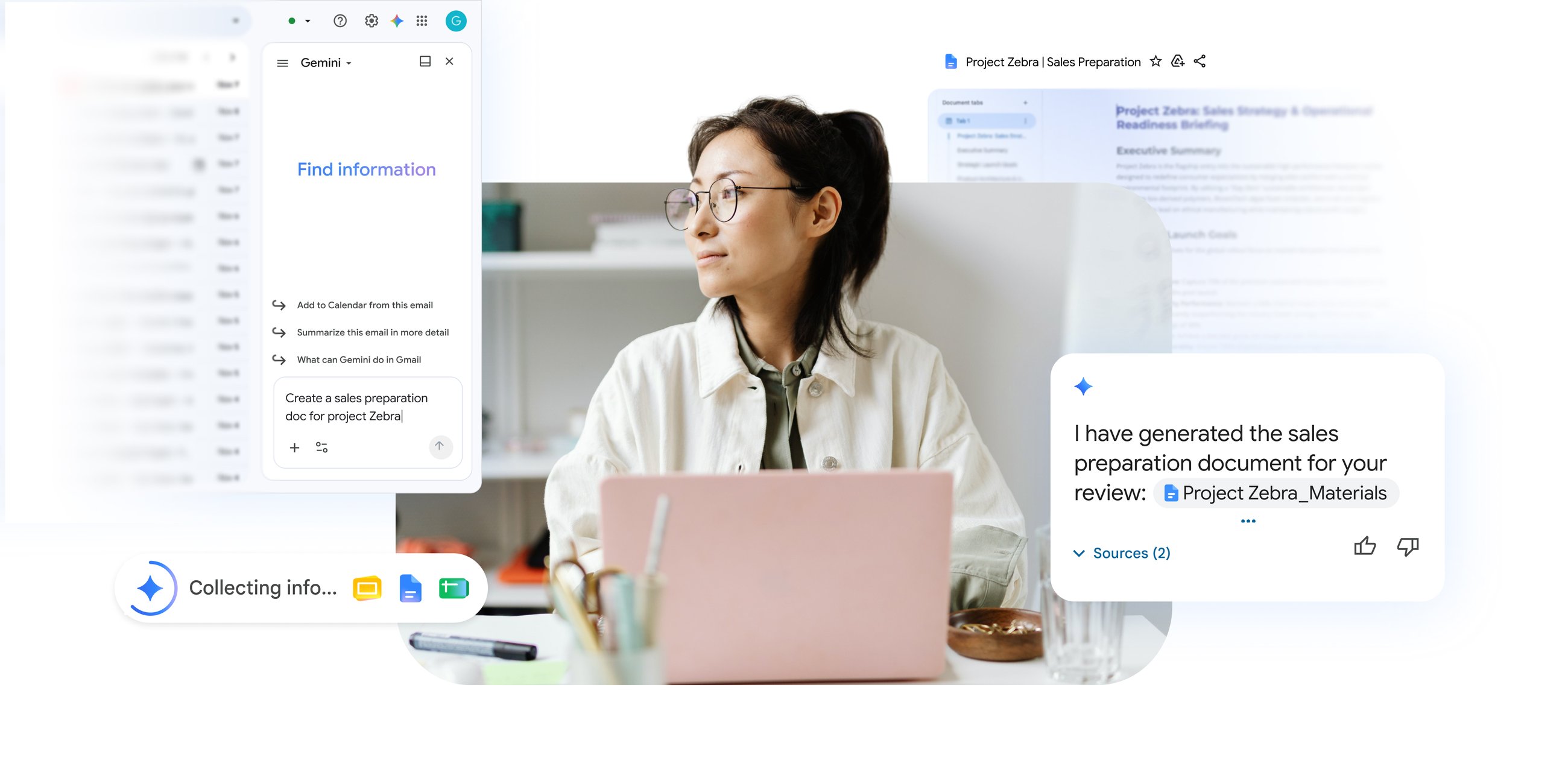
Gemini can now carry a task across Google Workspace apps instead of stopping at the edge of whichever one you're in. Prompted from the side panel, it gathers context from Drive files, Gmail threads and Chat conversations to produce a finished draft in a different app.
- In Chat, a prompt asking for a project update pulls together recent files and conversations into a multi-slide presentation in Slides, with a link back to keep refining it.
- In Drive, Gemini can build a structured spreadsheet from the contents of an open folder and other selected sources.
- In Docs, it can draft a recap email in your own voice from the document's content, ready to review and send without opening Gmail.
- In Gmail, it can turn a long thread into a structured brief as an editable Doc, with goals and next steps pulled out automatically.
- In Docs, it can convert a written proposal into a branded slide deck, applying a team's brand guidelines or template if one is referenced, and saving the result to Drive.
The announcement says these capabilities are rolling out now to customers on Business Standard, Business Plus, Enterprise Standard and Enterprise Plus plans, Google AI Pro and Ultra personal plans, and Google AI Pro for Education. The Chat presentation feature is coming soon to other places you can create presentations in Workspace, and the same capabilities will later power flows built in Workspace Studio.