Picsart adds FLUX 3 for 20-second AI video with native audio
By Steven Van ·
The AI Playground model generates sound alongside visuals from text, an image, a clip, or keyframes, in up to 20-second HD clips.
Picsart just switched on FLUX 3, the new multimodal frontier model from Black Forest Labs, and it is one of the biggest model drops the platform has shipped this year. Announced by the Picsart team on August 6, the integration brings FLUX 3's headline trick to everyday creators: up to 20 seconds of generated video with sound created alongside the visuals, starting from a text prompt, a single image, a reference clip, or a set of defined keyframes. Picsart was one of the handful of platforms named in Black Forest Labs' original FLUX 3 reveal in late July, alongside Canva, Krea, and Freepik, and it is now among the first to put the model in front of a mainstream audience.
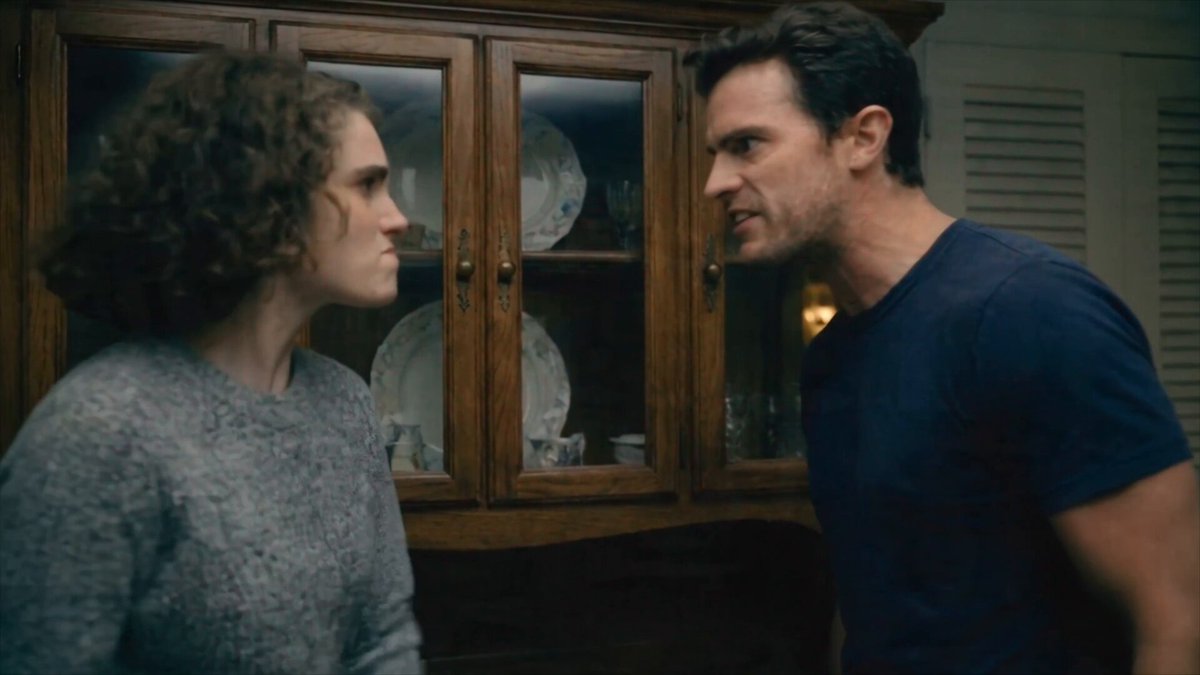
20 seconds of video with the audio baked in
Most AI video tools generate silent clips and leave you to hunt for music and sound effects afterward. FLUX 3 was trained on images, video, and audio inside a single unified architecture, so every clip comes out with native sound: spoken dialogue, sound effects tied to what is happening on screen, and ambient noise that matches the scene. Black Forest Labs says the model is particularly strong at associating sounds with physical events, so a door slam or a splash actually lands where it should. Clips run up to 20 seconds in a single generation, in HD or Full HD, which is enough for a complete short-form beat rather than a 5-second teaser you have to stitch together.
Four ways to start: text, image, clip, or keyframes
The Picsart integration covers the full spread of FLUX 3 Video's input modes. You can generate from a plain text prompt, animate a still image, feed in a reference clip for video-to-video restyling or continuation, or define keyframes to control exactly how a scene opens, transitions, and ends. That last option is the sleeper feature for editors: keyframe control gives you directorial say over transitions without manual compositing, which has traditionally been the hardest part of making AI clips feel intentional.
Carry a character from one scene into a completely new one
The truncated part of Picsart's announcement points at FLUX 3's character consistency. Upload visual references and the model locks a subject's identity, so you can take a character from one generated scene and drop them into a different setting, outfit, or story beat while they still look like the same person. Black Forest Labs has also shown agentic clip chaining, where multi-shot sequences keep characters consistent across every cut. For creators building serialized content, brand mascots, or narrative shorts, this is the feature that turns one-off clips into an actual production pipeline.
Where it lives inside Picsart
FLUX 3 slots into AI Playground, the unified hub Picsart launched in March 2026 that now hosts well over 90 AI models from two dozen providers behind a single prompt box. That placement matters: FLUX 3 sits directly alongside Google Veo 3.1, OpenAI's Sora 2, Kling, and Runway's models, so you can run the same prompt across competitors and compare results without leaving the app or juggling separate subscriptions. Picsart called FLUX 3 a significant addition to its next generation of video tools when the model was first announced, and AI Playground is clearly the centerpiece of that plan.
How FLUX 3 stacks up against other video models
Black Forest Labs' internal testing claims FLUX 3 Video beat Luma's Ray 3.2 in 93 percent of head-to-head comparisons and Runway Gen-4.5 in 77 percent, with standout performance on human facial expressions and multilingual dialogue. Independent benchmarks are still thin since the model only entered early access in late July, but the early-tester list and the speed of this Picsart rollout suggest real confidence. A FLUX 3 Image tier and an open-weight Dev release are also on Black Forest Labs' roadmap, so expect the family to keep expanding inside Picsart.
How to try it
Open AI Playground on Picsart web or mobile, pick FLUX 3 from the model selector, and start with a text prompt or upload an image, clip, or keyframes. As with other premium video models in AI Playground, generation draws on your plan's credits, so heavier 20-second renders will cost more than short clips. If you have been waiting for an AI video model that handles sound, continuity, and characters in one pass, this is the most complete option Picsart has offered yet.

Sources: @Picsart on X, Black Forest Labs: FLUX 3, Picsart AI Playground