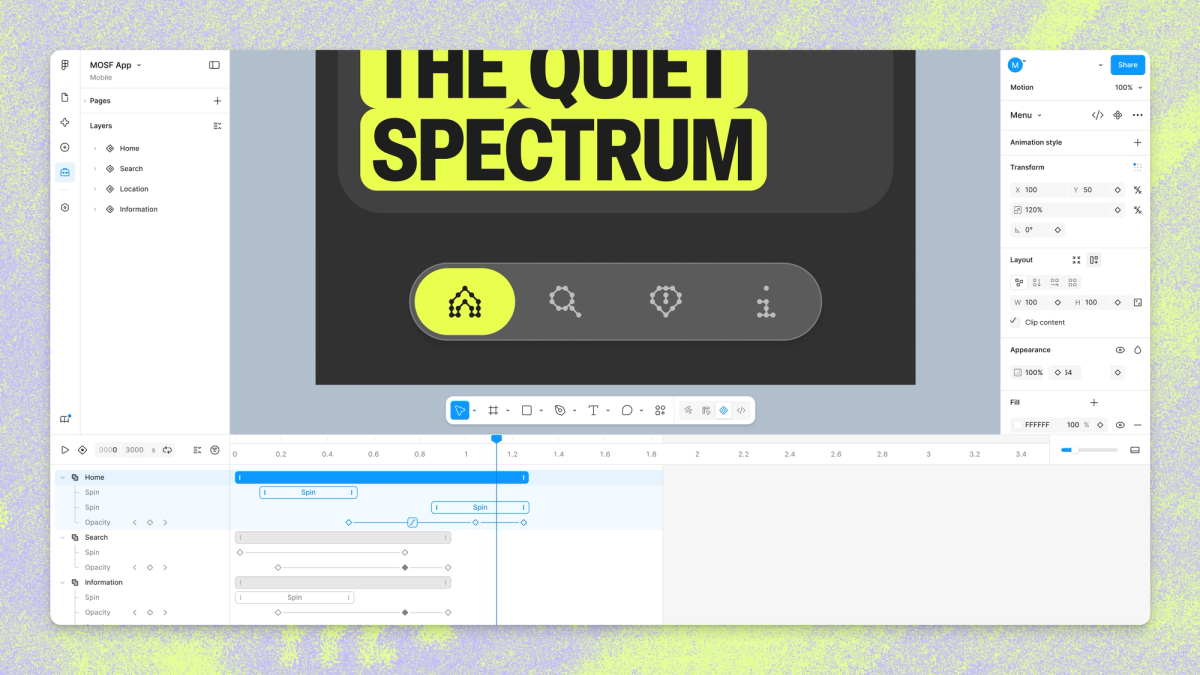
Figma adds an animation timeline to the design canvas
By Steven Van ·
Open beta lets any frame keyframe motion, sync it to components, export it as video, or generate it from a text prompt.
Figma is adding a motion timeline directly to the design canvas, now in open beta. Any frame can be switched to Motion mode to keyframe position, scale, rotation and opacity, scrub the timeline, and add time-based comments for review. Auto keyframing records changes as the playhead moves, and preset animation styles (fade, move, scale) can be stacked or sequenced as a starting point.
Motion also becomes part of the design system rather than a one-off: animations attached to a component now travel with it across files, and new motion variables let a team define easing once, with modes that update every animation referencing them when switched. Shader properties can now be keyframed too, since anything controllable by a slider or input can be animated over time.
The Figma agent can build keyframes on the timeline from a text prompt, grounded in a file's existing components and tokens, and multiple prompts can run at once across different frames. For handoff, any animated frame can be exported as MP4, GIF, SVG or WEBM, and Figma's Dev Mode has a new Motion tab exposing the full timeline, with export to CSS, JSON, React or motion.dev code. 3D transforms (rotating frames, vectors and text on the z-axis) are coming soon via waitlist.
Read the full announcement.