draw.io for Confluence Data Center 11
By Steven Van ·
Confluence Data Center 11.0 is supported from launch by draw.io 17.0, while Confluence 10 stays on 16.x and AI provider keys are stripped from configuration.
Confluence Data Center 11.0 is supported from day one by draw.io 17.0. According to the announcement, existing diagrams, boards, embedded diagrams, custom editor configuration, custom templates and libraries carry over when an instance upgrades. Instances still on Confluence 10 continue to use draw.io 16.x.
New interface in Confluence 11
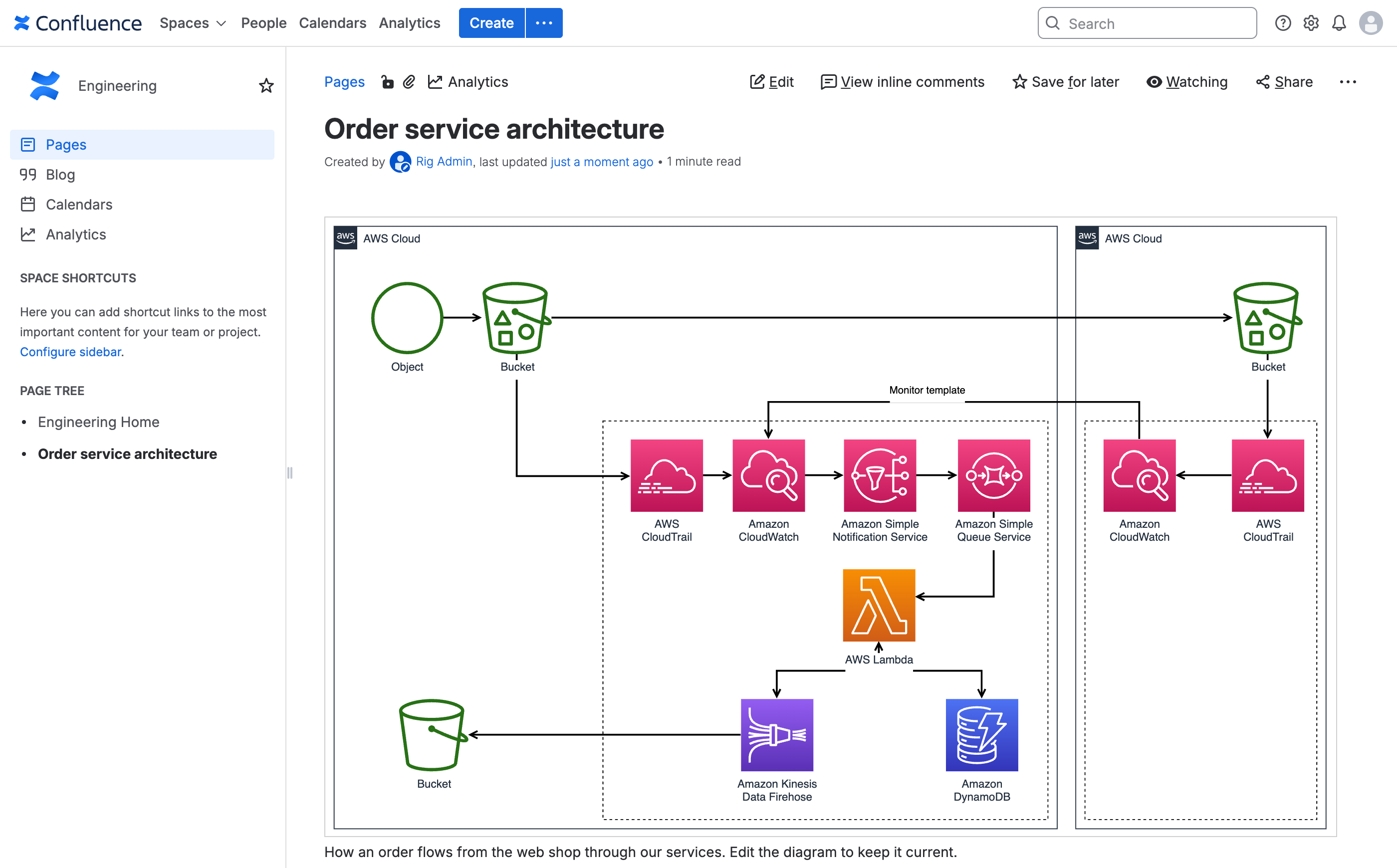
Confluence 11 has a new interface (AUI 11), and draw.io has been updated to match its style. The Diagram and Board macros are inserted the same way as before. Insert a new draw.io Diagram macro, pick a template from the library (or Blank to start from scratch) and click Create to open the editor. Save and Exit, top right, returns to the Confluence page editor.
When viewing a page, clicking a diagram opens it in the lightbox viewer. There, diagram pages can be stepped through and layers and tags used without opening the editor.
Strict Content Security Policy
Confluence 11 enables a strict Content Security Policy by default, which blocks inline scripts unless the page marks them as trusted. draw.io runs within this policy, so administrators do not need to switch it off or configure exceptions. This covers the editor, the lightbox viewer, the administration and configuration pages, and the Google Drive and OneDrive file pickers.
AI provider keys removed from configuration
AI diagram generation is not available in draw.io for Confluence Data Center. Previously, a custom configuration copied from the online editor was saved in full, including properties the Confluence app did not use. AI provider keys are now stripped from the draw.io configuration, including from earlier versions of the configuration file.
Installing a specific version
Administrators who need a particular draw.io version can install it from the Atlassian Marketplace. Uninstall the current app under Manage apps, which does not remove any diagrams or macros from pages. Then download the wanted .obr file from the Marketplace versions page and use Upload app to install it.