The branch menu sits beside your app name
By Steven Van ·
Base44's app name now folds behind a colored branch-name pill that opens the branch switcher.
The branch menu in Base44 now opens from a pill next to the app's name instead of a separate control. On main, the pill just reads "Main". Switch to a branch and the pill takes on the branch name in an accent color, with the app name folding in behind a slash, so it stays clear which branch is open.
Clicking the pill opens the branch list, where you can pick another branch or select "Main chat" to return to main. Full details are in the branch switching documentation.

Work on several branches alongside your main app

Creating your first branch from the branch menu
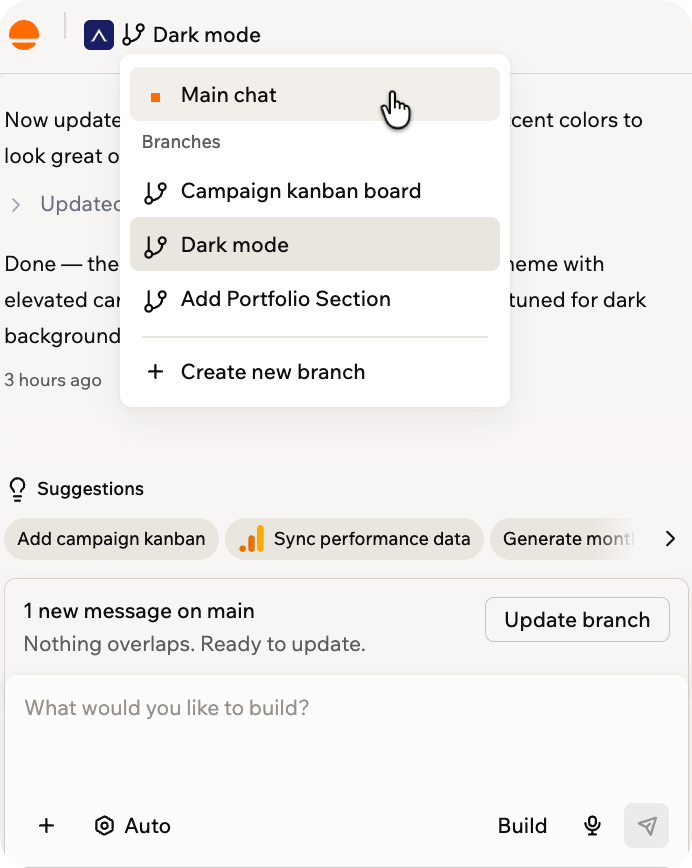
Switching between main and your branches
Base44
AI app builder — describe what you want and get a fully functional web app in seconds, no coding required.
View Base44 →