Outgoing webhooks for your workspace
By Steven Van ·
Business and Enterprise workspace owners and admins can send app and AI chat events to up to 10 signed HTTPS endpoints.
Workspace owners and admins on the Business and Enterprise plans can now register their own URL in Base44 and receive a signed request when something happens in the workspace. Base44 describes this in its documentation on sending workspace events with webhooks. Outside systems stay up to date without checking for changes.
Events a webhook can send
Each webhook is set up with the events its URL should receive. There are two kinds:
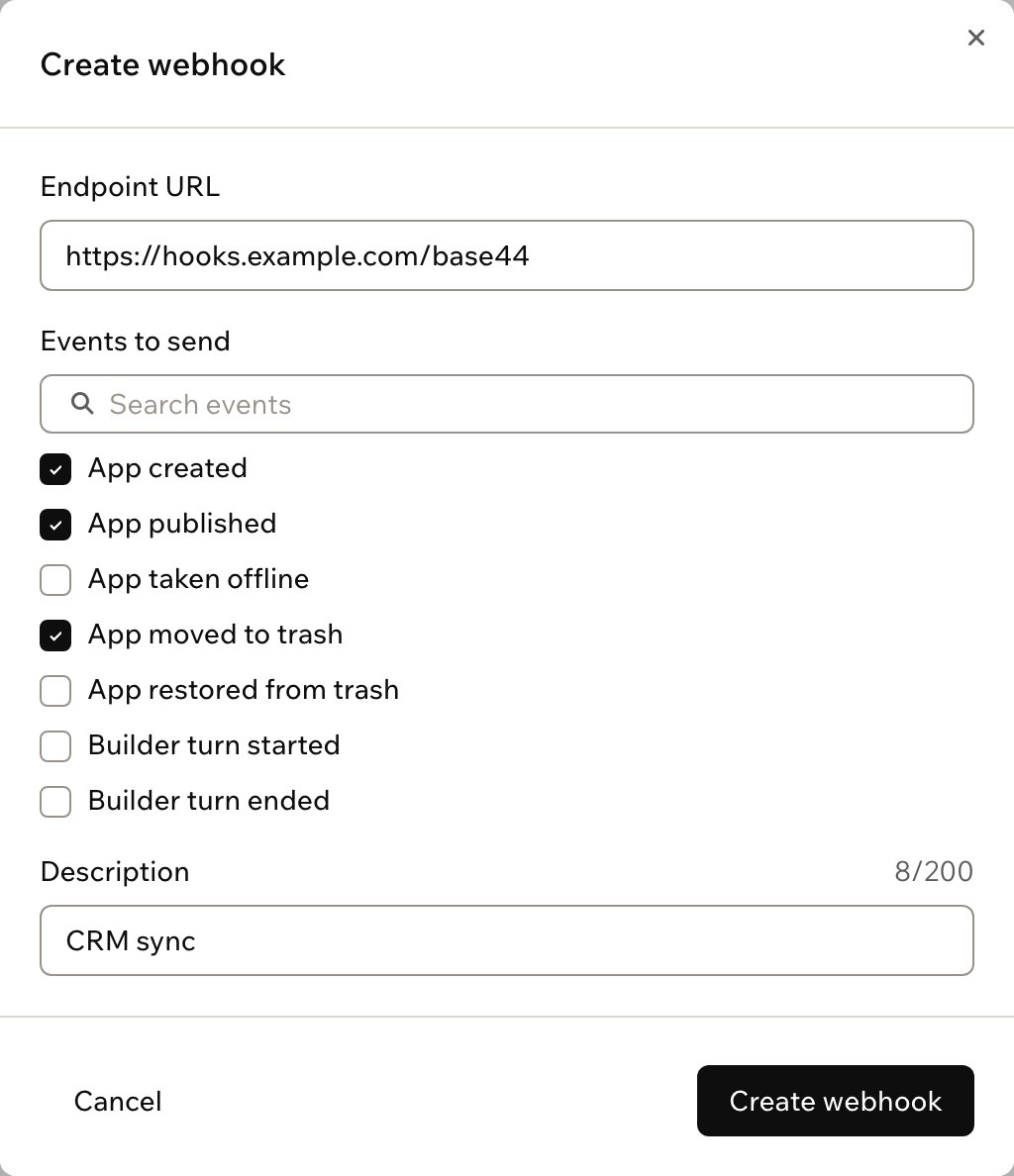
- App events: an app in the workspace is created, published, taken offline, moved to trash, or restored from trash.
- AI chat events: the AI chat in the app editor starts working on a message (Builder turn started) or finishes it (Builder turn ended).
A webhook receives the chosen events for every app in the workspace, not just one. Each event names the app it is about, so a receiver can ignore the apps it does not need.
Setting one up
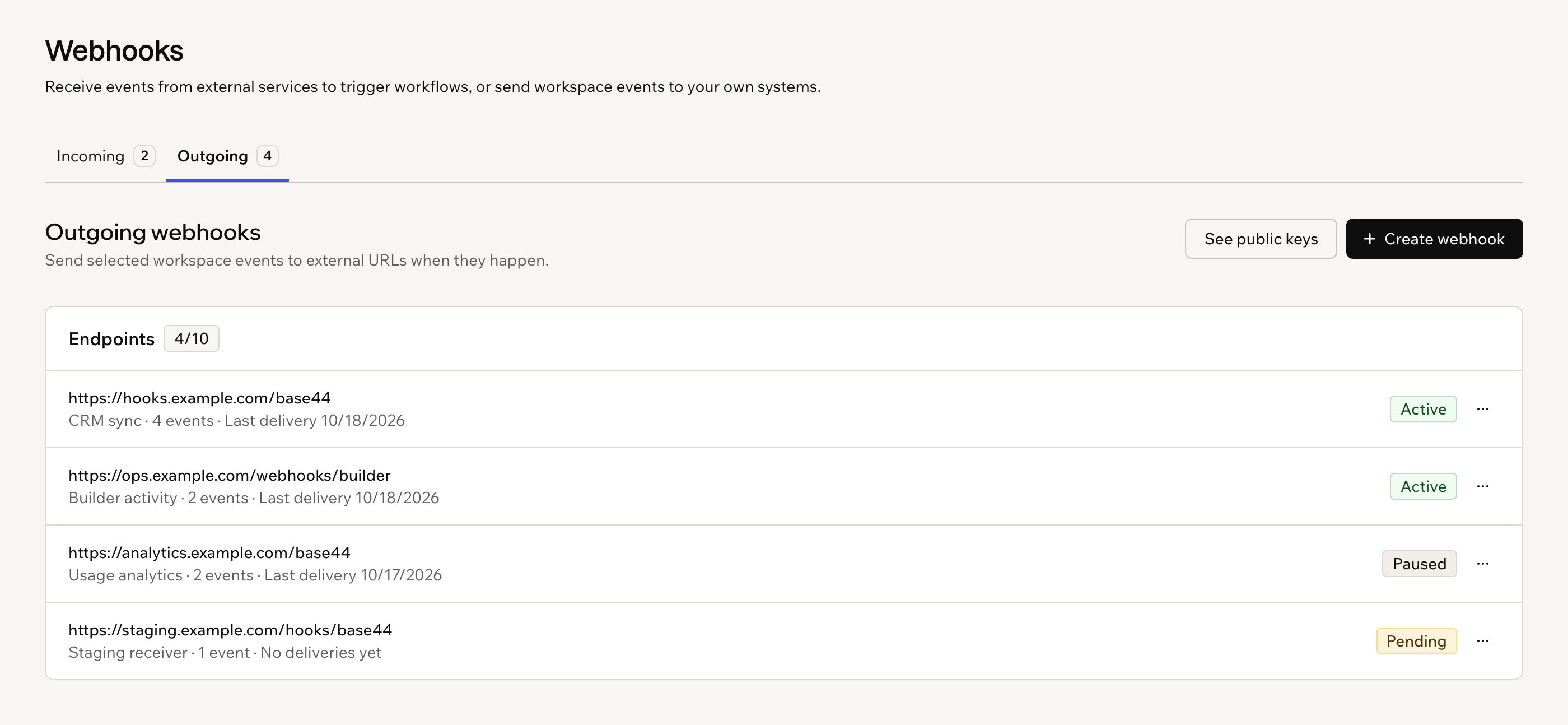
Webhooks are managed under workspace Settings, in Webhooks, on the Outgoing tab. Each one needs an endpoint URL that starts with https://, and a description is optional. A workspace can have up to 10 webhooks.
A new webhook is Pending and receives nothing until it is activated. Activating sends a test event to the URL, and the webhook becomes Active once the receiver answers and returns the code in that event. If activation fails, Base44 gives the reason, such as the endpoint not answering in time or not returning the code. Developers need to have a receiver built at the URL first.
Managing webhooks and signing keys
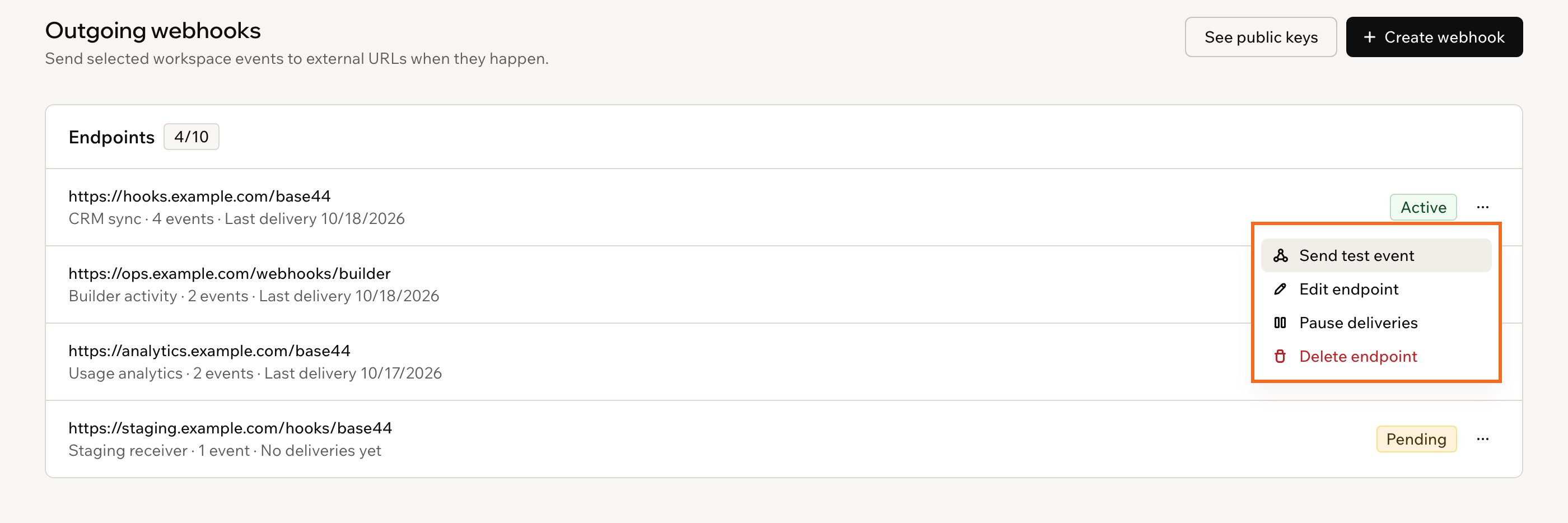
From the More actions menu, a webhook can be sent a test event, edited, paused, resumed or deleted. Changing the URL stops deliveries until the new URL is activated. Events that happen while a webhook is paused are not sent later. A webhook that fails for several days in a row is auto-paused, and resuming it runs the activation test again.
Requests are signed with the workspace's key, and Base44 shows the public signing key after the first webhook is created so receivers can confirm a request came from Base44. Rotating the key makes Base44 sign with both the old and new key for 24 hours. Finish rotation ends that overlap early. Revoking a key stops signing with it immediately, so receivers that only have that key reject every delivery.
Delivery and cost
If a server is down, Base44 retries each event for about a day, waiting longer between tries. Sending events to webhooks does not use credits.