A redesigned component library
By Steven Van ·
Add a component to an editable chat prompt or build it immediately, with styling, fonts, and copy adapted to the app.
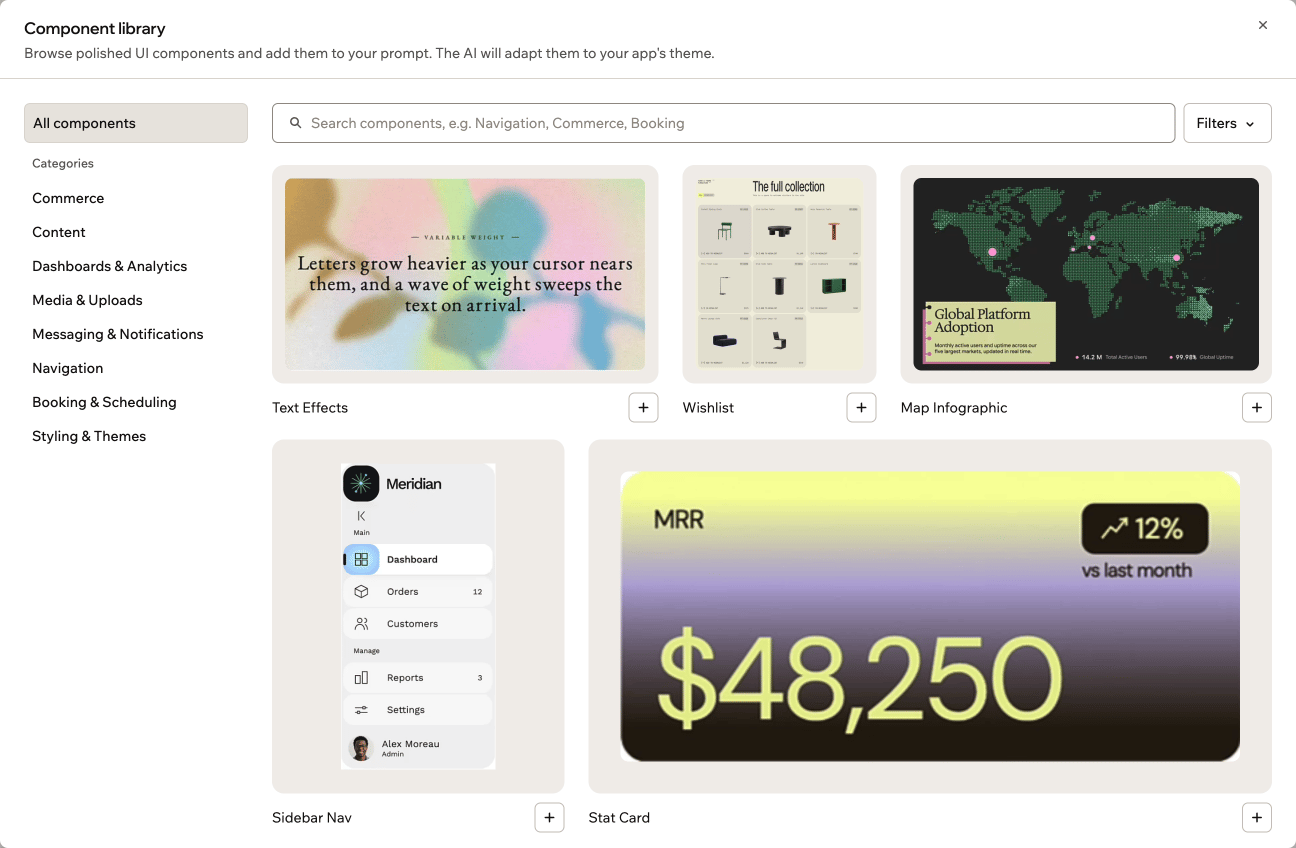
Finding a component in Base44 now starts with a search box and categories, with live desktop and mobile previews available before adding it to an app.
Browse and preview
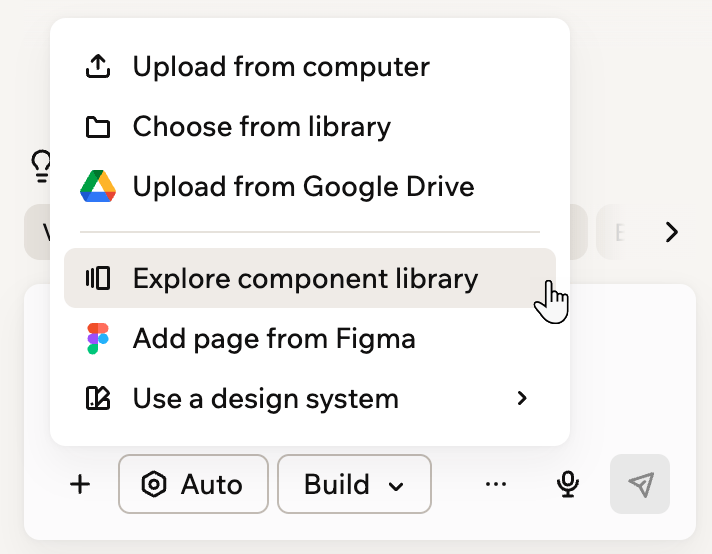
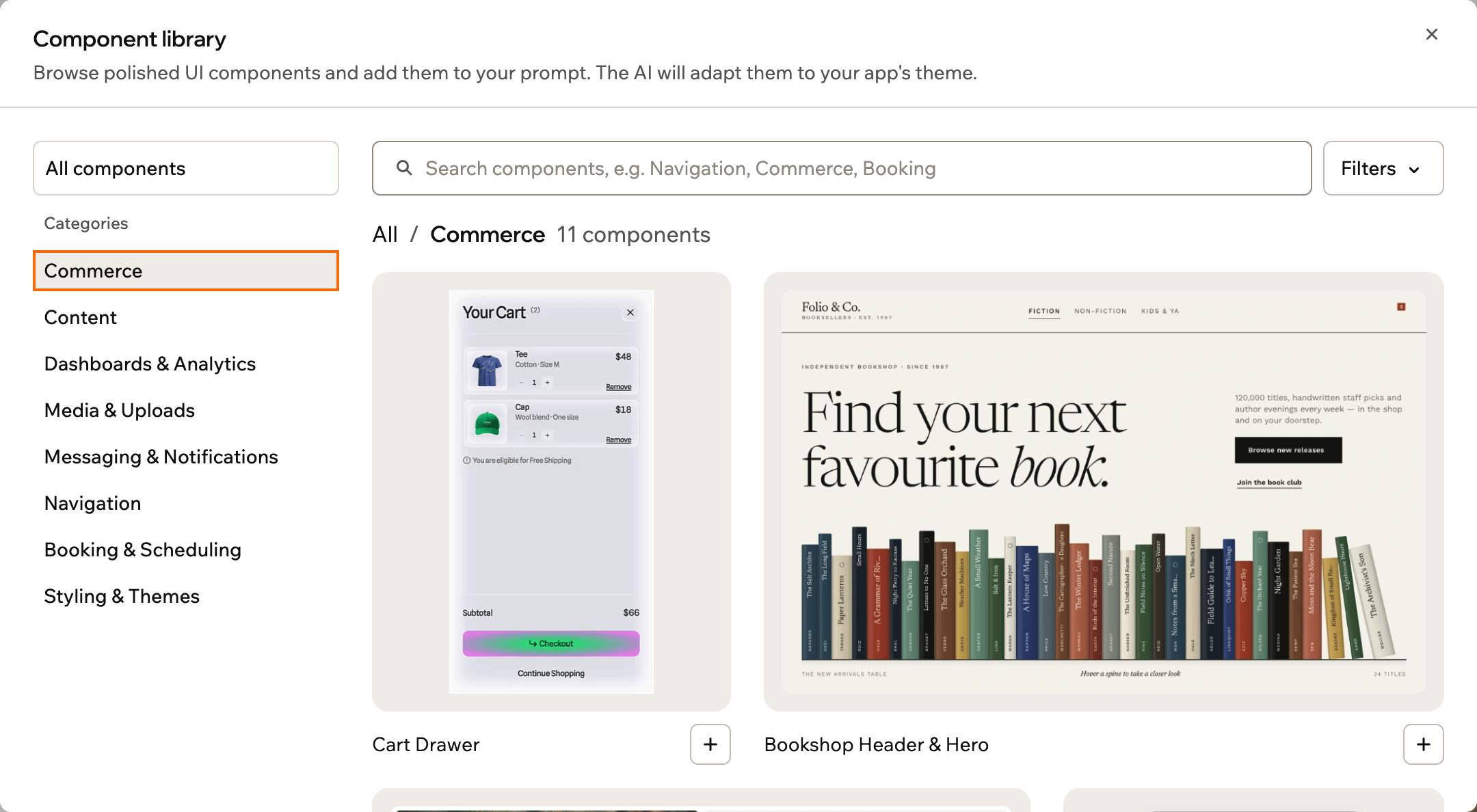
Open the library from the plus menu beside the AI chat’s prompt box, then select Explore component library. Search runs within the selected category, so choose All components to search the whole library. Categories group components by purpose, while filters narrow the list by tag.
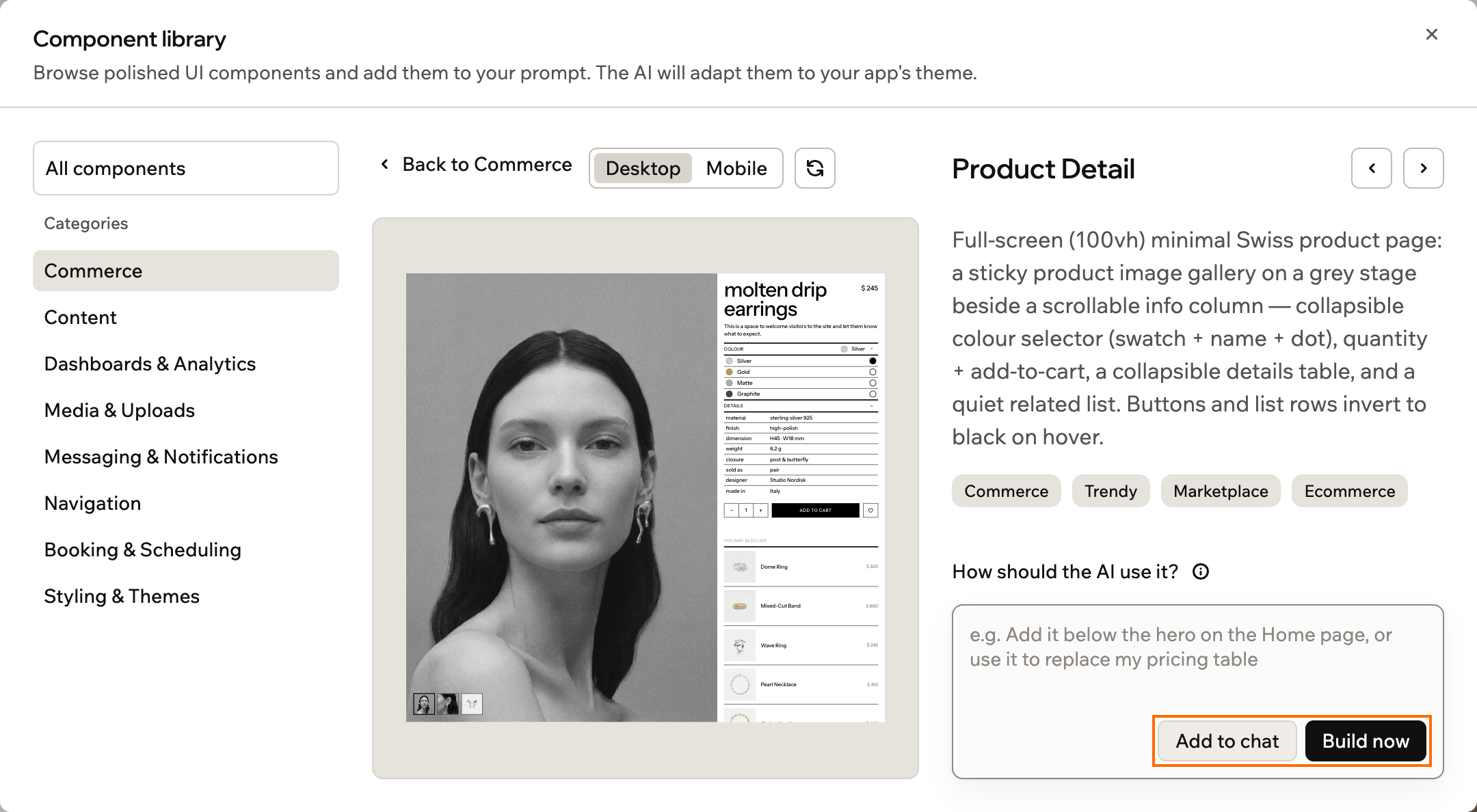
Hover over a component to see it in action, or open its details to switch between Desktop and Mobile previews. Some components also offer different states to try before adding them.
Add to a prompt or build immediately
In the component’s details, optionally describe where it should go or how the AI should use it. Add to chat places it in the prompt for editing; Build now sends it immediately. Selecting a component automatically switches the chat to Build mode.
Each message can include one component. Base44 rebuilds it as React code, adapting its styling, fonts, and copy to the app’s design. The component library documentation explains the workflow.