
How to post Shorts from your stream while you're still live

You can post a Short of something that happened on stream a few minutes ago, without stopping the stream or opening an editor.
Something good happens, you press one key, and a captioned vertical clip of the last 30 seconds lands in a folder on your computer. From there it goes to YouTube Shorts from your phone or your second screen, while you keep playing.
Everything here is free. OBS does the saving, a short Python script does the cutting and captions on your own computer, and the upload uses YouTube's own tools.
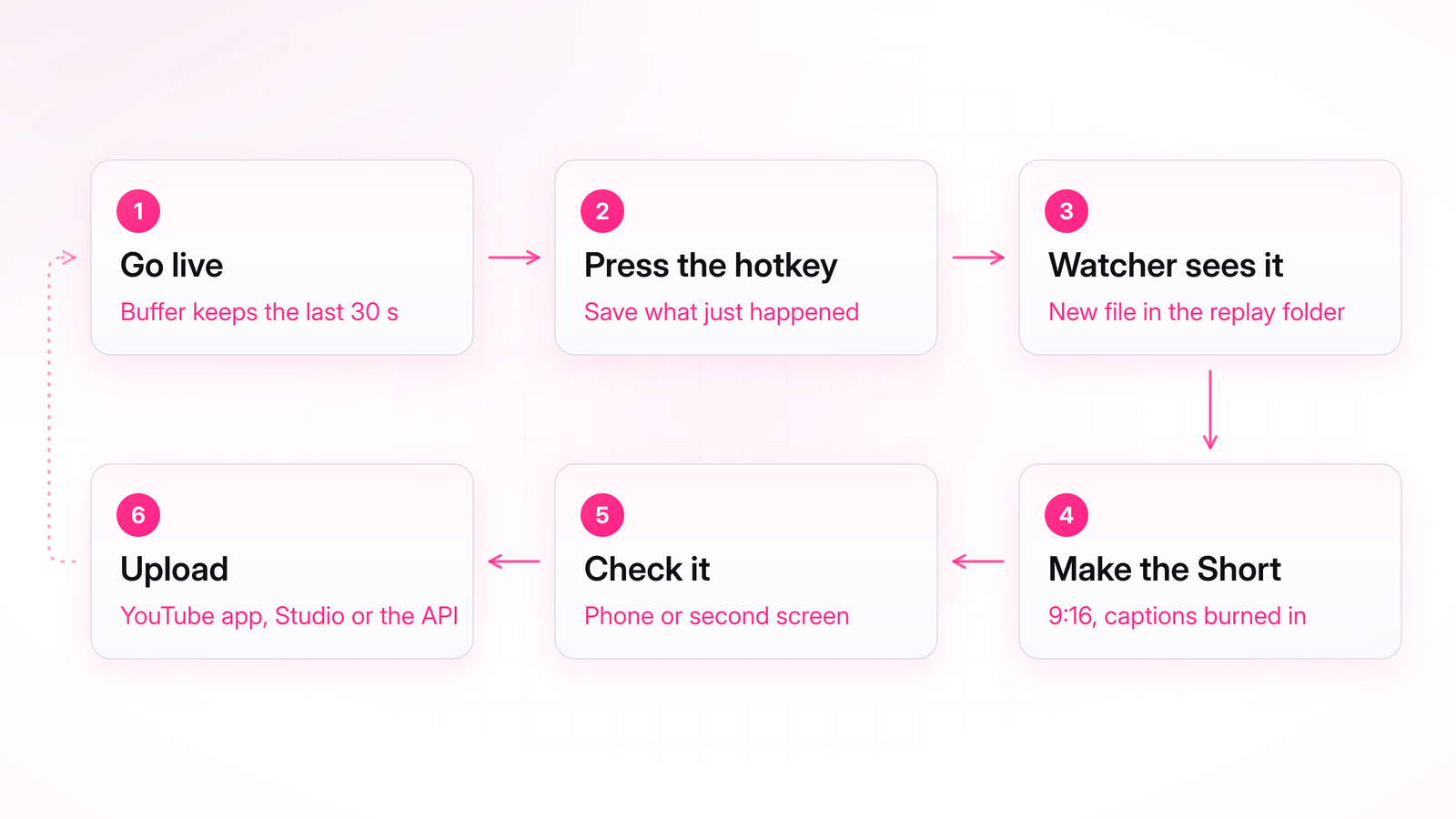
This is different from clipping a stream after it ends. The Short goes up while people are still watching live, so it can bring new viewers into the stream that is happening right now.
Keep reading with Pro
Every Pro guide, new ones added regularly. Cancel anytime.